
 Home
 User Guide
 Developers
 Payment Gateways
 Integrations & Tools
 Site Usage
 Troubleshooting
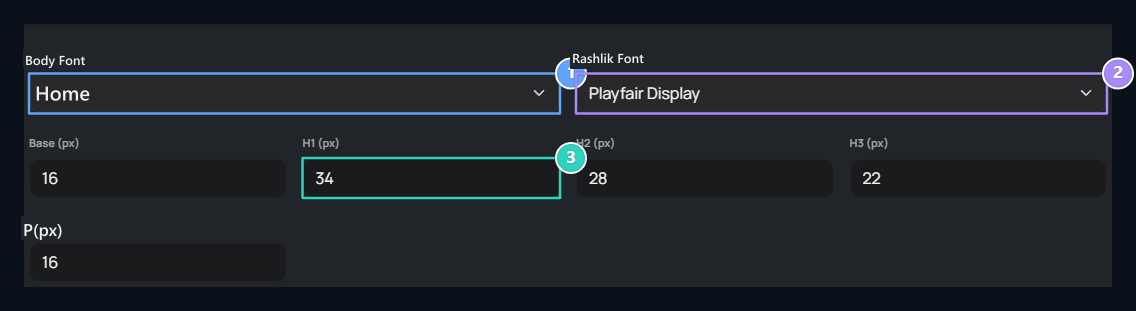
1. Body font
Select the font family of paragraph and general texts.
2. Title font type
Select the font of the chapter headers.
3. Text sizes
Set the base, H1, H2, H3 and P sizes as pixels.
Select fonts
Body Font list Poppins, manrope, sora and Space Grotesque . Estimate the font you choose on descriptions, domain tags and long paragraphs. Title Font for Playfair Display, DM Serif Display, Cormorant Garamond or Spectral You can choose. Check the title font in a long announcement header both in a short card header.Set text sizes
- Base (12–22 px): Basic text size.
- H1 (24–54 px): The main header size is.
- H2 (20–48 px): The size of the section headers is.
- H3 (18–40 px): The bottom header size is.
- P (12–22 px): Paragraph size.