
 Home
 User Guide
 Developers
 Payment Gateways
 Integrations & Tools
 Site Usage
 Troubleshooting
Account and login rules
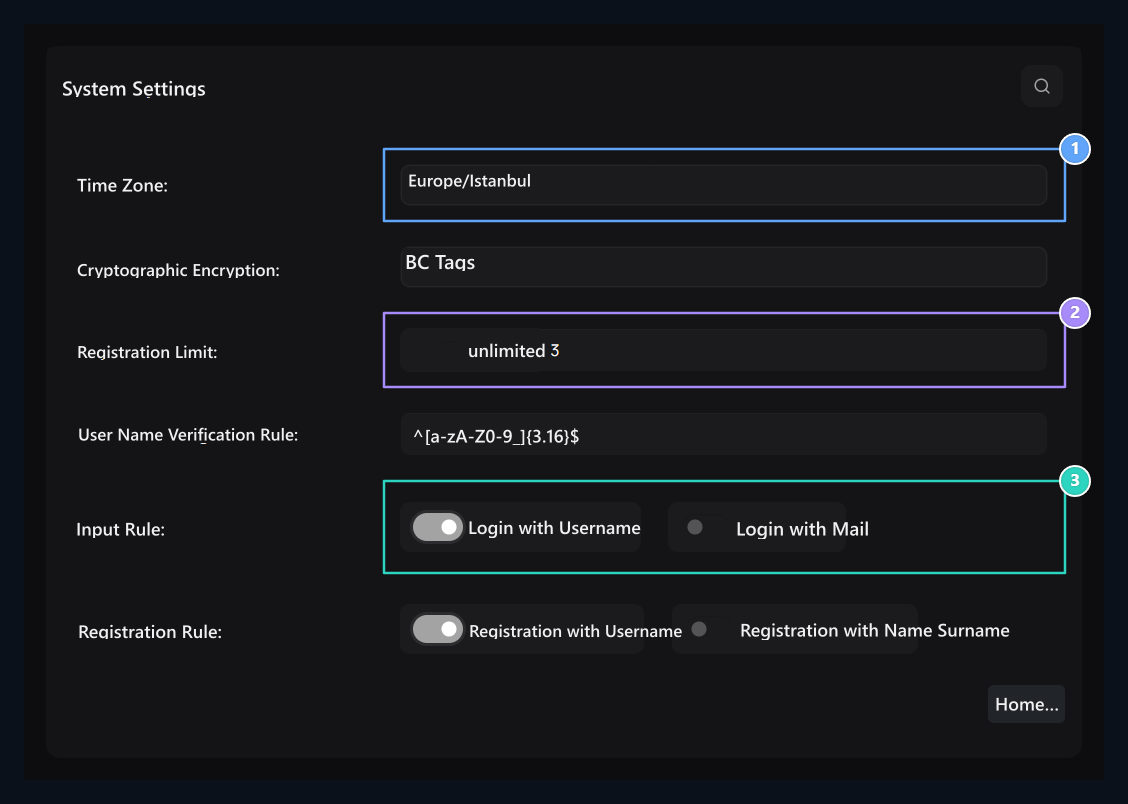
1. Clock and password
Select the time zone and password storage method here.
2. Registration limit
Enter the number of accounts per IP if it is unlimited off.
3. Input choice
Set the login method with the username or email.
For example
^[a-zA-Z0-9_]{3,16}$ The rule accepts 3–16 character names consisting of letters, numbers and subline. Deniz_01 warn this rule; Deniz 01 does not fit due to the space inside.
Minecraft Java and Bedrock usernames
Minecraft server Deer / Floodgate If you agree to Bedrock players with Username Verification Rule Prepare the space compatible with player names that appear on the server. Floodgate can add a prefix to Bedrock names; for example,.Sea_01. The spaces on the player name are also translated into the bottom line on the server side.
The above Java sample does not accept the point. Bedrock prefix on your server . if the example `^.?[a-zA-Z0-9_] ---
Title: “System Settings”
Description: “Edit account rules, time zone, maintenance message, announcement tape and notification preferences.”
icon: “/images/doc-icons/rehberler—sistem-ayarlari.svg”
Settings → System Settings open the screen. Set the common work preferences of the site with account creation and login rules here. When your edits are ready, at the bottom of the page Save Press the button.
Account and login rules
1. Clock and password
Select the time zone and password storage method here.
2. Registration limit
Enter the number of accounts per IP if it is unlimited off.
3. Input choice
Set the login method with the username or email.
For example
^[a-zA-Z0-9_]{3,16}$ The rule accepts 3–16 character names consisting of letters, numbers and subline. Deniz_01 warn this rule; Deniz 01 does not fit due to the space inside.
Use: Sea_01 and .Sea_01 accepted. This sample accept the point prefix optional; if you use different prefix or ad length, then adjust the rule according to your own configuration.
The player name on the site account should match the name that the game server uses. Do not remove Bedrock prefix to match the glamorous registration form; it can be mixed with the same Java and Bedrock accounts. Floodgate name prefix guide · Description of gay player names
System and maintenance
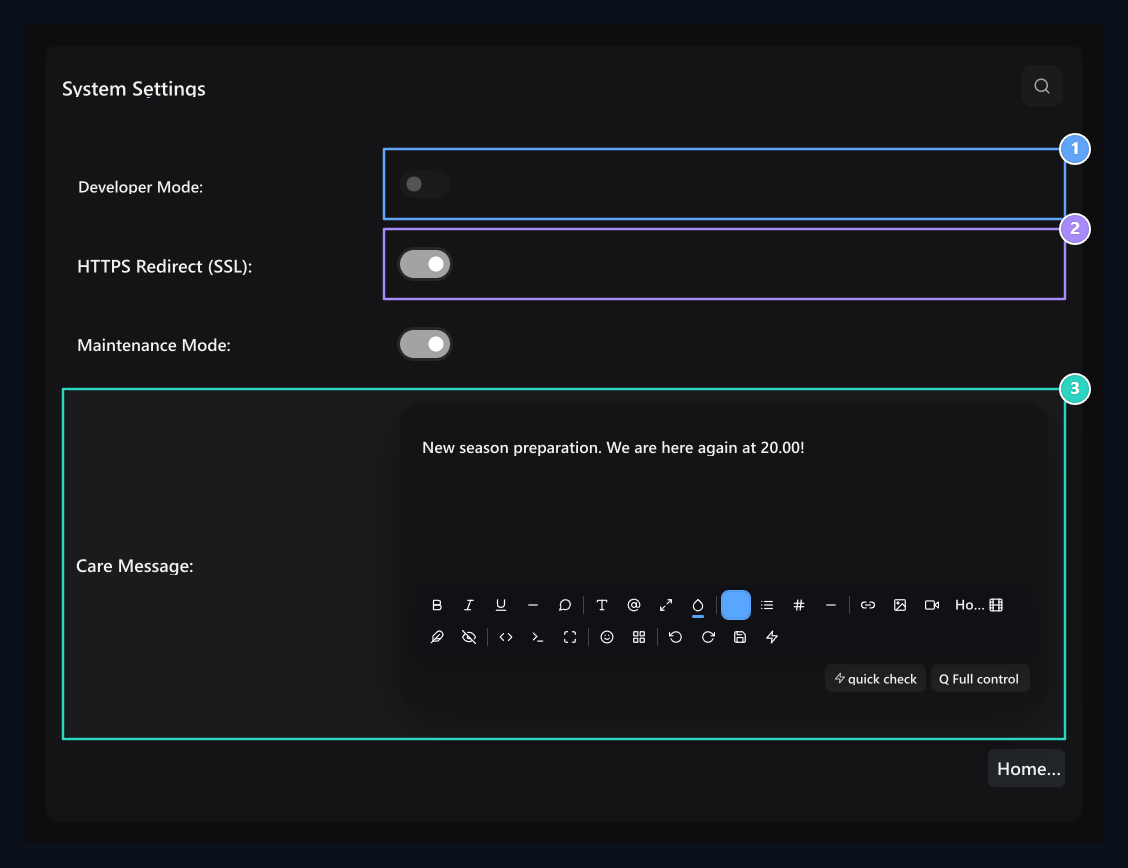
1. Developer mode
This key manages debugging appearance.
2. SSL routing
Open the HTTPS installation when ready.
3. Maintenance message
Write the description of the visitor to see when the maintenance is opened.
Announcement and notice preferences
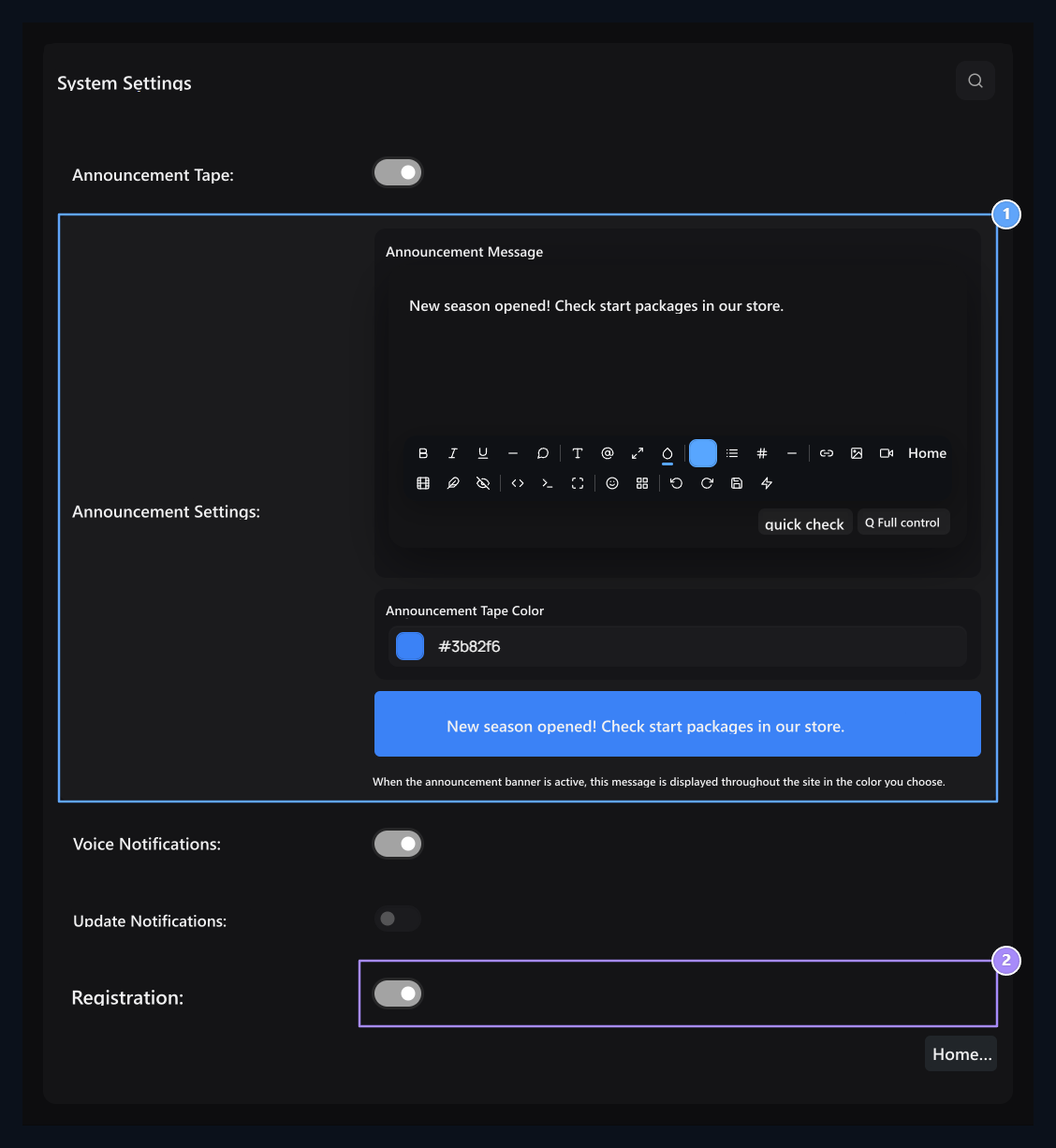
1. Announcement tape
Edit text, background color and preview in the same field.
2. Open records
New memberships open and close with this key.