
 Home
 User Guide
 Developers
 Payment Gateways
 Integrations & Tools
 Site Usage
 Troubleshooting
Prepare new page
Add Page Press the button. Page Name type the title clearly telling the topic in the field. Tags add words to the field of content. Page Content Prepare text, headers, lists and links in the section.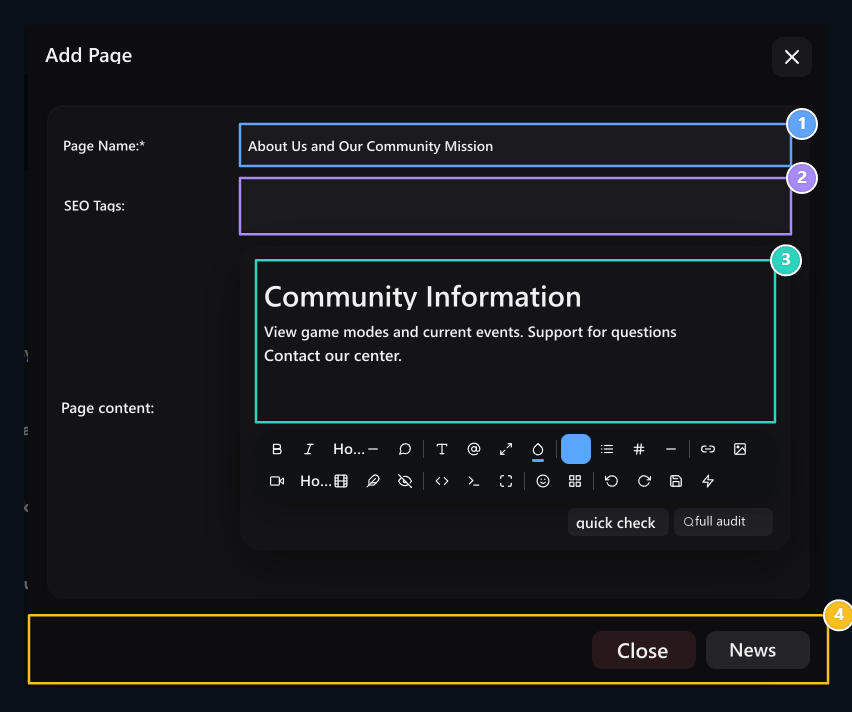
1. Page Name
Name that the user will see in the browser header and menu.
2. Tags
Add words that define page content.
3. Page Content
Prepare visual, list and descriptions with rich text editor.
4. Release
Create new page with the registration button.
Find and modify the page
Find the name of the search site in the list. Register Edit open the process; change the name, labels or contents Update complete with.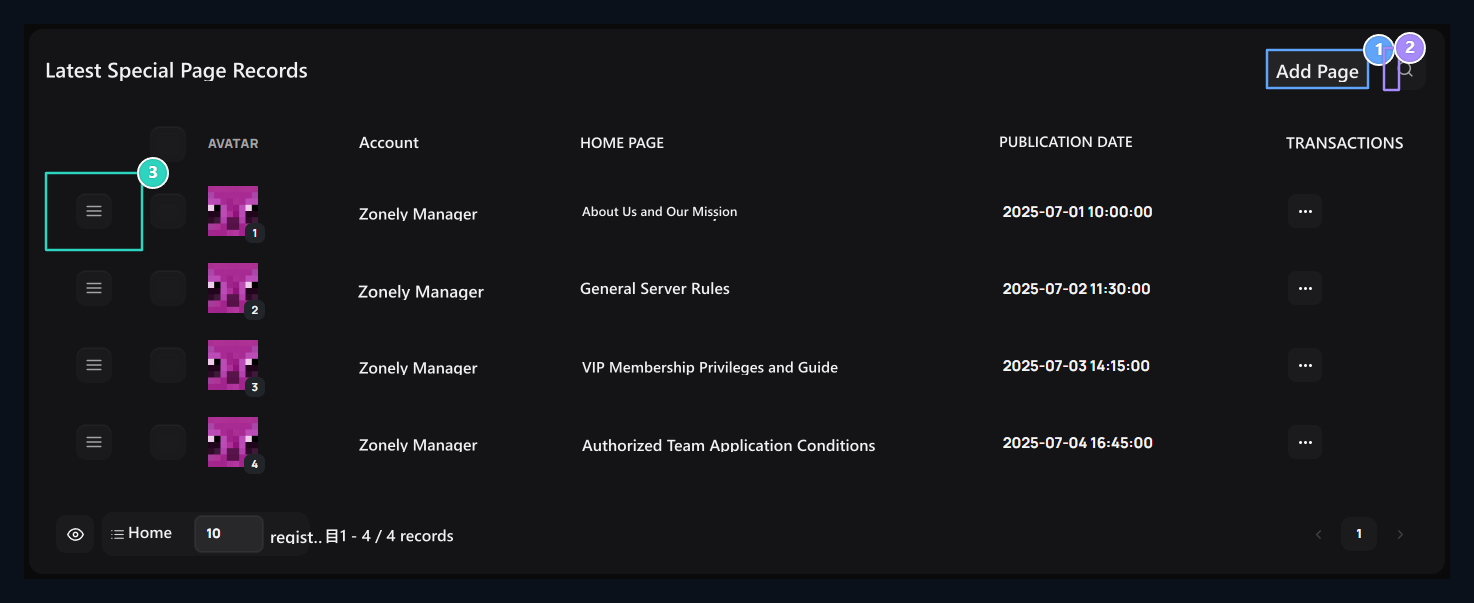
1. Add Page
It opens a new independent content page creation drawer.
2. Quick search
Filter the created custom pages according to the head.
3. Ranking arrester
Change pages by dragging menu or display sequence.
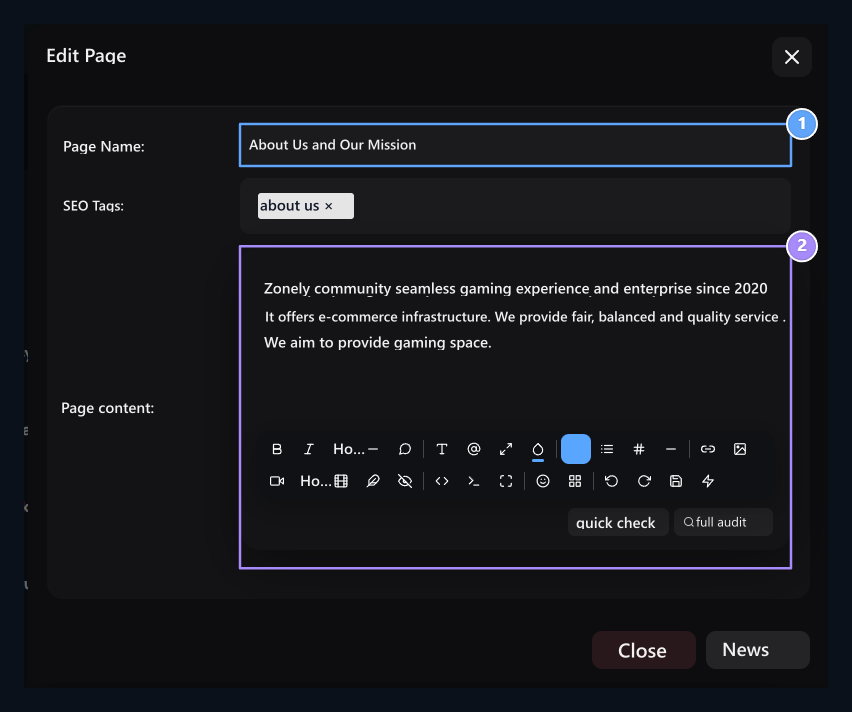
1. Update page name
Revised the current page header and tag.
2. Content editing
Update page text and added media.
Add page to menu
- © Copyright 2018 Navbar and Footer. All Rights Reserved. open the part.
- Add new item to the upper or lower menu.
- Menu Type → Normal Link Select.
- Select the special page you create from page selector; fill the desired page information if necessary.
- Identify menu header, tab preference and upper menu relationship if Publish Save with.