
 Home
 User Guide
 Developers
 Payment Gateways
 Integrations & Tools
 Site Usage
 Troubleshooting
Find the product versions
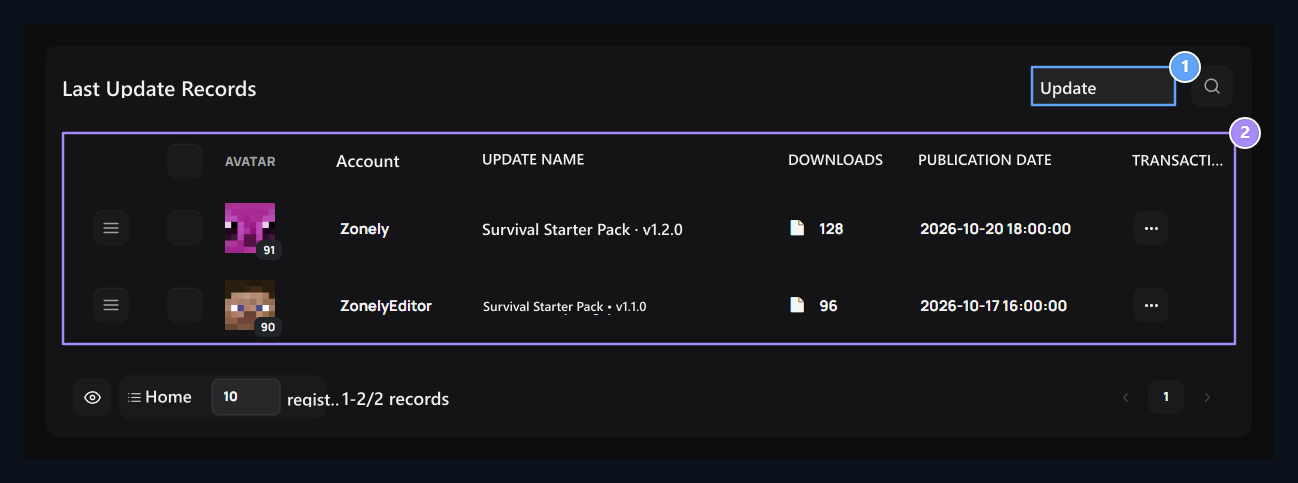
1. Update
Open to add new version and file to a digital product.
2. Releases of the product
Update name, enhance, track the number of downloads and date of publication.
Select product and version
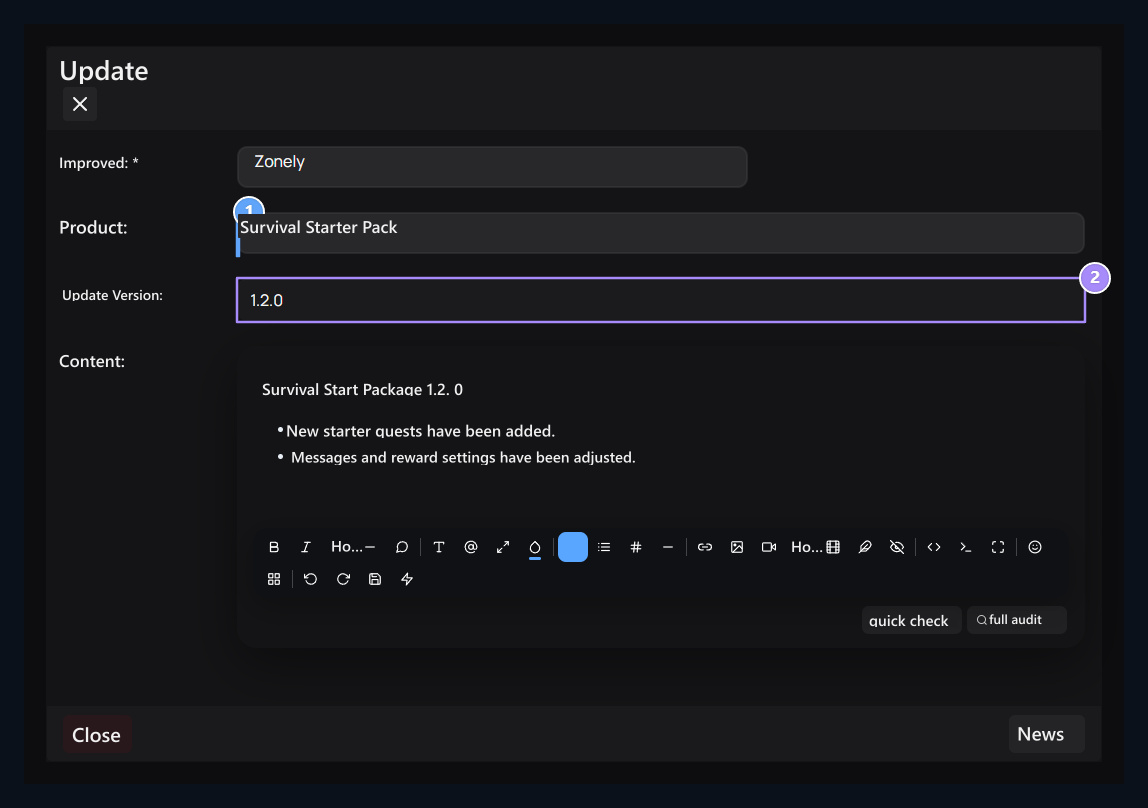
1. Select digital product
Determine which product belongs to the update.
2. Version name
Write the new version in the way users can distinguish.
1.2.0 Enter a distinctive value like.
Content Write innovations, fixes and additional installation steps if necessary. The selection of the product determines which purchase will be connected; writing the file name does not replace this selection.
Add the announcement and file
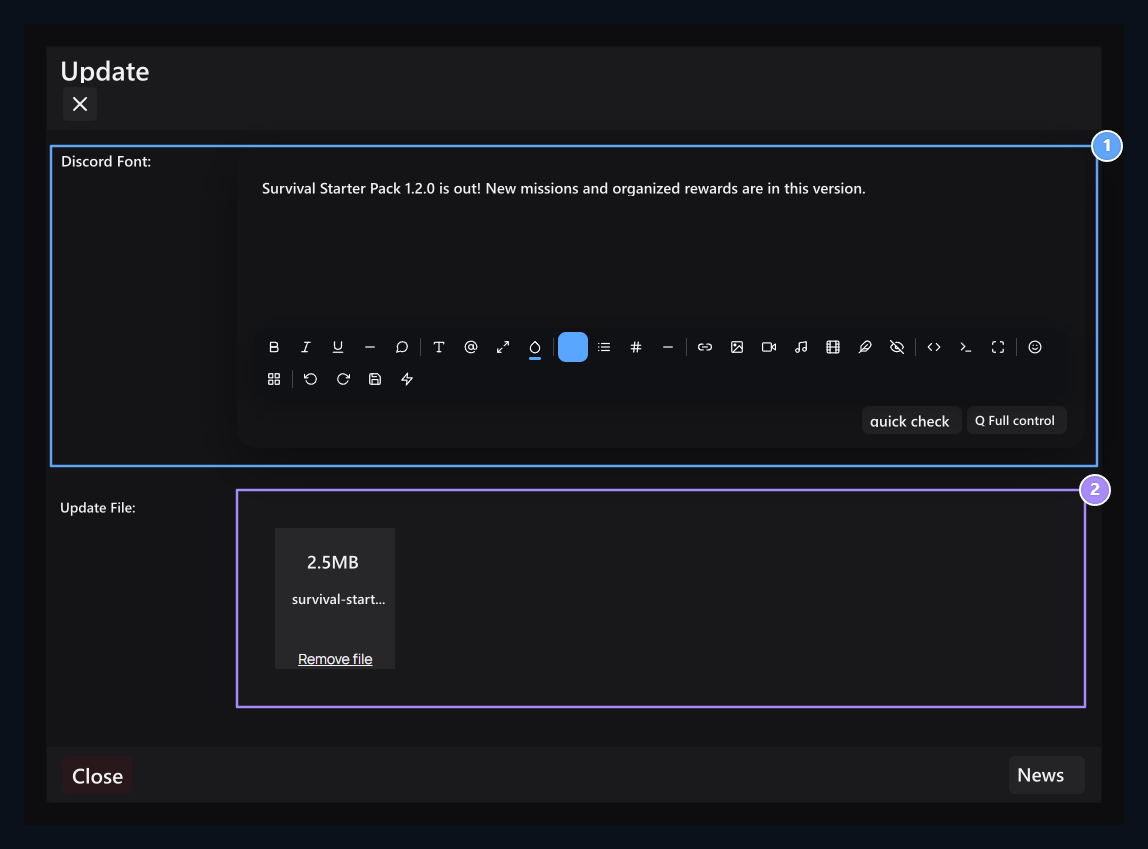
1. Discord post
Enter the announcement text you are ready for this version.
2. New file
Upload the file of the product belongs to this version.
View the filled sample
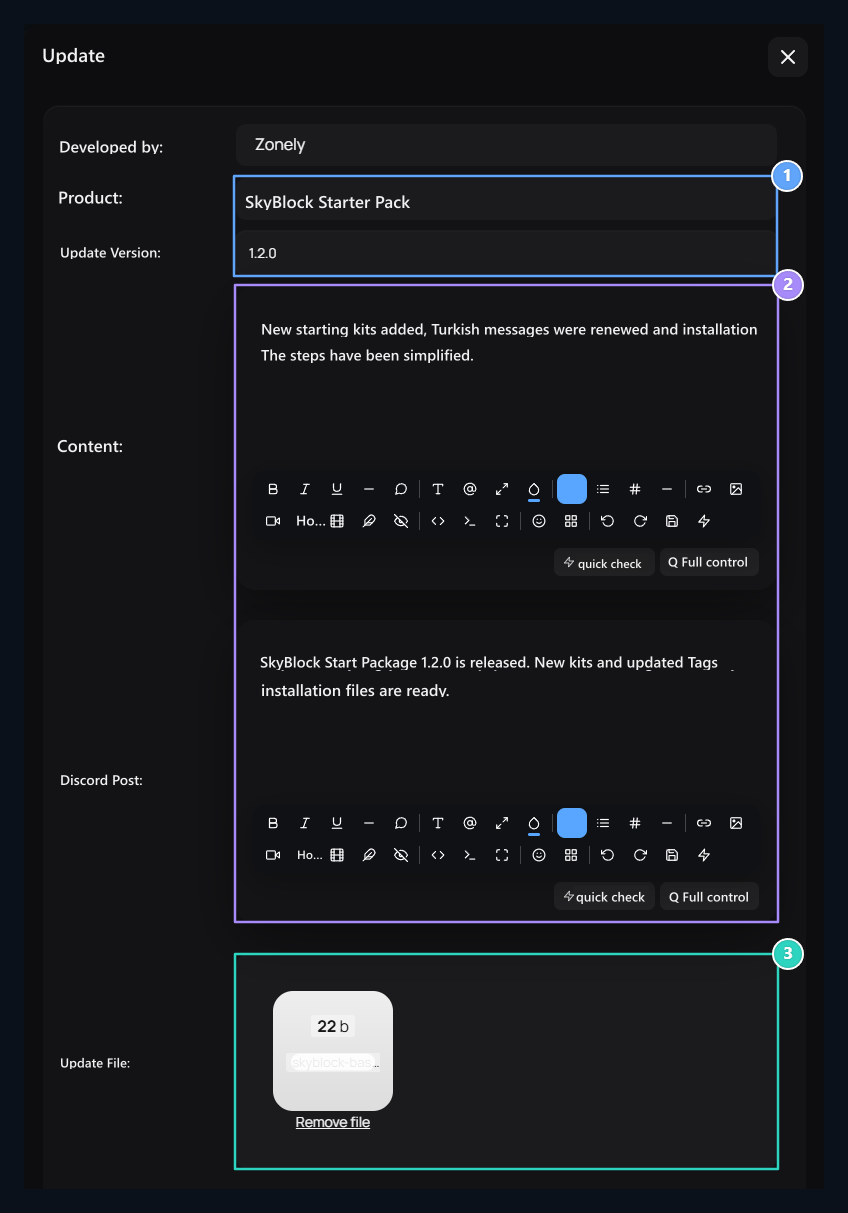
1. Product and version
Check the product and version number of the update together.
2. Content and announcement
Prepare separate announcement text for version notes and Discord.
3. Version file
Check and publish the file uploaded to this version.
How to download the user product?
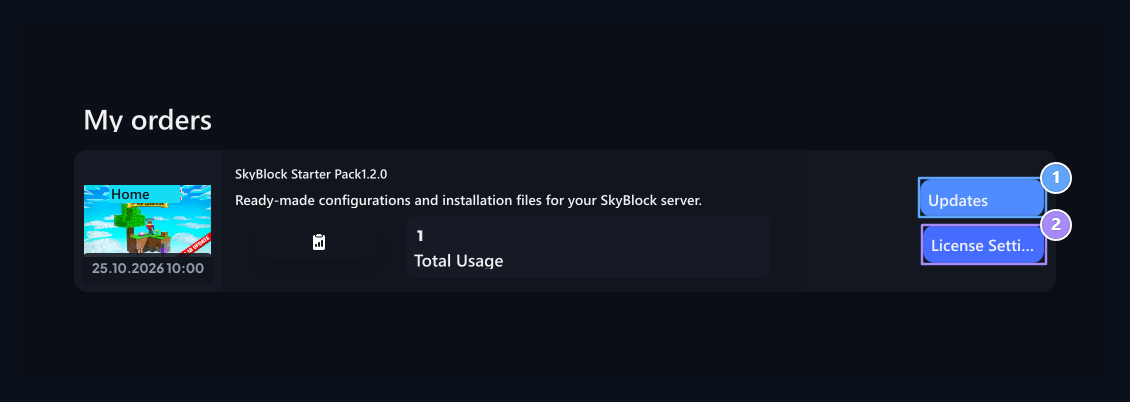
1. Updates
Open the versions of the digital product you purchased.
2. License Settings
Open the domain name and IP information of the product.
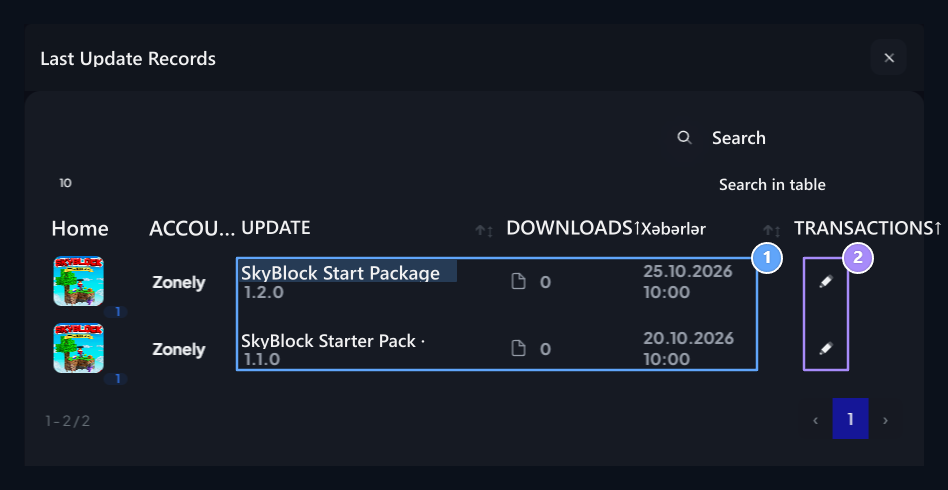
1. Release records
Compare version name and date of publication.
2. Open version
Take detail with the action button of the corresponding line.
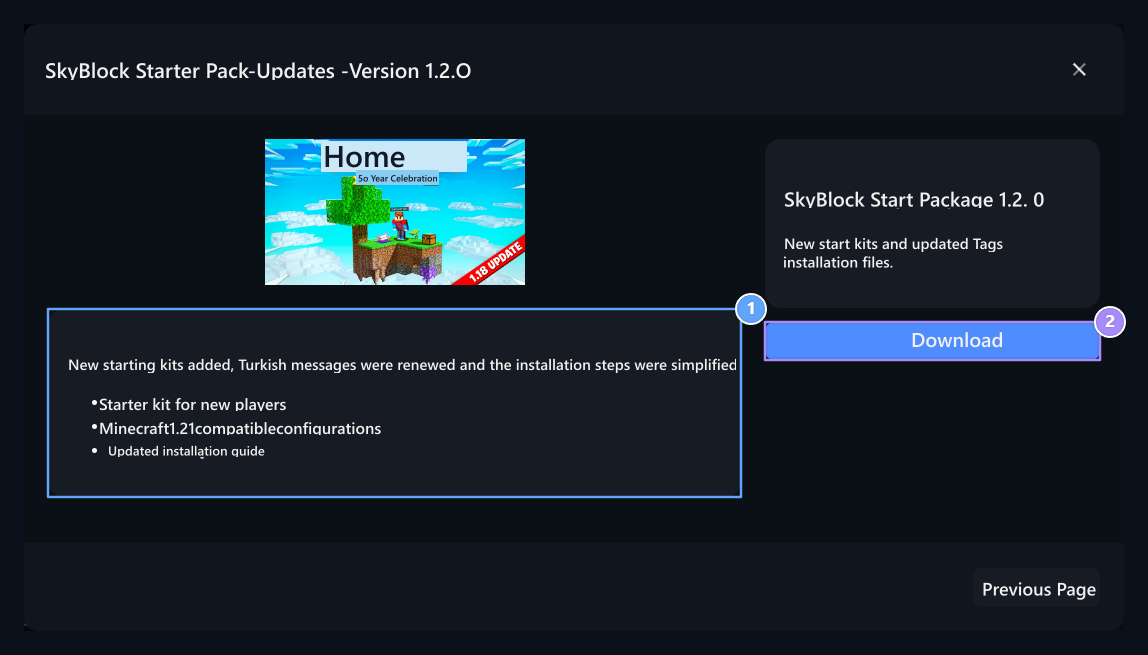
1. Release notes
Read the innovations and installation description before downloading the file.
2. Download
Download the file of the version that is your right to access.
Edit license information
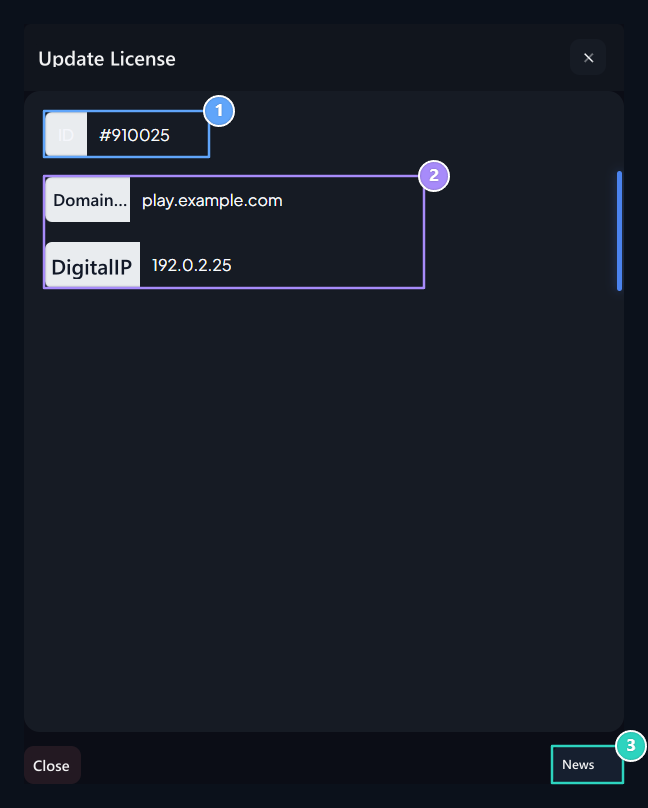
1. License ID
Check the license record of the product you open.
2. Domain name and IP
Enter your own domain and numerical IP information that the product will work.
3. Update
Save your edited license information.