
 Home
 User Guide
 Developers
 Payment Gateways
 Integrations & Tools
 Site Usage
 Troubleshooting
View categories and articles
The default view shows articles under categories they are connected. Home You can review the title, category, display and publication date in the table.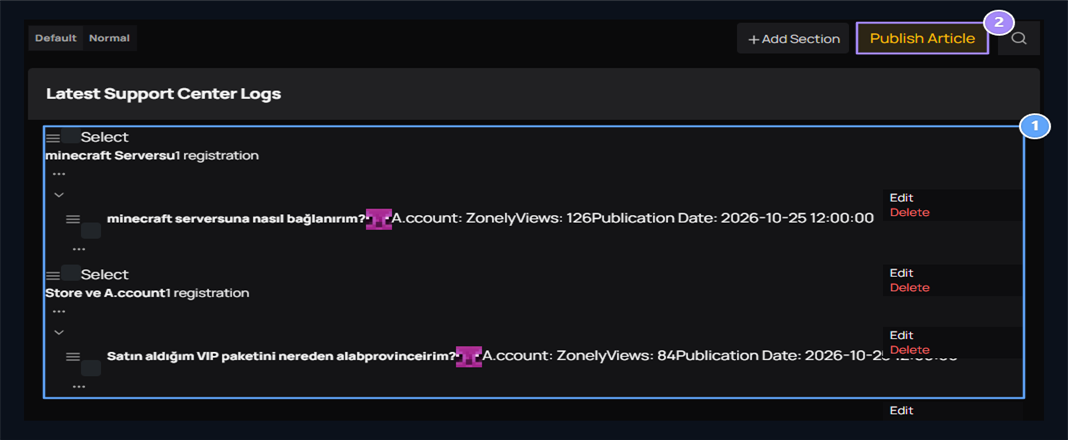
1. Category and Articles
View the help articles under the relevant category.
2. Article Published
Prepare a new question and response.
Create Help category
Add Section Set category name, color and description in the window. You can add a cover from the diagnosis of the category in the visual field. Used in category card on the color and visual user side.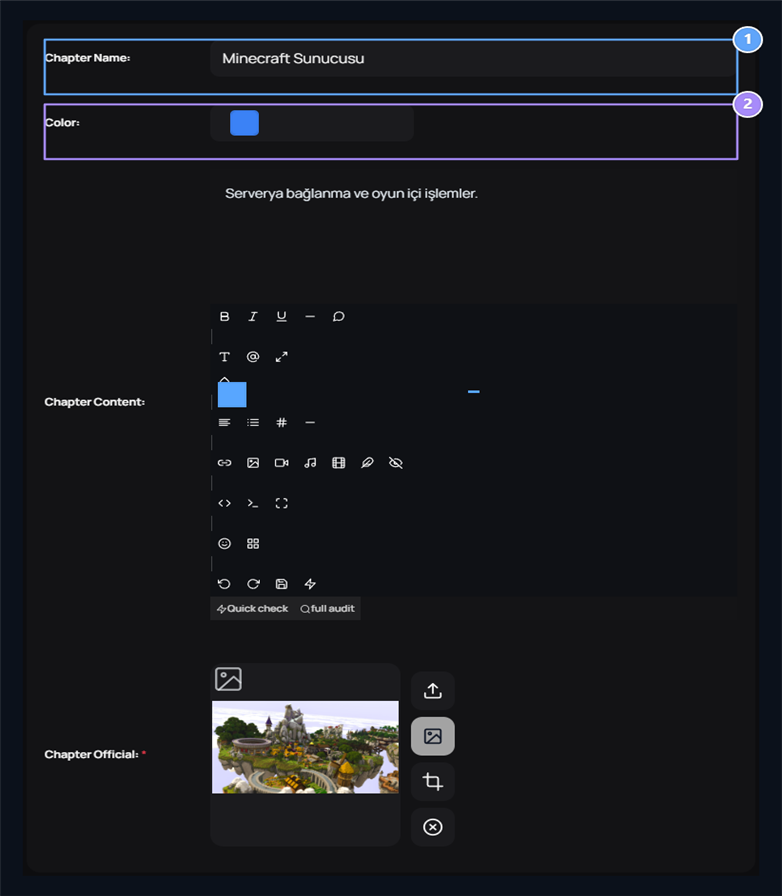
1. Category name
Set the header that collects help articles.
2. Color
Select the highlight color of the category card.
Prepare the question and solution post
Publish Article On screen Title type the question of the user to the field, select the corresponding category and Content Tell the solution in the field.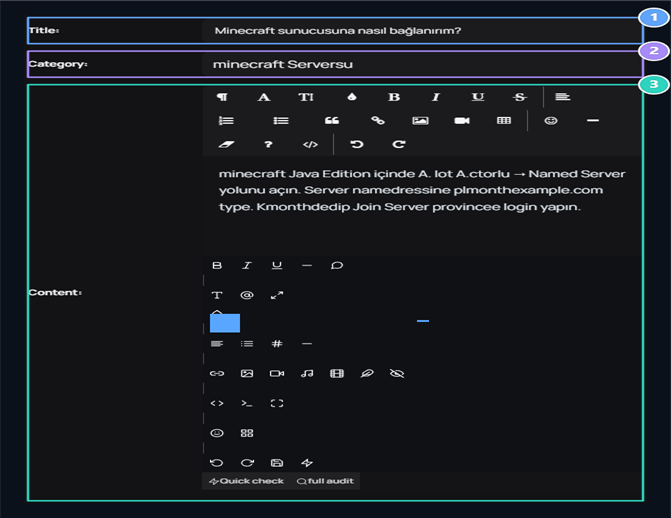
1. Question header
Write the question the player will be assigned.
2. Category
Select the help category that belongs to the article.
3. Response
Explain the solution and the steps necessary.
How does the user use the help center?
Your user site /help opens the page. You can write words about the question of the search field, open one of the frequently asked questions or use category cards.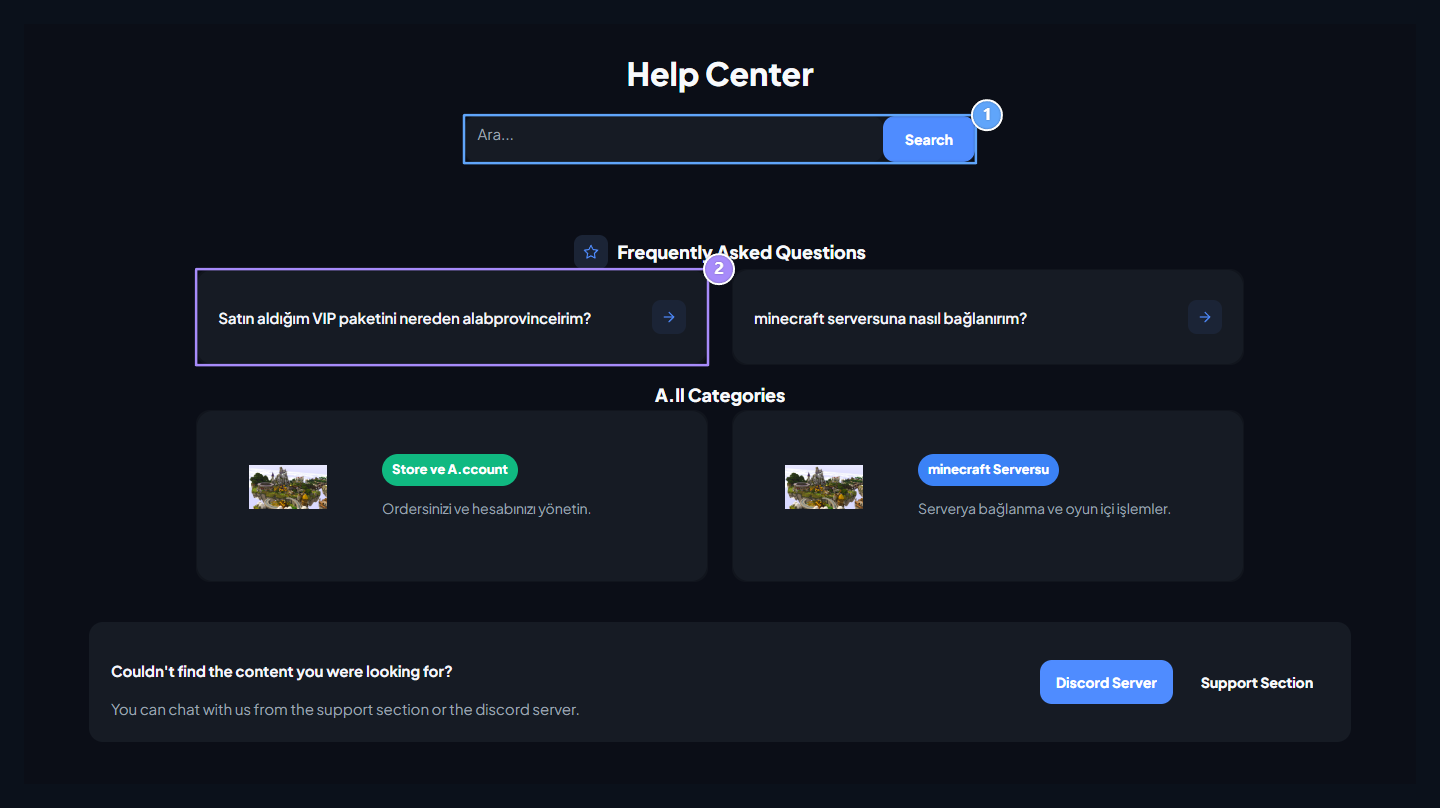
1. Help call
Give your question the phrase.
2. Frequently Asked Questions
Open the ready-made help article and read the solution.
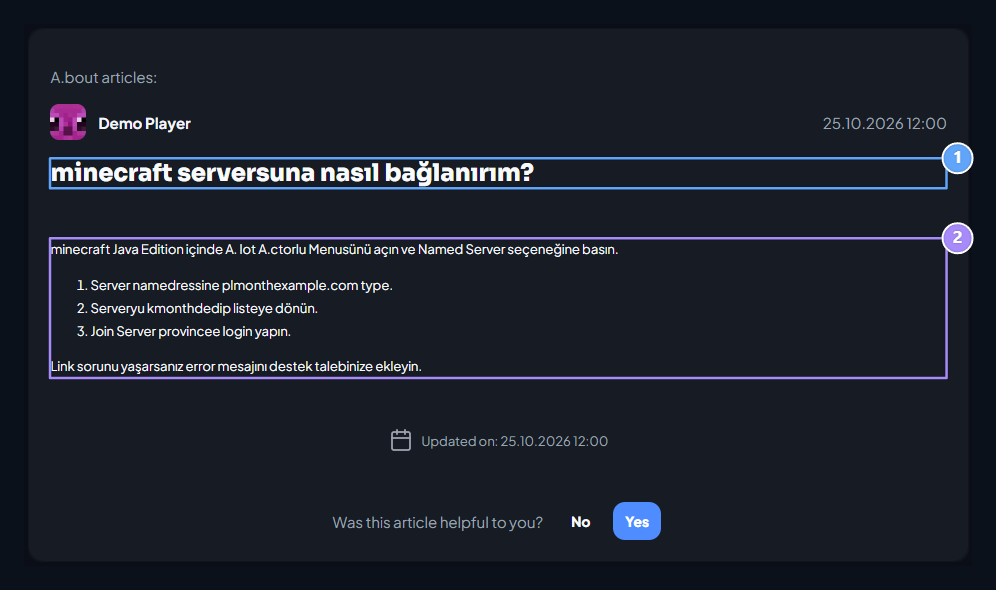
1. Article header
Open the answer to your chosen problem.
2. Solution steps
Apply connect steps to the server; if necessary, use the Support Section link.
Live Support
Check the user’s request after the help post and continue to interview.