
 Home
 User Guide
 Developers
 Payment Gateways
 Integrations & Tools
 Site Usage
 Troubleshooting
Add Provider
Add-ons → SMM Panel Activate the option. Service Providers → Add Providers open the way. Write a name to the provider. API URL and API Key fill and save the fields with the information on the API section of your provider account.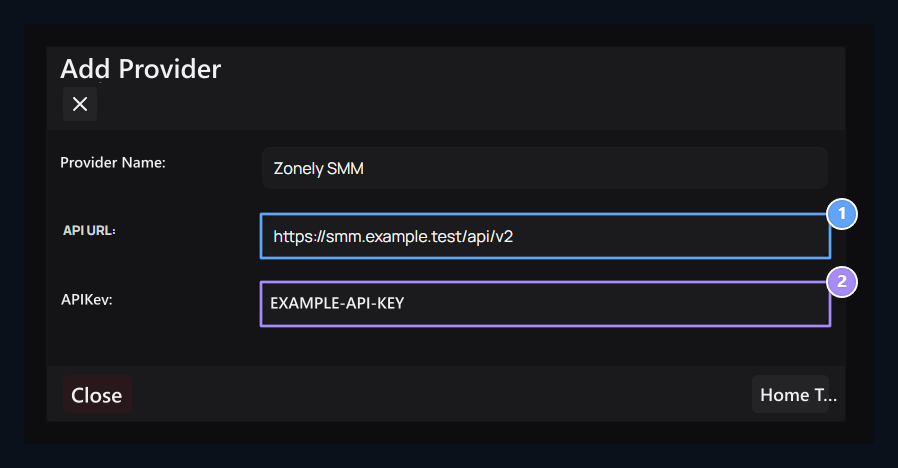
1. API address
Type the API address you receive from your provider.
2. API switch
Enter the key of your provider account.
Get services
Provider Transactions run the process of bringing/degrading services from the menu. When adding products, you will choose the services from this list.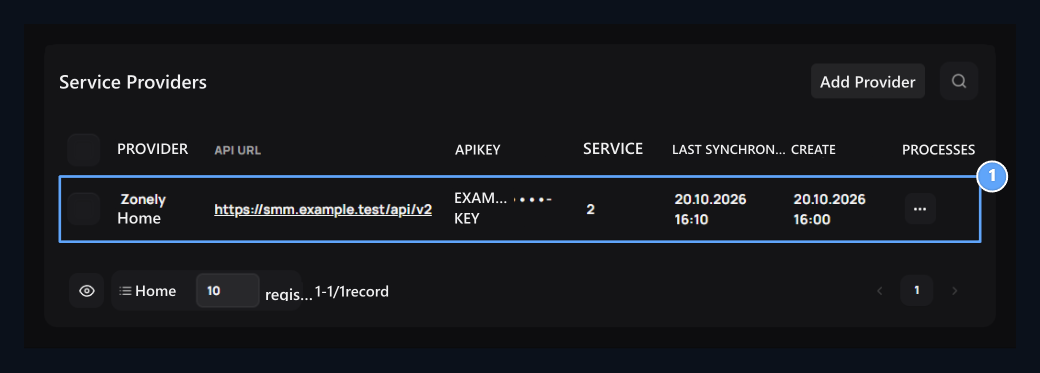
1. Provider operations
Get services, edit information or remove registration.

Add SMM product
Select a service from the provider and open it on sale in your store.