
 Home
 User Guide
 Developers
 Payment Gateways
 Integrations & Tools
 Site Usage
 Troubleshooting
Type package information
Set the name, category and sales price of the package. Package Duration Select the periodic or untime sales; fill the finish date if you will use the term.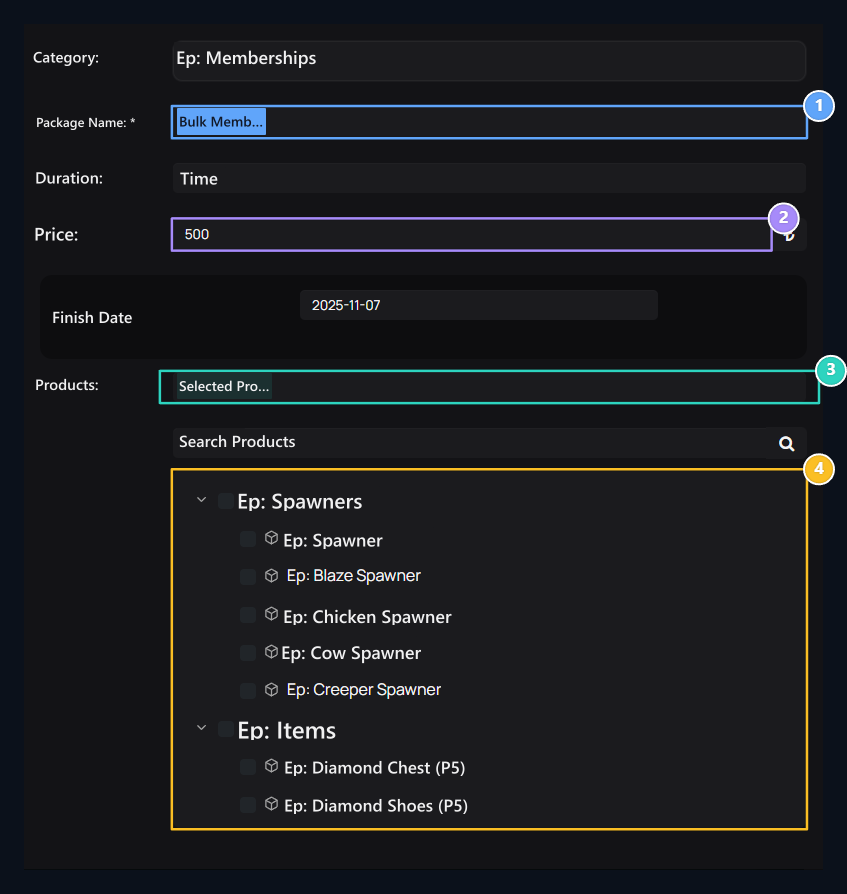
1. Package name
Type the package name that will appear in the store.
2. Package price
Type the price of the package.
3. Package content
Selected products are included in one single setting.
4. Product tree
Open categories; tick real products that will include the package.
Select products
Expand category in the product tree and mark products you will include in the package. You can find products with search. Clean up search before you save and check all of the content you choose.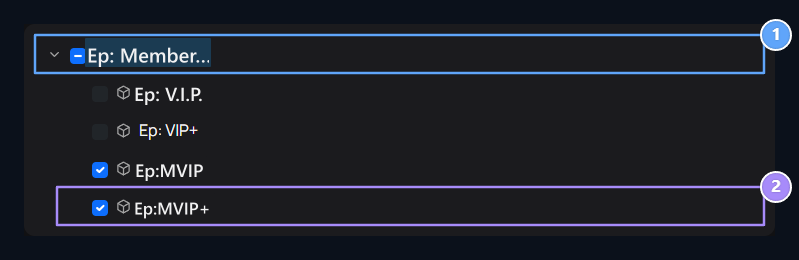
1. Membership products
See existing memberships by opening the category.
2. Include in the package
The check boxes determine the contents of the package. Real product names appear in the list.