
 Home
 User Guide
 Developers
 Payment Gateways
 Integrations & Tools
 Site Usage
 Troubleshooting
Enter the name and prize of the event
General On the tab Bounty Hunt Name, Prize Amount and Description fill in the fields. Select the event with uploading visual or library tools to promote.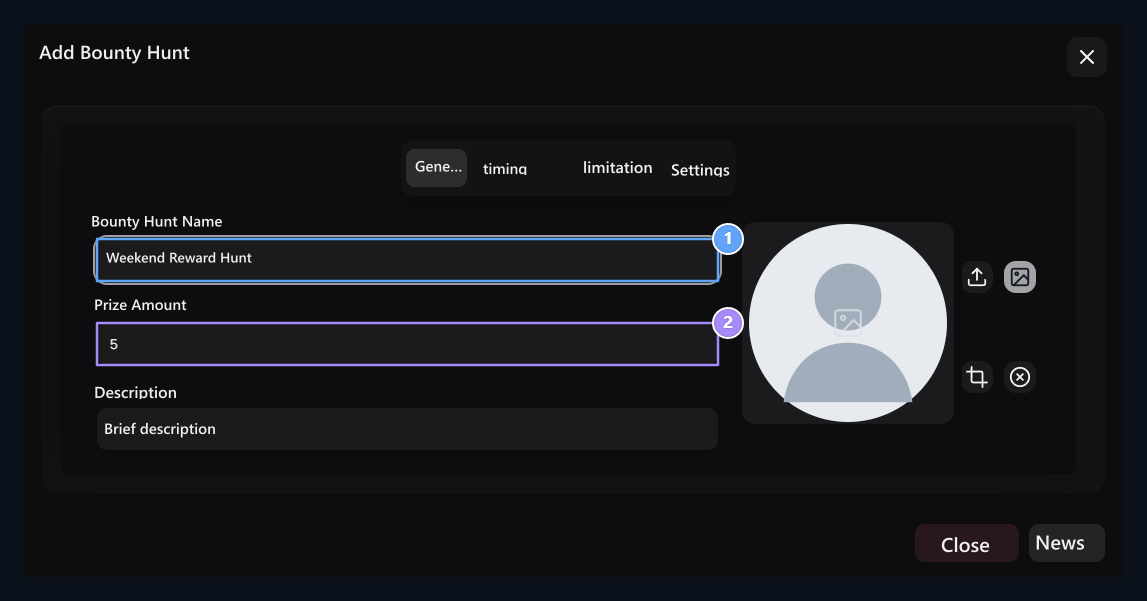
1. Award Hunt Name
The name to show the user of the event.
2. Reward Quantity
Credit to be awarded to successful collection.
Set dates and visible range
timing Set the start and end dates on the tab. Appearance Sub-Time (sec) and Appearance Time (sec) Set the dropdown of the prize to appear. It should not be small for the lower time for the upper time.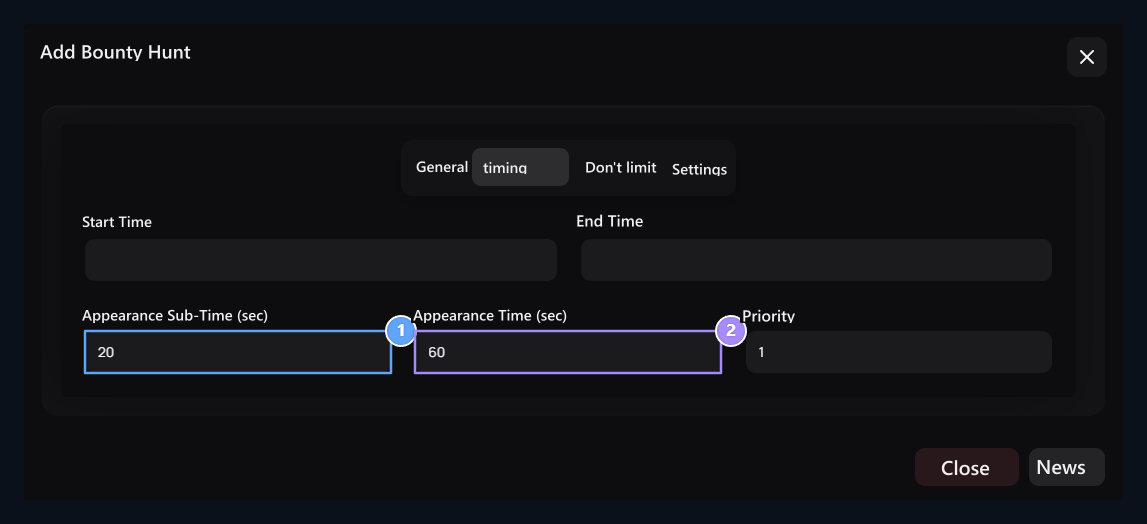
1. Appearence Bottom Time (sn)
The lower limit of the visible delay.
2. See Top Time (sn)
The upper limit of the visible delay.
Select the collection limits
limitation Prepare the limits of the user and the activity in the tab.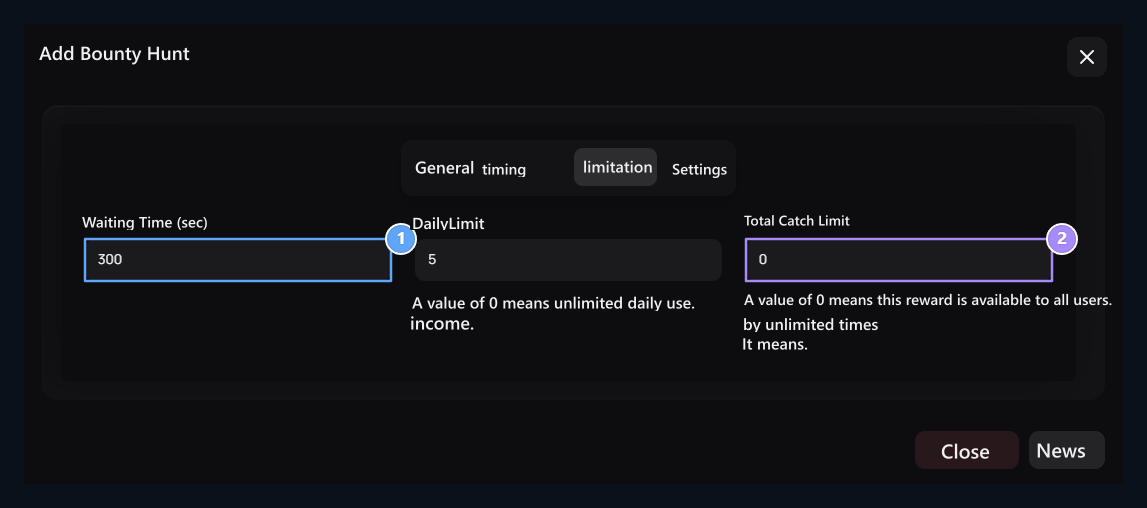
1. Standby Time (sn)
The same user’s re-picking range.
2. Total Capture Limit
Total limit for all users of the event.
Set the waiting for collection with the time of view. When the overall capture limit is filled, the user is not enough for the new collection of their right.
Open and save the event
Settings → Active Open the option. If you want to show rankings to users Leaderboard Activate your preference.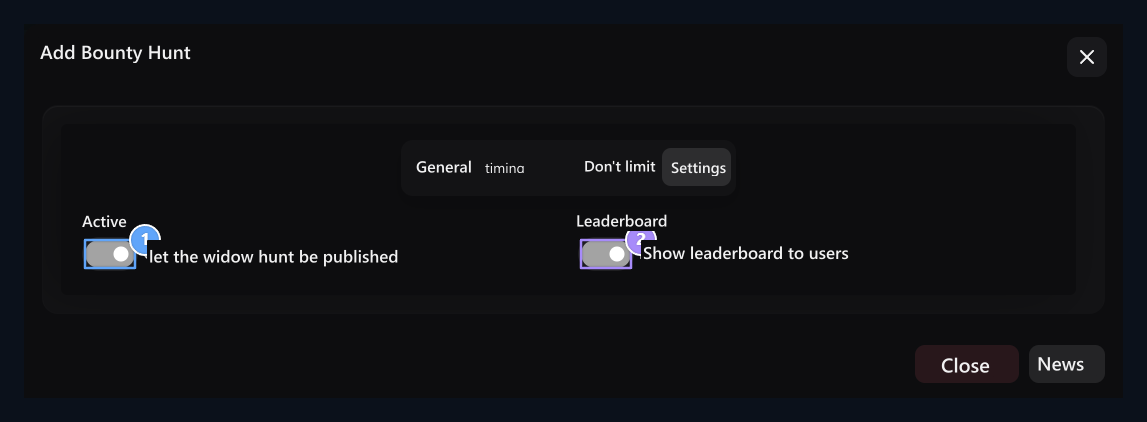
1. Active
The reward determines the hunting to be on the publication.
2. Leadership Table
The choice of leadership table to users.
How to collect user rewards?
Some parts of the page while browsing the user site a flying prize image appears. The time to view depends on the date and time settings you set for the event. The user captures the reward by clicking on this visual. You have determined the right to collect added to credit prize balance and the collection notice is shown. For example, if you have defined 10 credit prizes, the user will earn 10 credit. If the leadership table is open, it can also track the ranking in the event.No reward or no longer plan
No reward or no longer plan
Check the activeness, date range, visible times and total capture limit if it appears. Check the waiting time and daily limit if the same user is not assigned again.
Daily Chests
Prepare prizes taken from a specific page for 24 hours.