
 Home
 User Guide
 Developers
 Payment Gateways
 Integrations & Tools
 Site Usage
 Troubleshooting
Open the list of convergence
Add Match opens new recording screen. In the list, the time of party names, proportions, amount range, attendance statistics and updating are shown together.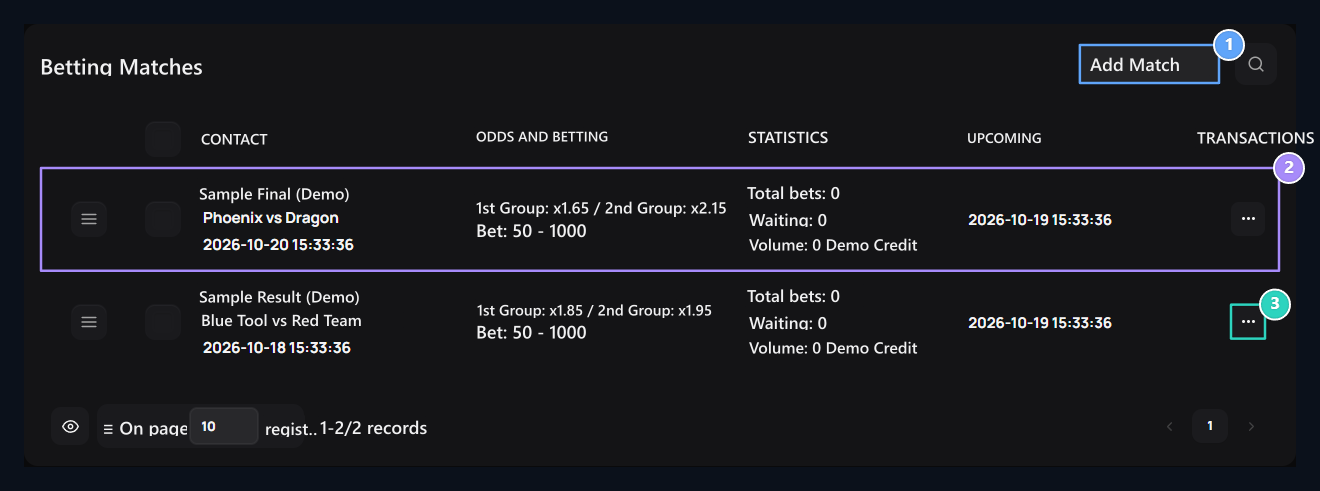
1. Add Welcome
The new registration form opens right.
2. Welcome line
Groups, proportions, start and participation statistics here.
3. Three point menu
Registrations, distribution and Editing tools are in this menu.
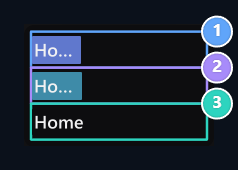
1. First Process: records
It opens the transaction records of the countercommunication.
2. Second Process: distribution
Only Distribution is located in the case of waiting; it opens the approval window.
3. Edit
Group opens its proportion, status and winning areas.
Prepare Parties and rates
Match Title type the name of the activity in the field. Group 1 and Group 2 enter names of two sides that the user can choose from. Separate the proportion of each group.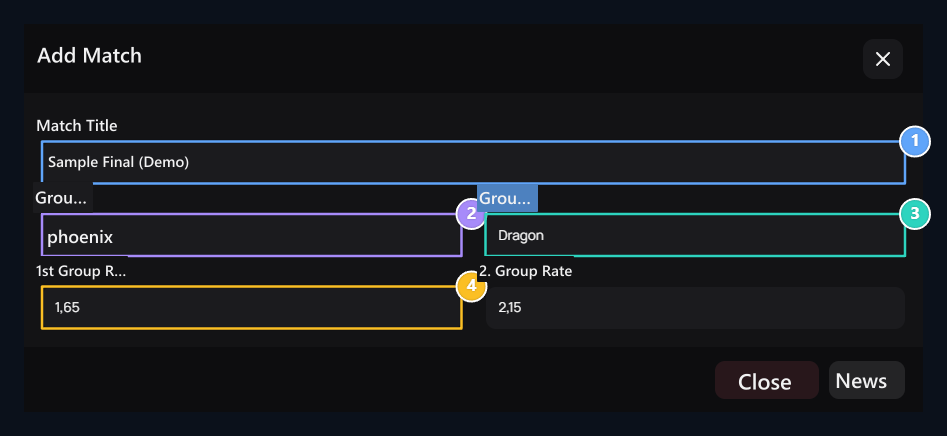
1. Comparison header
The name that appears to the user of the event.
2. 1. Group
Type the name of the first party.
3. 2. Group
Type the name of the second party.
4. Gain multiplier
Enter the rate of each group individually; the lowest value should be 1.01.
Specify the limits and status of the amount
Minimum Bet and Maximum Bet fill in the fields. Less than two values 0,01 must be; minimum, maximum should not exceed. Start Time type the time to start the field.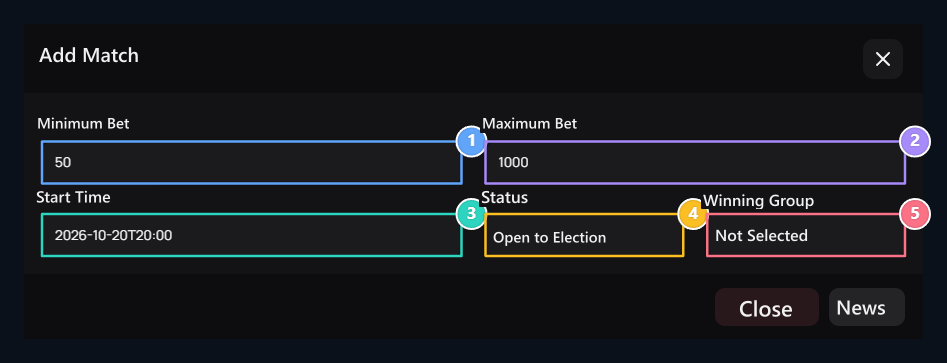
1. Minimum amount
Sub- limit of participation.
2. Maximum amount
The upper limit of the participation should not be small from the minimum.
3. Starting time
This area is for start; it is not a separate closing date area.
4. Condition
Selected Open to Select for new participation.
5. Winner Group
Leave the new encounter unselected; edit the result in certain.
New encounter Winner Group → Not Specified leave. When the areas are ready Publish Save with. Check the names, rates and limits of the user page look accurate.
Select user-side and amount
User bets Sees their summary and encounters on the page. Place a Bet button opens the side and window; previous operations Betting History listed in the field.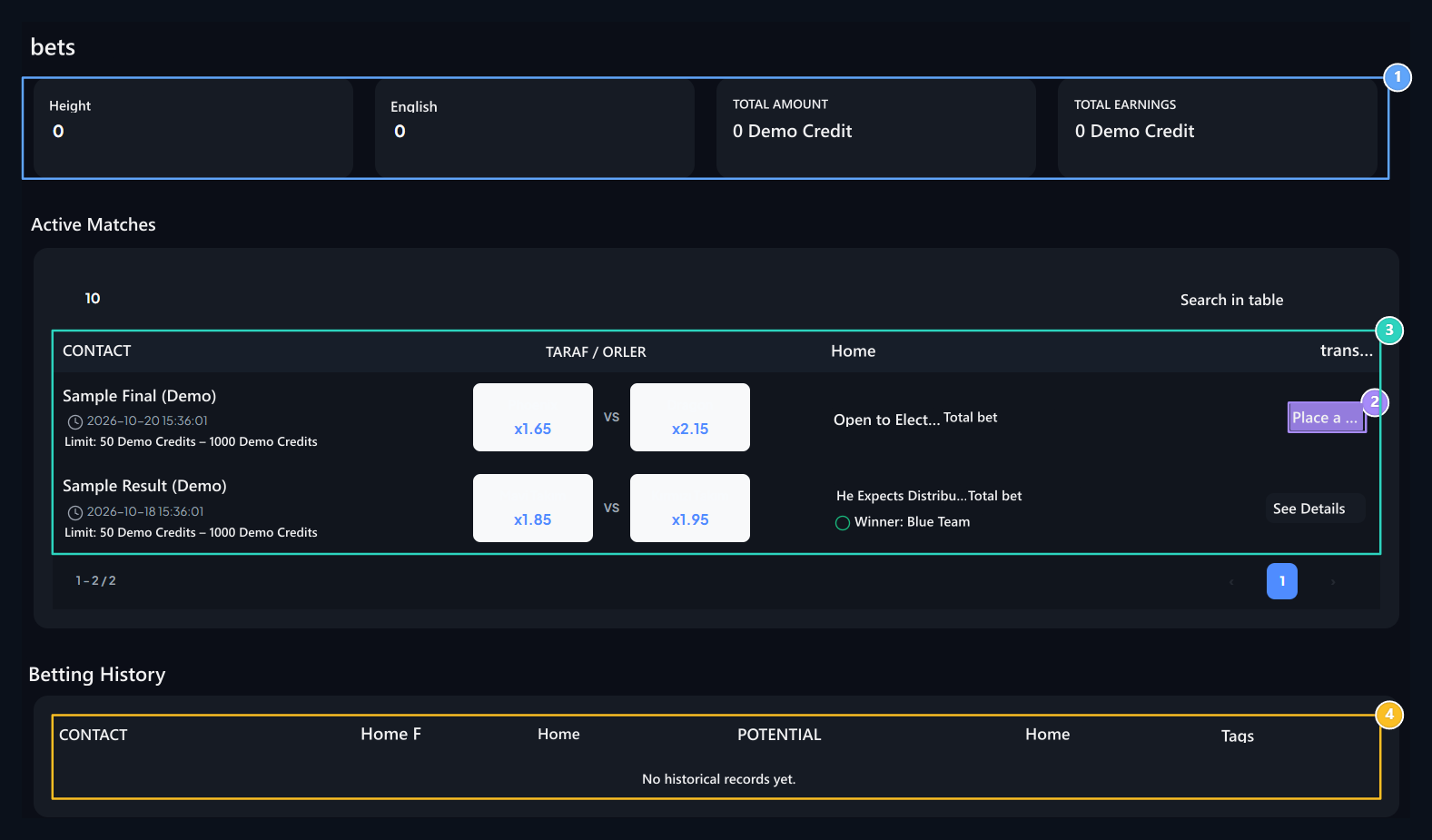
1. Account summary
Total bets, pending registration, total amount and earnings.
2. Make a bet
It opens the window of selecting the side and the amount.
3. Comparisons
View Parties, multipliers, amount limit and status.
4. Betting History
View your bet logs and current status.
1
Select the party
Login to your account and open the selection. Group 1 or Group 2 Press the card.
2
Enter quantity
Type credit amount in the permitted range. Check the selected side, rate and potential gain.
3
Complete Participation
Place a Bet Press the button. View success notice and history record.
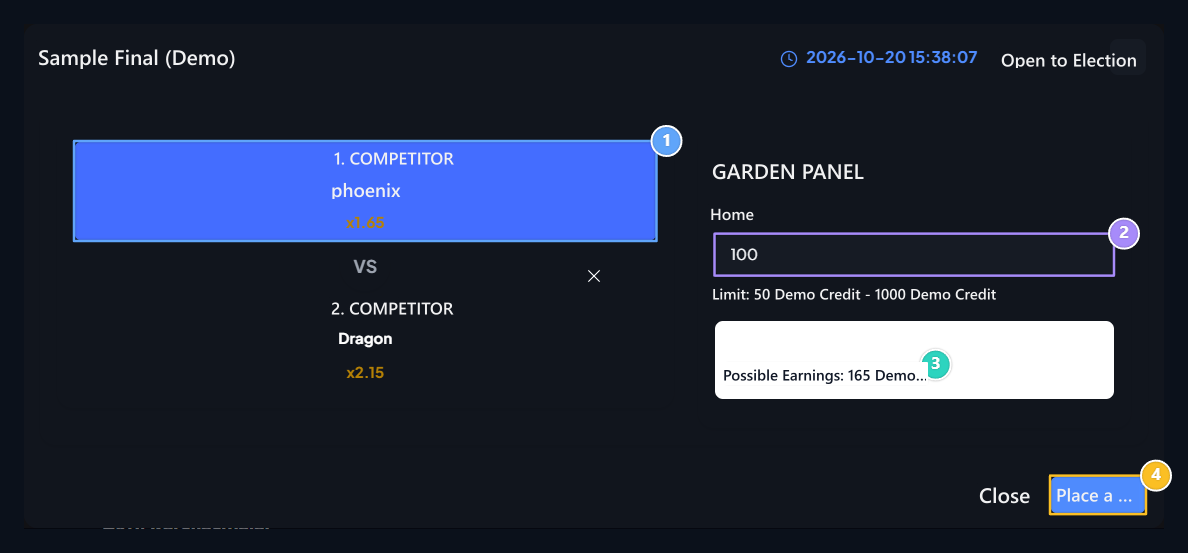
1. Side selection
Select the side you support and check the multiplier.
2. Quantity
Type the amount of bets in the lower and upper limits allowed.
3. Potential gain
Check the potential earnings calculated before sending the Bahsi.
4. Make a bet
Check and send the bet.
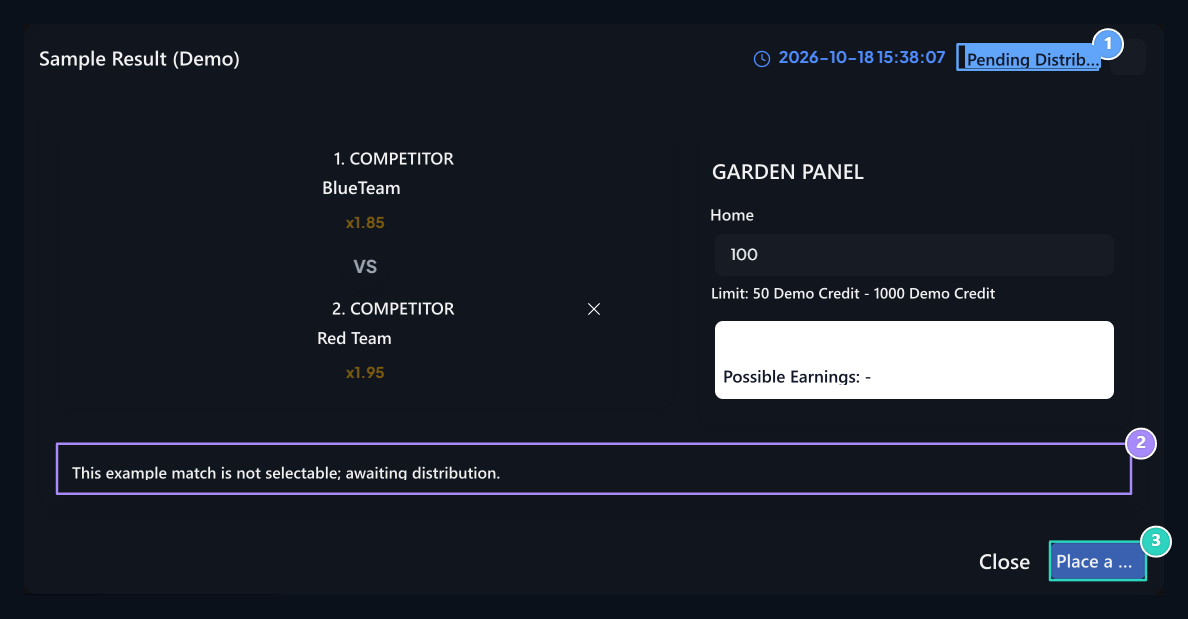
1. Distribution waiting
The convergence is closed to the selection; the result distribution has not been done yet.
2. Conformal message
Read why new engagement is closed.
3. Participation passive
In this case, new bet cannot be sent.
Save the result
When the result of the convergence is certain three points → Edit open the way. Winning Group setting the area to the right side Condition → Distribution Waiting Select. Update Save the result with.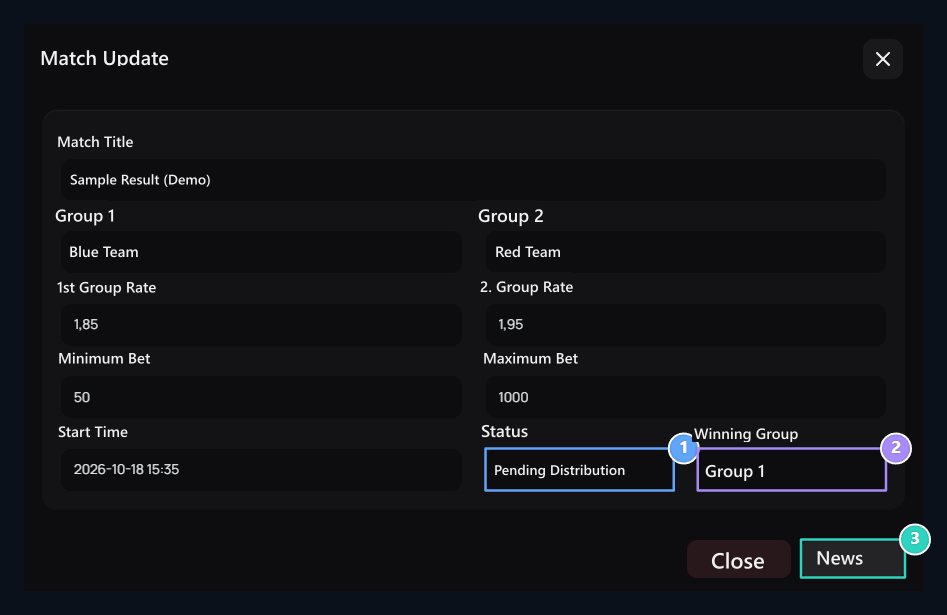
1. Distribution Wait
When the son set, bring this stage.
2. Select the winner
1. Group or 2. Match group selection with real results.
3. Update
Saves the results settings; the distribution of the prize is the separate button.
Deploy and review the rewards
Check the right encounter in the confirmation window and the winning side you choose. Start distribution with the confirmation button when you are ready. Cancel the process closes the window.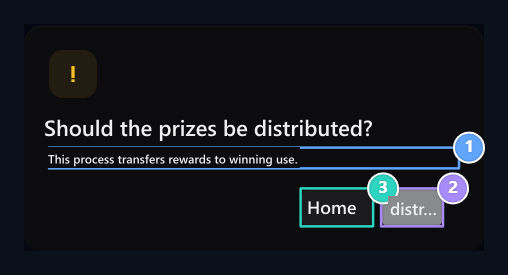
1. Distribution approval
Check the encounter and winning side before the prize is distributed.
2. Confirm button
Start distribution when you make sure you save the correct result.
3. Vaz resume
Close the window without distribution.
Sweepstakes
Prepare a lottery with participation conditions.
Mystery Boxes
Organize the collection flow of tour and earnings.