
 Home
 User Guide
 Developers
 Payment Gateways
 Integrations & Tools
 Site Usage
 Troubleshooting
Set the board and credit range
Mystery Box Name fill in the area. Number of Boxes with how many boxes will be found in the board, Scoreboard Select the end winners to avoid.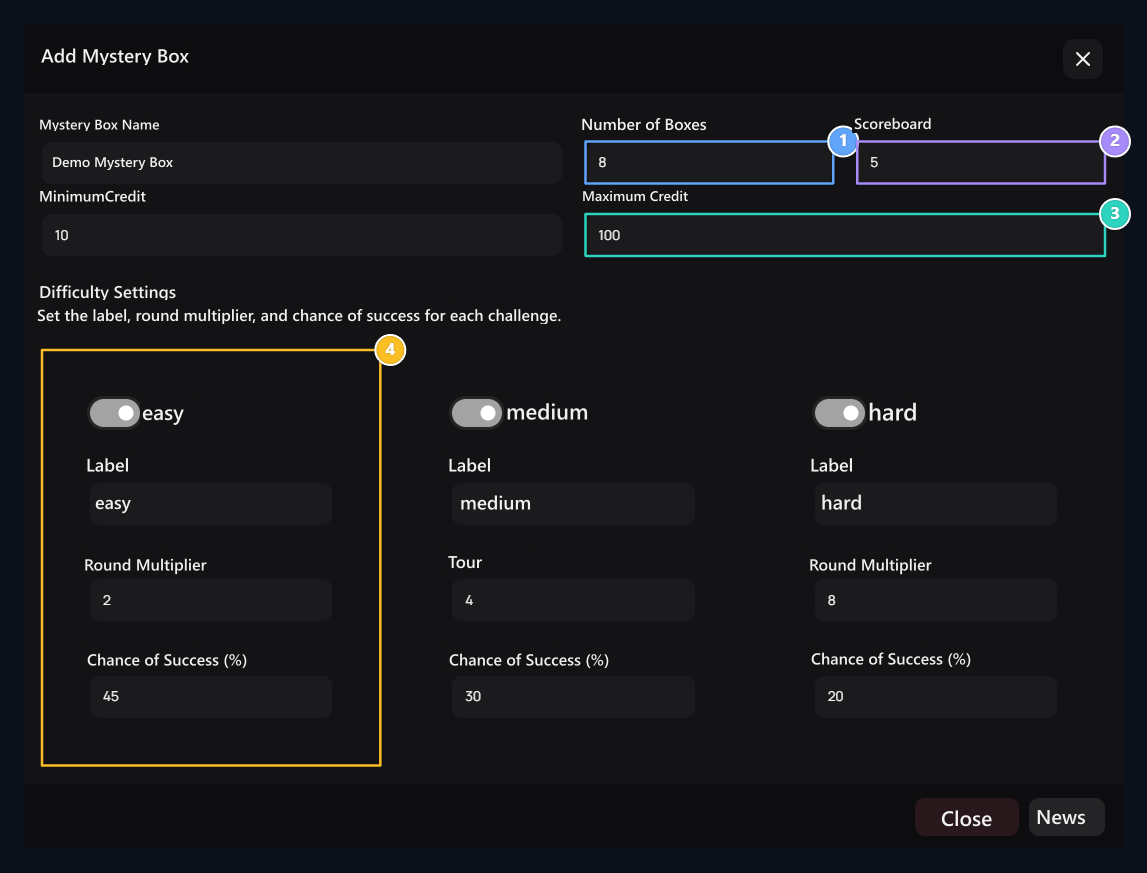
1. Number of boxes
Determine the box in the game board: 4–64.
2. Score table
Number of people to show in the list of the last winners: 1–20.
3. Credit range
Set the minimum and maximum gaming amount together.
4. Challenge rules
Open or close each challenge; edit the label, round multiplier and success percentage.
Minimum amount should not exceed the maximum. The number of boxes determines the size of the board; there is no need to add separate reward line for each box.
Prepare challenges
Difficulty Settings Edit each difficulty separately in the section. Open difficulty with the switch; Label, Round Multiplier and Chance of Success (%) fill in the fields. Minimum Tour 1,01, chances of success 0,01–100 must be in the range. Review the multiplier and success chances when you change the label. User can choose only active challenges. Complete and complete information Publish Save with. List of available boxes Transactions → Edit open from the road.How does the user start game?
1
Open the box
Login to your account and open the game window of the corresponding box.
2
Select the amount and difficulty
Loan Amount enter the space in the permitted range. View the chance of challenging multiplier and success.
3
Start the game
Start Game Press the button. Select a box from the activated board and wait for the round result.
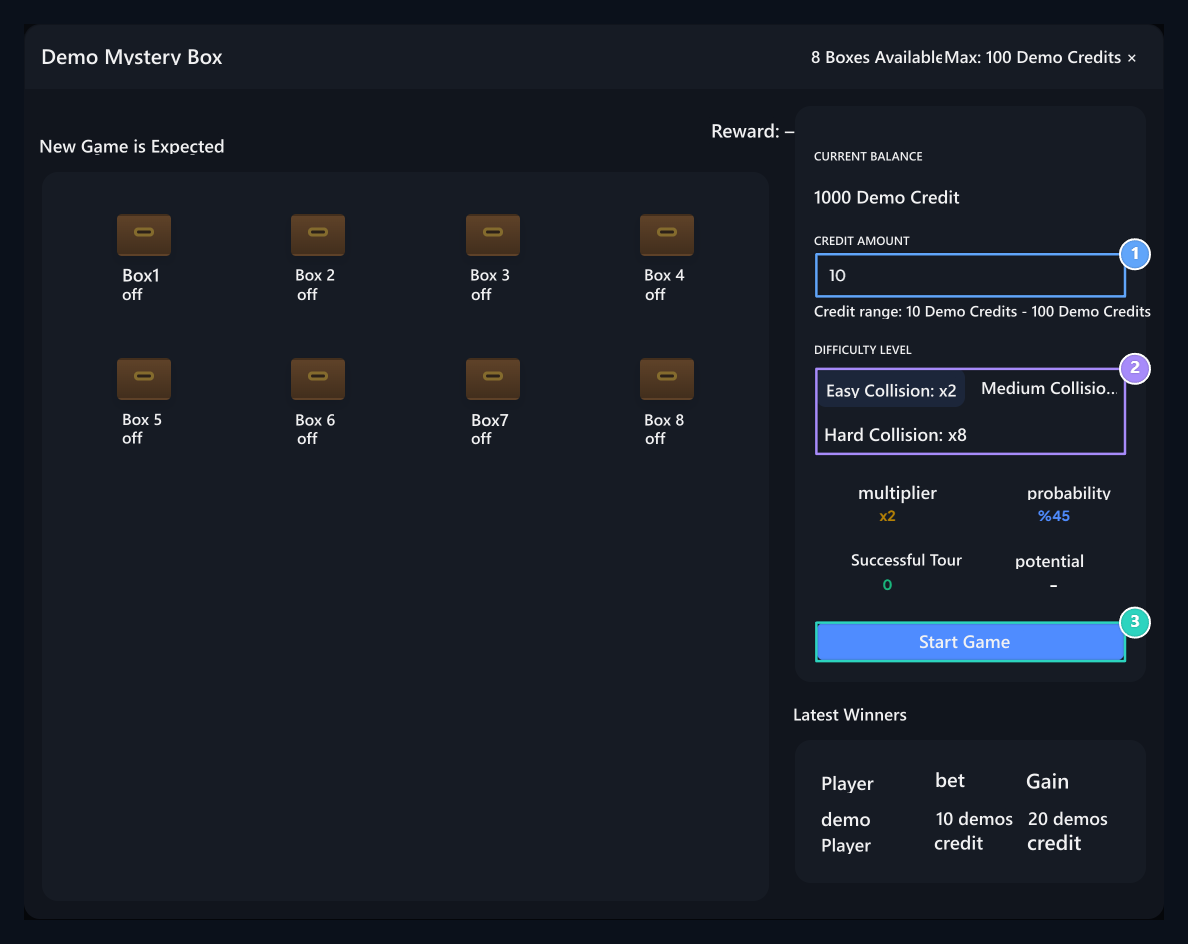
1. Game amount
Enter the amount in the minimum and maximum range permitted.
2. Select challenge
The multiplier and success chance of the choice is shown right.
3. Start Game
Start your new session when the amount and difficulty are ready.
Continue or collect earnings
After successful tour, the number of tours and earnings information is updated. Go to New Round opens another selection stage. Collect Winnings collects existing earnings and finishes the session.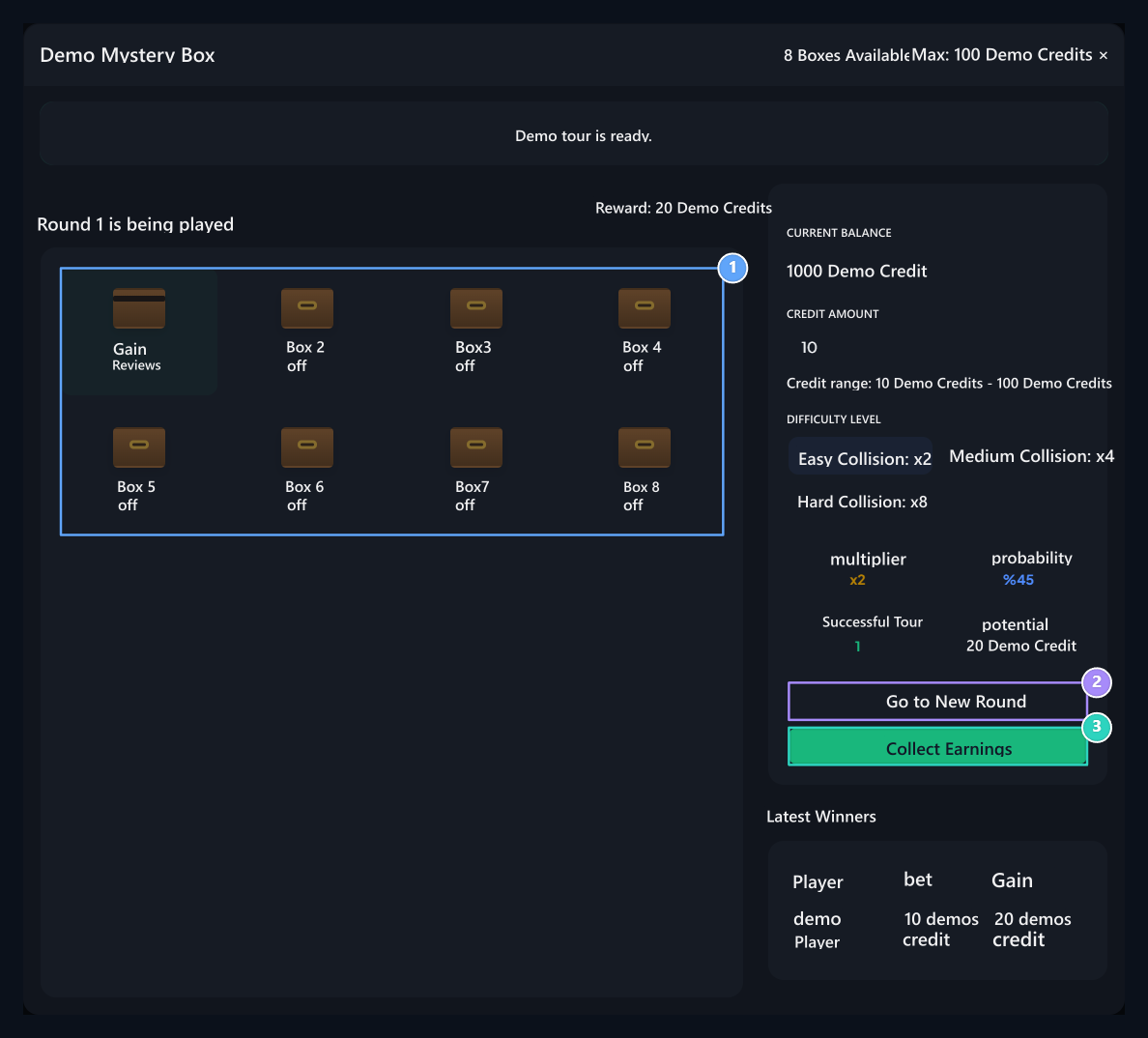
1. Box selection
After selecting the box, see the tour result.
2. New round continue
The new choice continues for; the current result will not be charged.
3. Collect the win
Take out the existing winnings and finish the session.
Starting a new round does not collect your current winnings. The next round may fail; do not treat potential winnings as credit already added to your account.
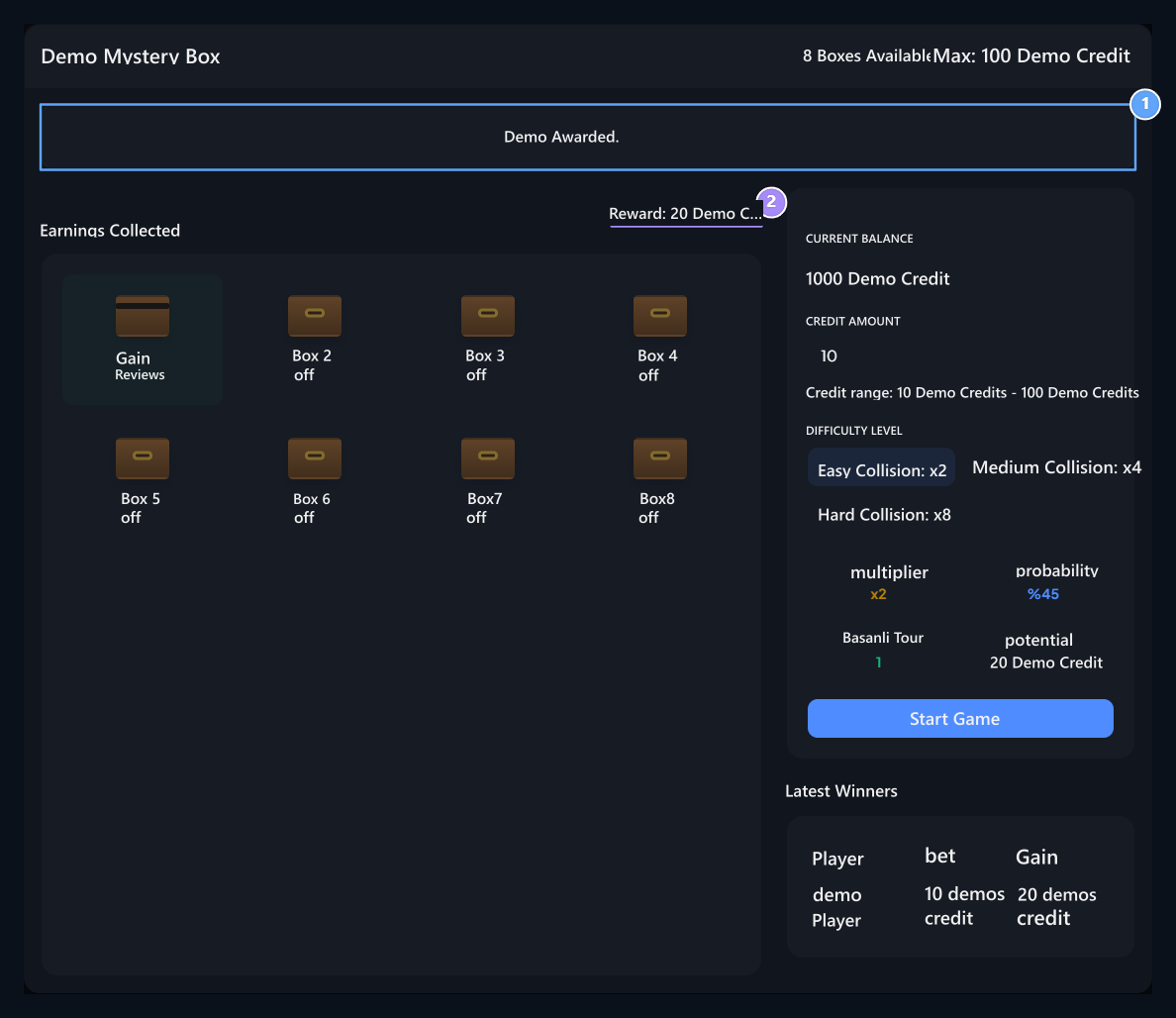
1. The result of the deposit
Check the result notice after the win ball.
2. Tour summary
Follow the completed tour and win amount from the game area.
safes
Switch to the Case guide to prepare a boot selected from the prize pool.