
 Home
 User Guide
 Developers
 Payment Gateways
 Integrations & Tools
 Site Usage
 Troubleshooting
Add the Impeller game
Addons From Spin Win Activate the record. If not the board View → Cookie Use steps. Then in the game list Add to Convert Press the button.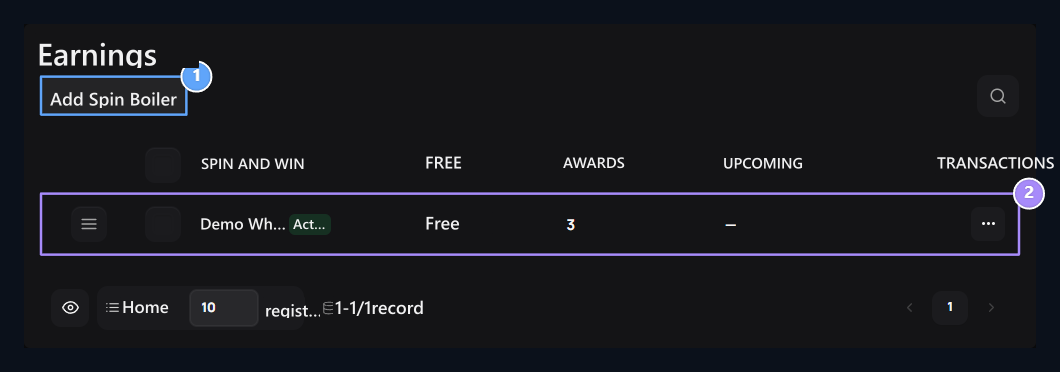
1. Add to Convert
Open the settings of the new game.
2. Game list
Check out the games, fees and number of prizes of this plugin.
Prepare name and activity
General → Ad type the name of the wheel in the field. Active The option is open and closes this record; the Chevir Boiler plugin must also be enabled.
1. Name
Type the game name users will see.
2. Active
Determine that this game is open to use.
Set the translation fee
Pricing → Opening Fee the area is credit required for each flip. Free in the wheel 0 type. No fee is charged when the user page opens; it is applied during the translation process.
1. Opening Fee
Type the credit required for each game; enter 0 for free use.
Add results and weights
Awards → Add Prize with 2–24 Create results. Enter the name and positive weight to each conclusion. credit Select the amount to be given in the type; rust is un rewarded result.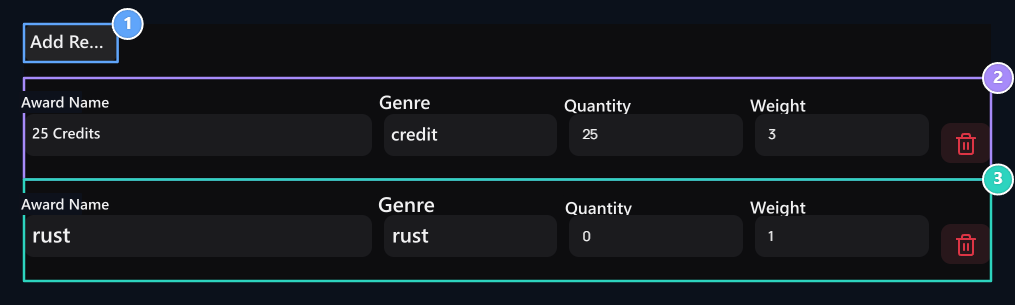
1. Add Reward
Add a new line of results to the pool.
2. Credit prize
Enter the name, credit quantity and weight in separate areas.
3. Rust result
Set the weight in un rewarded result and distribution.
Set the limits of waiting and use
Limitation Set the revert interval and number of uses on the tab.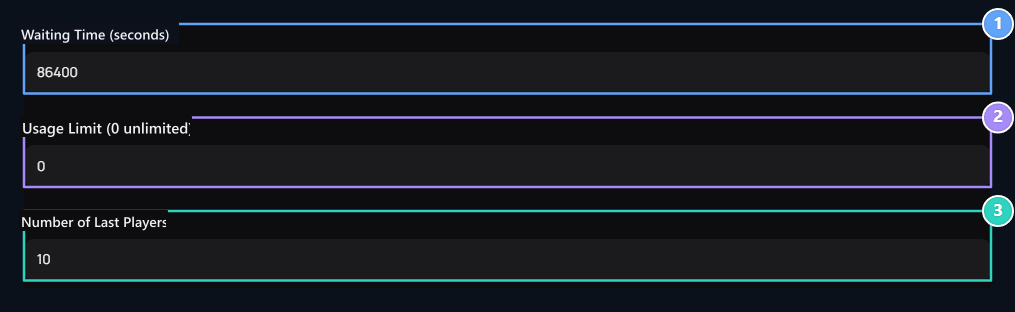
1. Standby Time
Enter this game of the same user in seconds.
2. Usage Limit
Set the total usage limit; enter 0 for unlimited.
3. Number of Latest Players
Select the last result number from 1–50.
Publish Save with. After editing, apply changes with the update button.
How does the user turn the wheel?
1
View the wheel
Login to your account. Check the fee, rewards and rates.
2
Translation
If balance, waiting and right to use are appropriate Translate Press the button.
3
Follow the end
Check out the result notice and history list when the animation is completed.
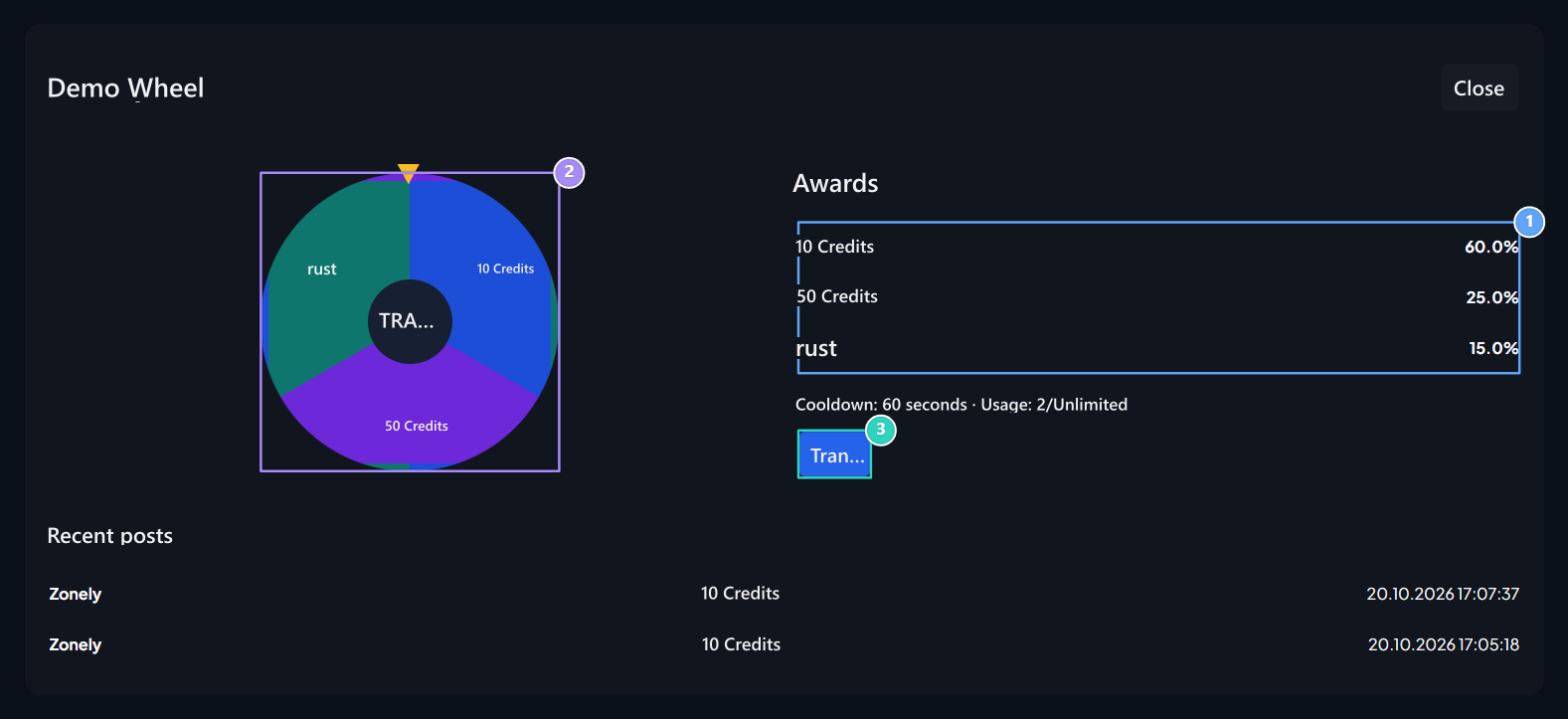
1. Prize and proportions
The percentages calculated from the total of the weights.
2. Earn Translate
The translated button starts opening.
3. Translate
The result is determined on the server; the animation result shows.
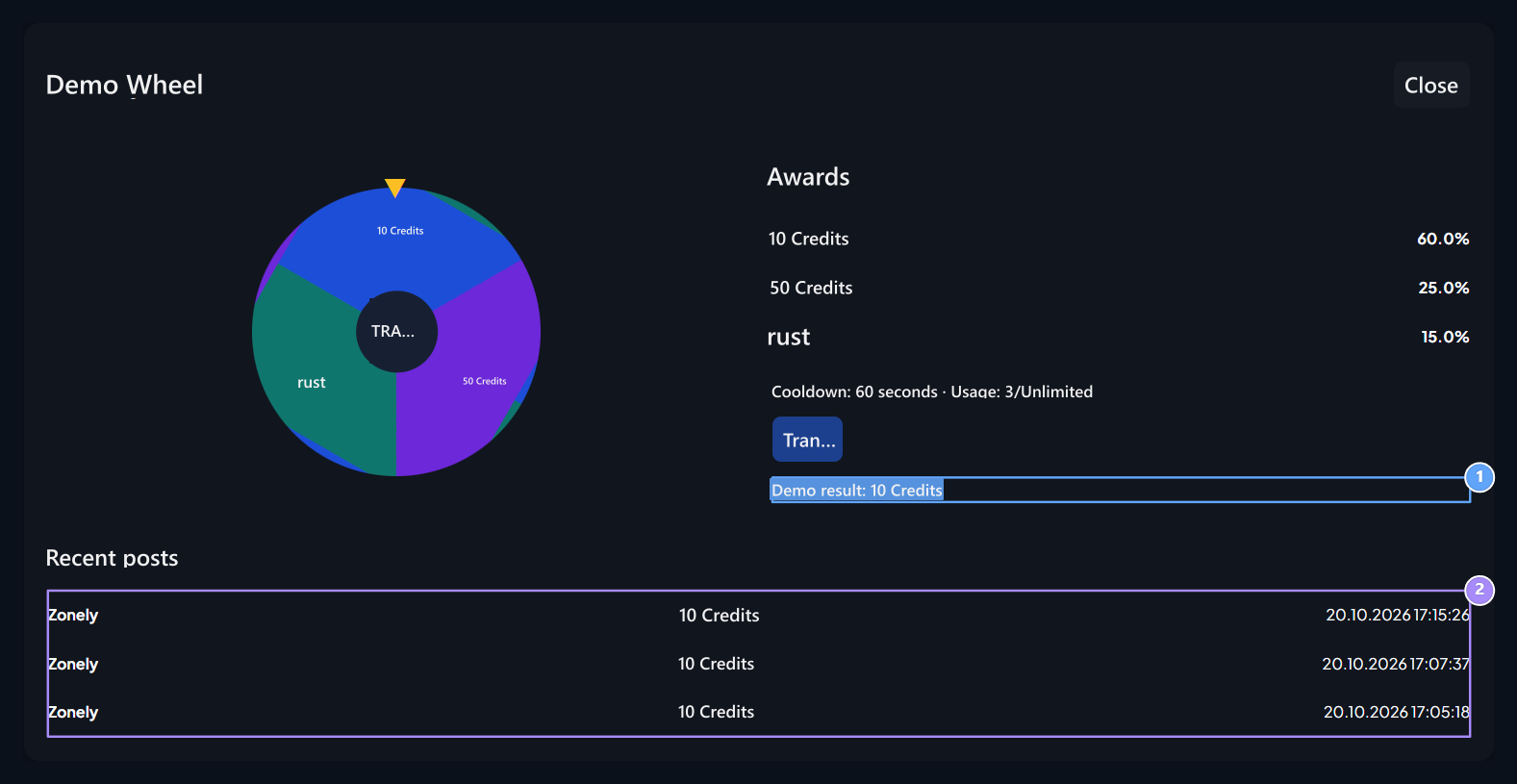
1. Conclusion
Credit or Rust result here.
2. Recent translations
View the latest users, rewards and trading time.
Choose and Win
Prepare the game from eight cards on its own plugin.