
 Home
 User Guide
 Developers
 Payment Gateways
 Integrations & Tools
 Site Usage
 Troubleshooting
Review recommendations from the management panel
Management panel Suggestions open the screen. The default view shows under categories. Normal → Registrations You can review the sender account, title, image, likes and likes information together.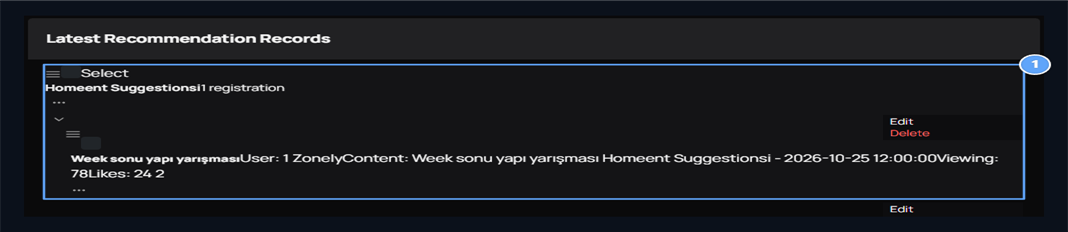
1. Suggestion and interaction
Review the proposal under category, image and positive/non-existent vote numbers.
Edit the header and content of the proposal
In the header or line of the proposal Edit Press the process. Control and change the fields of header and content Update Save with.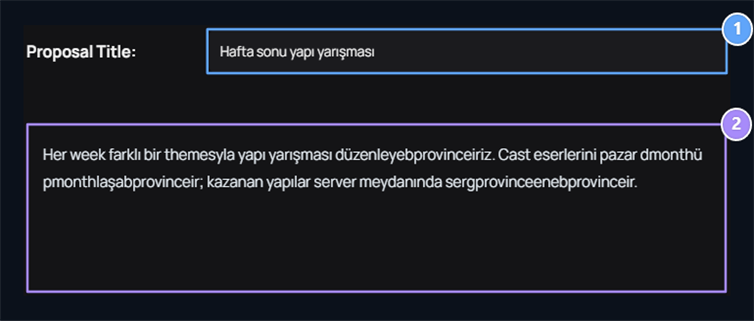
1. Title
Edit the title of the proposal.
2. Suggestion text
Update the description by maintaining the user’s proposal.
Create Suggestions Category
Add Category open the button and type the category name. For example Event Recommendations brings together ideas of header, contest and community event. Publish Save with.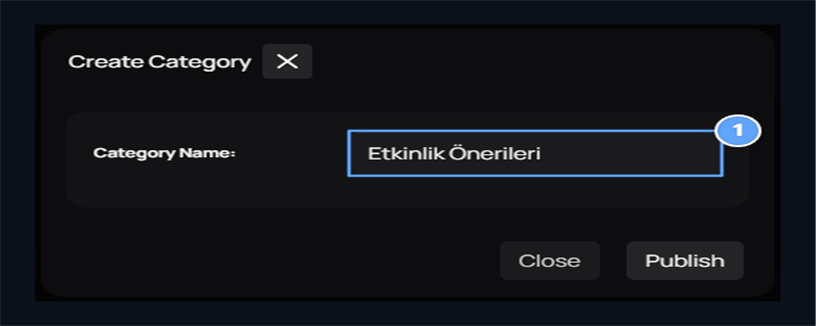
1. Category name
Prepare a clear category for similar recommendations.
Where does the user see the recommendations?
Your Site /suggestions The page lists recommendations, sender user, category, date and interaction numbers. User can search or find ideas about selecting categories.How do I share the user?
User log in to the account Create Suggestion print the button. Select category, write header and description; Create publishes the proposal. It is recommended to perform structure contest with a different theme every week in the sample and display the winning structures on the server square. Specify the desired change in the header, how to apply in the description.Open the proposal, vote and answer
The user reads the proposal and detail from the list. After logging in, you can use positive or negative vote buttons; writing the post-mail field view at the bottom Send share with. For example, a player who writes a response to the structure competition may suggest the contact of the first week. Thus, the opinions that the main idea and players add this idea are collected under the same recommendation.Discussions
Prepare partition and subject structure for guide, question and general community sharing.