
 Home
 User Guide
 Developers
 Payment Gateways
 Integrations & Tools
 Site Usage
 Troubleshooting
Activate the ticket
Activate Season Ticket Open the option. Ticket Title and Award Section Title Write names that users will see in their fields. Empty areas Season Ticket and Level Awards names are used.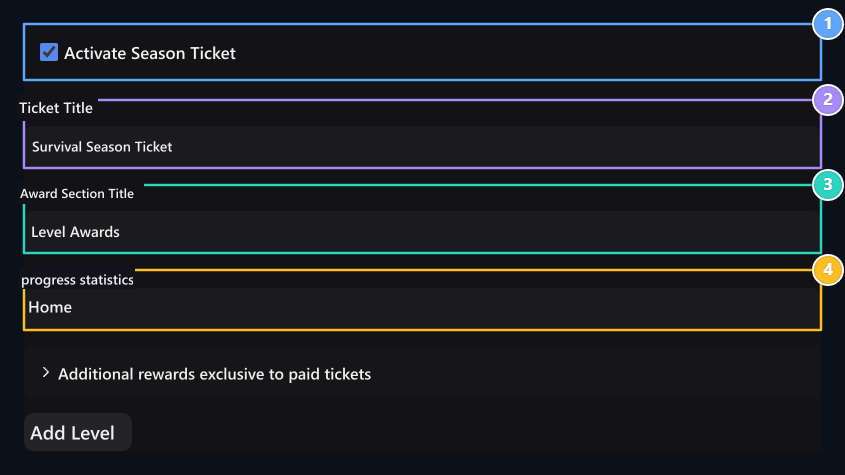
1. Activate the ticket
Open this option to use level prizes in season.
2. Ticket Title
Type the ticket name to the user.
3. Award Section Title
Set the title of the prize list.
4. Progress Statistics
Select the appendix that will open levels; it is used to kill in the sample.
Specify Level targets
Add Level Pressing button Points Target type. Sort the goals from small to magic. The target is the total points required to open the level; you will enter the amount of rewards separately.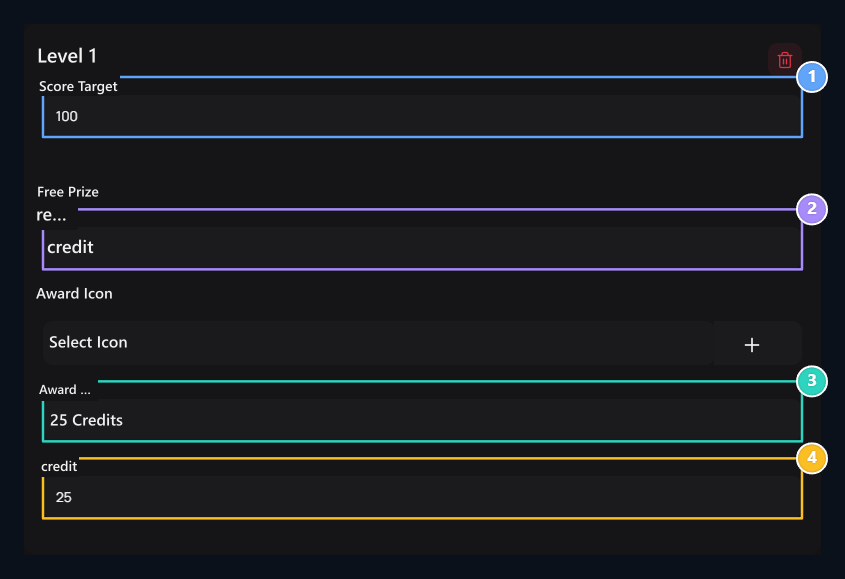
1. Points Target
Type the total score you need to open this level.
2. Reward type
Select one of the ready prizes listed in credit, server command or.
3. Award Name
Specify the name the user will see in the level card.
4. Credit quantity
Enter the credit to be added to the account given the prize.
- Credit prize
- Ready Prize
Prize → Credit Select. Award Name name that looks in the field, credit Type the amount to be given to the field. 25 credit was prepared for 100 points in the visual.
Add server command reward
Reward → Server Command Select the name of the prize. Command Submission → Command Server Select the destination of delivery from the area. Enter the command and description to the corresponding lines.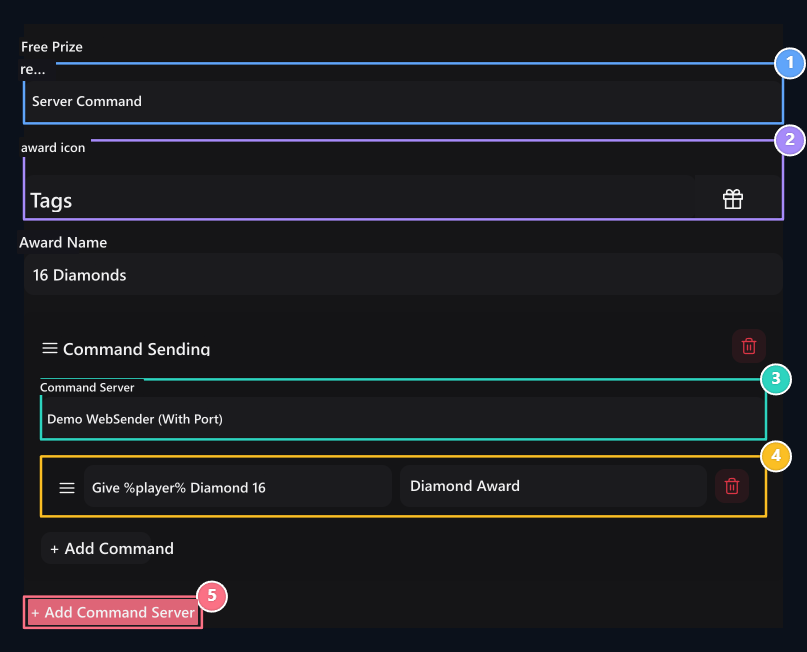
1. Server Command
Select the type of reward as a Server Command.
2. Award Icon
Select a icon that fits the prize from the Icon button.
3. Command Server
Select the game server to be sent by the prize.
4. Command and description
Type command and description; use %player% for user name.
5. Add Command Server
Add another server shipping to the same prize.
Komut Sunucusu, ödülün gönderileceği bağlantıdır. İstatistiklerin okunduğu veri kaynağını değiştirmez.
Prepare a premium ticket
Additional prizes for paid tickets open the space Premium Ticket Price type. Add premium rewards to the next prize of levels. The user receives this ticket with credit.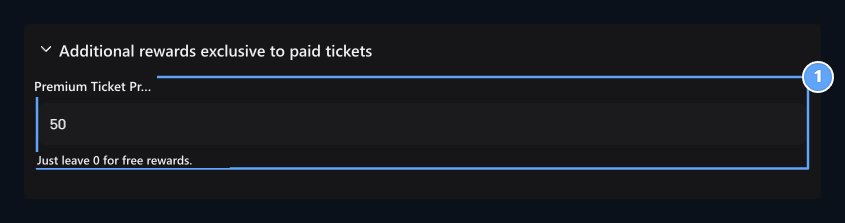
1. Premium Ticket Price
Set price for additional prizes paid; leave 0 if you will use free tickets alone.
I want to use only free reward
I want to use only free reward
Premium price blank or 0 leave. Free prizes are shown on the user side.
Follow the user progress
User Profile → Season Ticket Selects the season on the tab. The current level is shown in the same field of total points and the next target.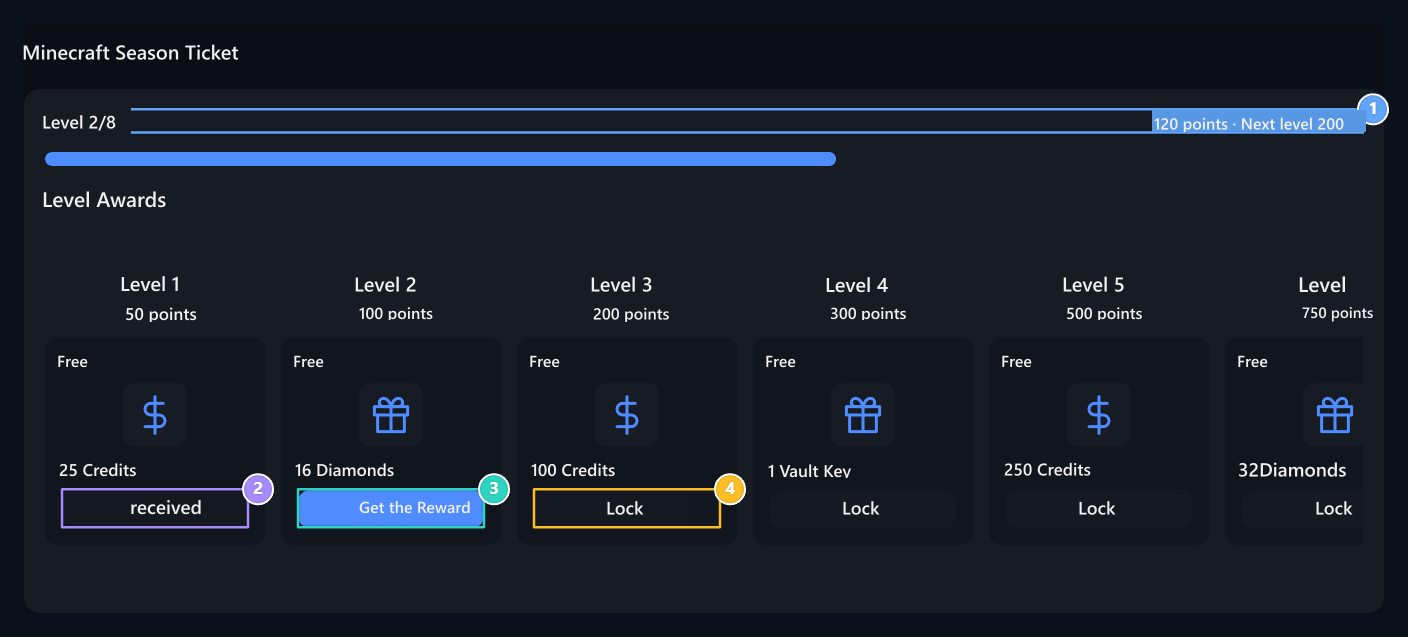
1. Level and score
Follow the current level, total score and next goal together.
2. Get Quote
The prize of this level was previously received.
3. Get Award
Get the target with this button, which is completed and not yet received.
4. Locked
This prize cannot be received until the target score is reached.
Every level prize is taken once. You can review the next goals and last level by scrolling the reward list right.
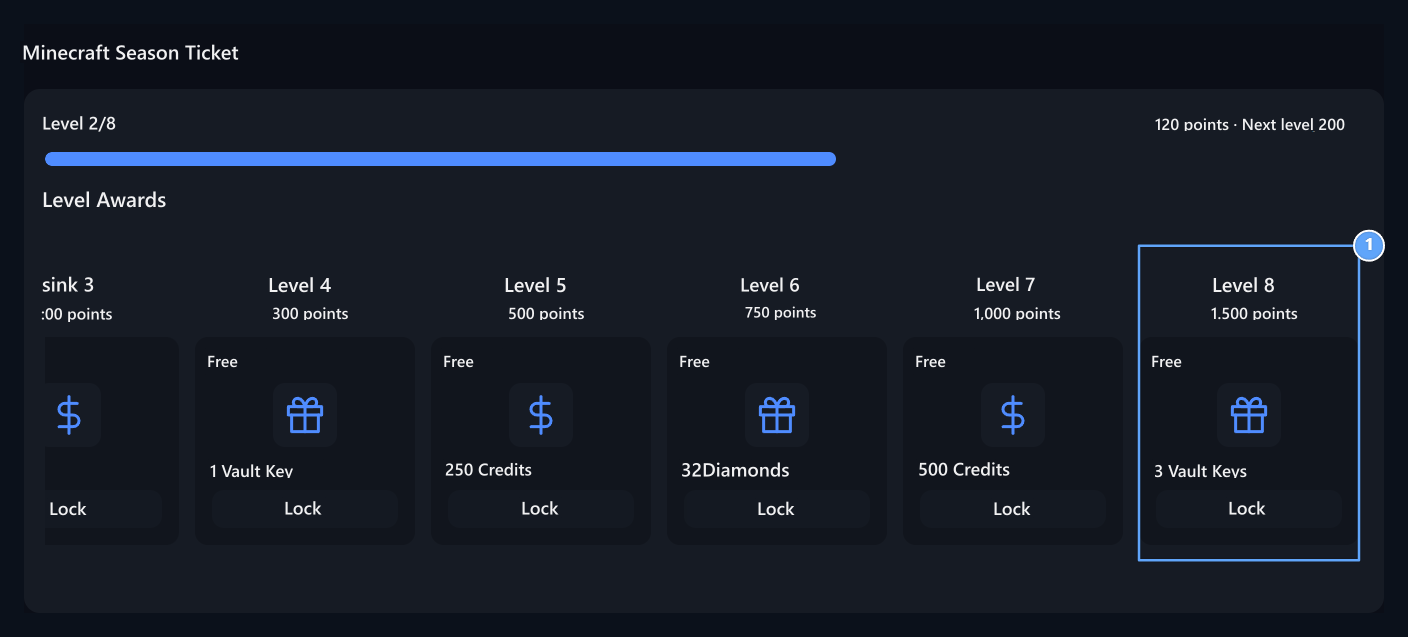
1. Last level
Check out the goals and final prize in the forward by scrolling the reward list right.
Seasons
Prepare season ranking and profile cards.