
 Home
 User Guide
 Developers
 Payment Gateways
 Integrations & Tools
 Site Usage
 Troubleshooting
Find language record
Search fieldtr_TR type language code like. The number of translations in the line appears in the activation and default tag. PO/MO Files the connection opens the working area with the translation files.
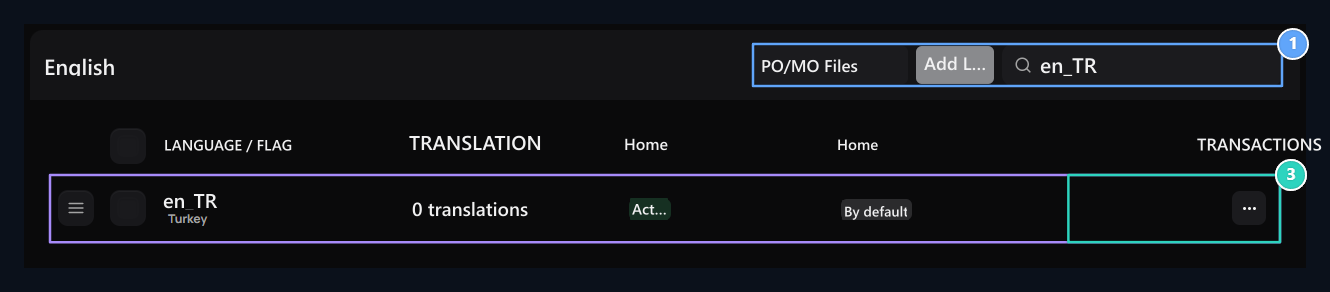
1. Language tools
Open PO/MO files; add new language or search.
2. Default language
Turkish basic language registration. Status and default tag appear here.
3. Line operations
Open three point menu: Edit PO, auto turn and reach the compile tools.
Add new language
Add Language Press the button. Language code for examplefr_FR, Flag code field fr type. Use language and region code together. Create add registration with.
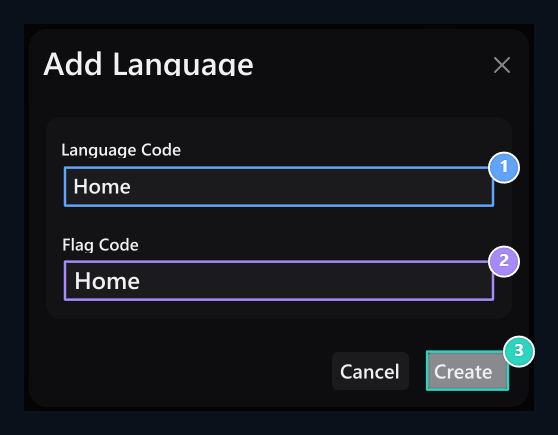
1. Language code
Enter the language and region code like fr_FR.
2. Flag code
Type flag code to be used for language.
3. Create
Create language record; fill the translations in the PO file.
Edit PO file
From the process menu of the line Edit Open the option. msgid source text, msgstr indicates translation. Type your translation to msgstr side; protect the source key, variables and format markers.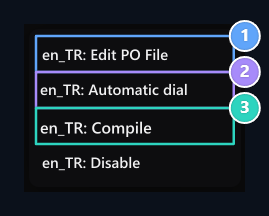
1. Edit PO
Opens editable source file of translation.
2. Automatic turn
The browser in the PO editor passes to translation tools.
3. Derle
It creates MO output from recorded PO file.
Convert easier with Poedit app
Replace PO file as line code Poedit desktop app You can use it. The application shows the source text and translation in separate areas; it makes it easy to find translated texts and check errors.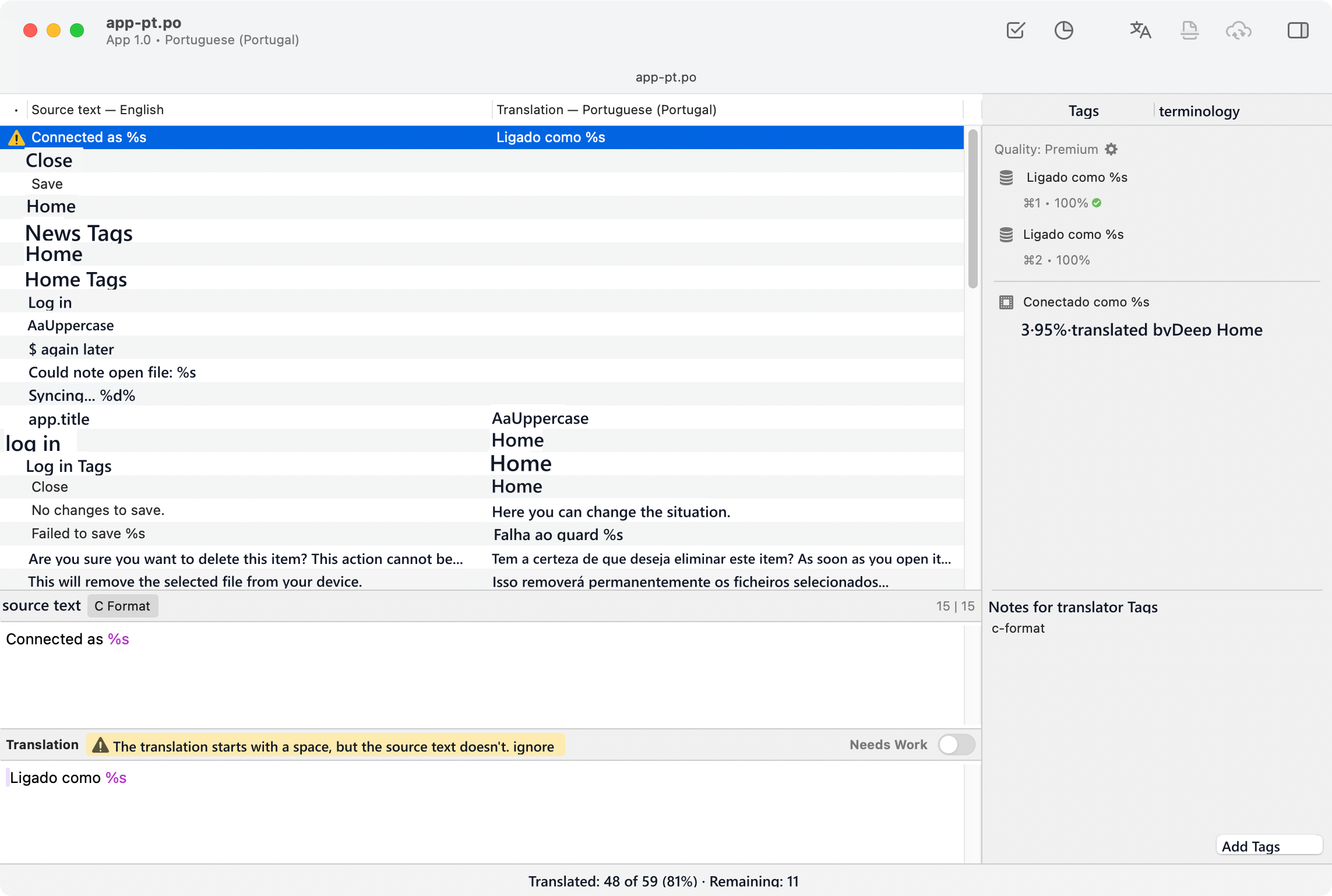
- Languages → PO/MO Files language you will organize via Pt Get the file to your computer.
- Open Poedit File → Open Select file with.
- Click on a text from the list; at the bottom Translation / Translation Type the counterness to the field. Do not change the source text.
- Validate / Validate Check errors with and save the file.
%s,%username%Protect variables and HTML labels like. - The same language in Zonely Edit Transfer and save on the screen. Next Languages → Derle Create MO file that the site will use with the process.
Use automatic translation tools
Language line Auto dial Open the option. Editor Source language Select English or English as well. Overwrite full translations You can work on empty areas while maintaining existing translations.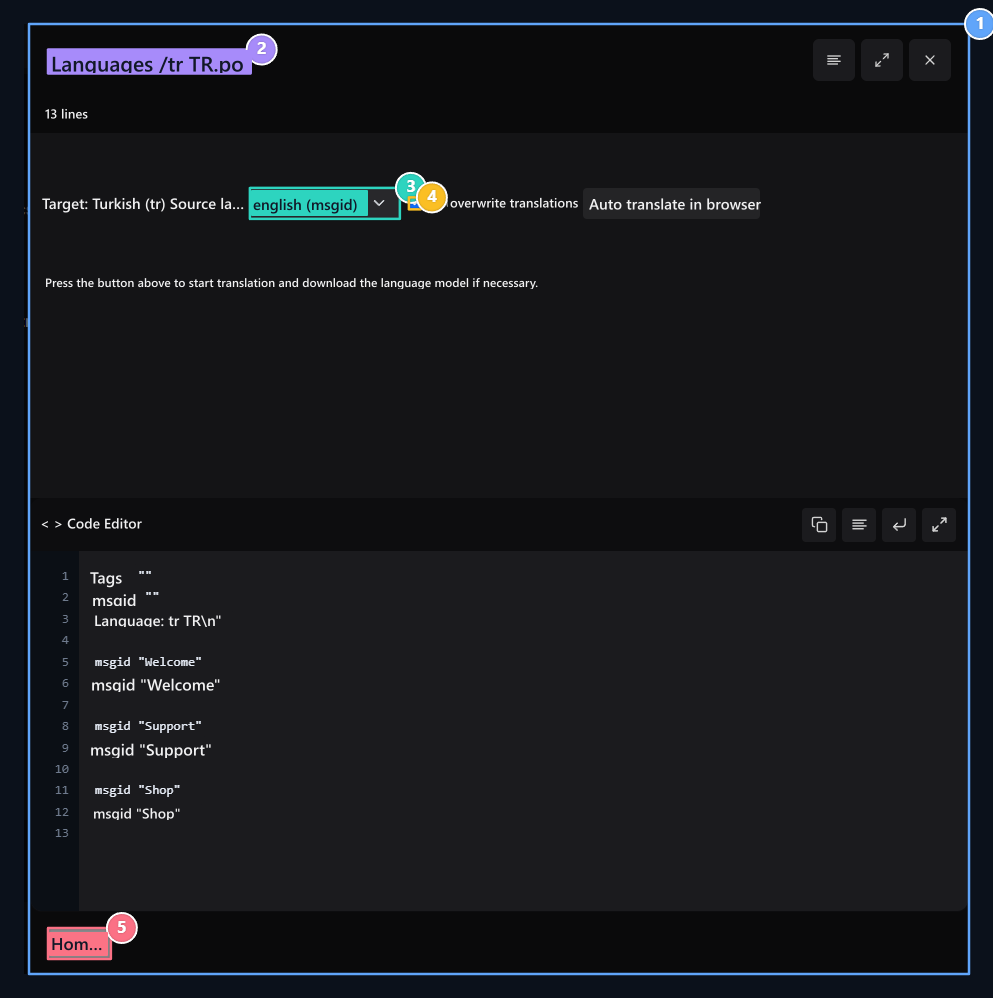
1. Translation content
msgid source is msgstr translation text.
2. PO file
Check the edited language file.
3. Source language
Select the source language for automatic translation.
4. Write on
Determine whether the full translations are changed.
5. Save
Save the PO file; then use the Derle process on the Languages screen.