
 Home
 User Guide
 Developers
 Payment Gateways
 Integrations & Tools
 Site Usage
 Troubleshooting
Open the list of Czechs
Make a Raffle button opens new draw screen. Follow the number of participants from each line in the list, the number of talihli, the prize pool and the status of the lottery. From the line to change the record Transactions → Edit Use the option; to prepare a similar draw Copy Select.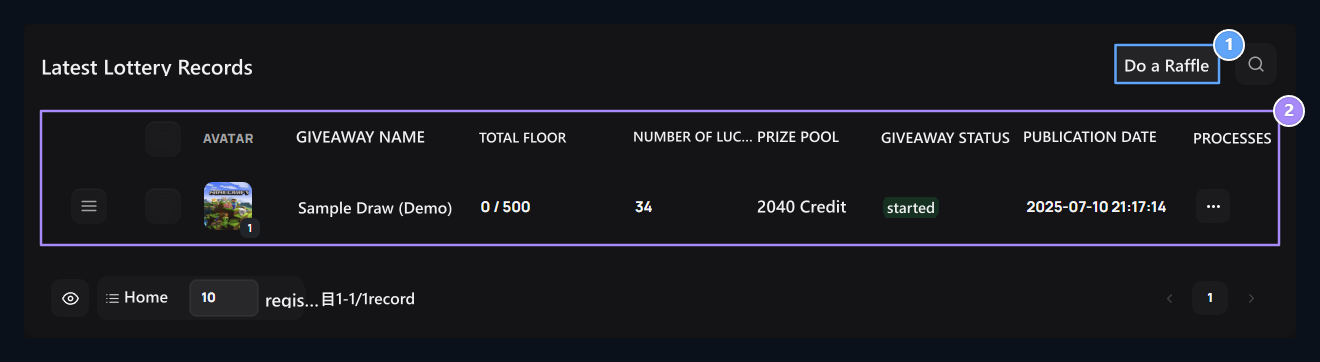
1. Make Lottery
The new lottery form opens with this button on the top right.
2. Checklist
The participant is followed by the talihli, the prize pool and the situation in the same line.
Name, description and capacity
Raffle Name type the header that will appear in the field card. Raffle Description Tell the terms of rewards and participation in. Raffle Header Image Upload the cover from the space or choose from the visual library. Maximum ParticipantsThe total number of people to draw is the number of people. For example, you can set 10 tufts in a draw of 500 people; enter the capacity and number of people to win the prize separately.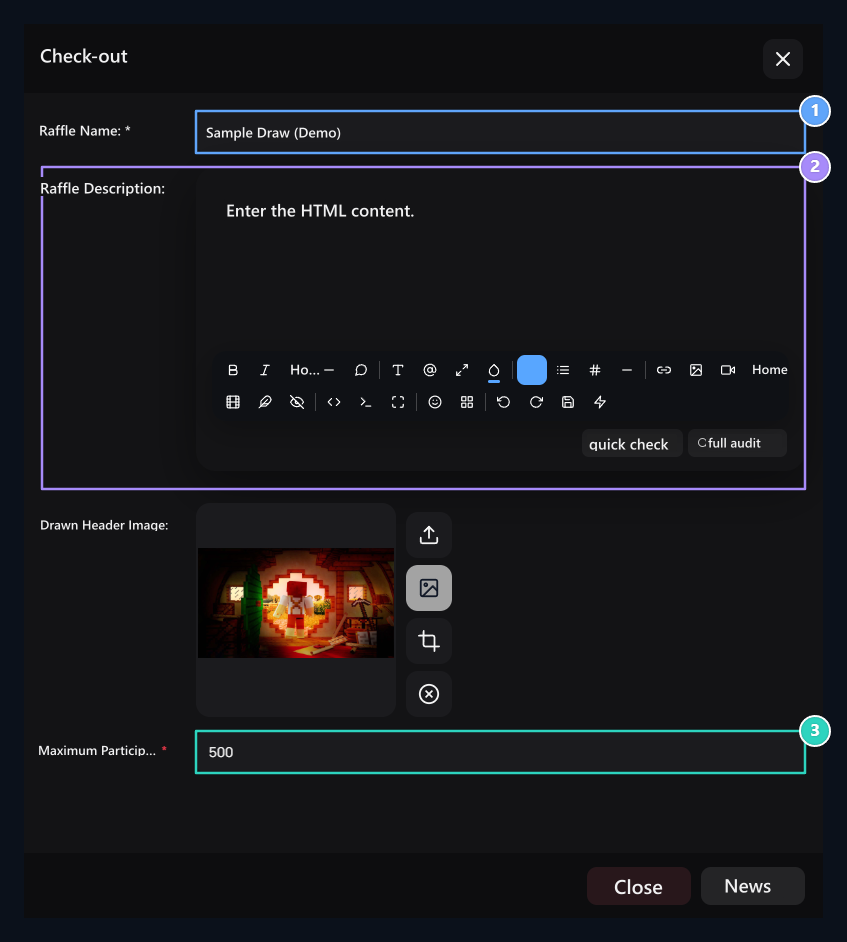
1. Lottery name
Type the name that will appear in the card and the draw detail.
2. Description
Tell the reward and participation conditions in text editor.
3. Maximum participant
By determining the capacity of participation, this value is not the number of talihli.
Add rewards and rewards
Product Ingredients Prepare a line for each prize in the section. Select the relevant account information, select the type of reward and fill the populated areas according to the type. Add You can add other rewards with the button.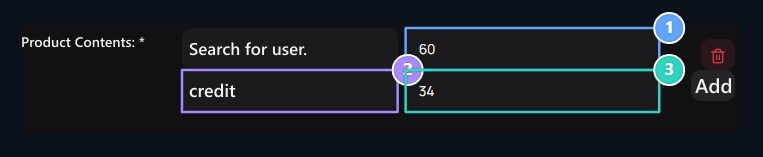
1. Per person prize
Enter the amount of each credit type will be received.
2. Reward type
Select Credit, Product, Server, Gold or Custom.
3. Number of gested
Set this prize how many people will win.
Number of requestsdetermines how many people will take the prize in the line. The prize of each credit is 100 credit if you choose 100 credit and 3 credit in the credit type. Review all prize lines with capacity.
Set Discord terms and dates
Discord Servers Add servers to check in the section. Discord ID is the numerical identity of the server; Discord URL is the invitation link of the same server. For new condition Add Use the button.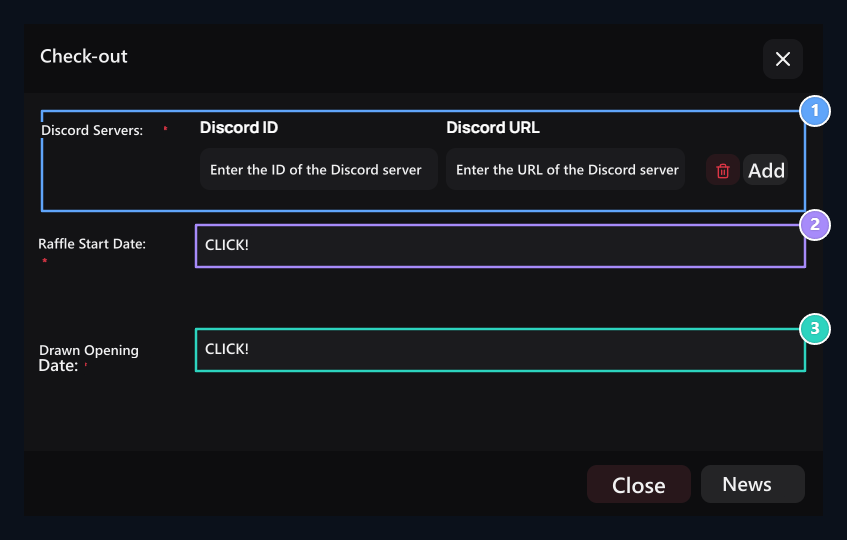
1. Discord terms
Fill the server ID and invitation URL fields; add new server with insert.
2. Start Date
Select the date to start the participation.
3. Date of opening
Select the date to finish the checker; then publish.
Prepare the overall lottery settings
Add-ons → Draws → Options → Edit open the general settings from the road.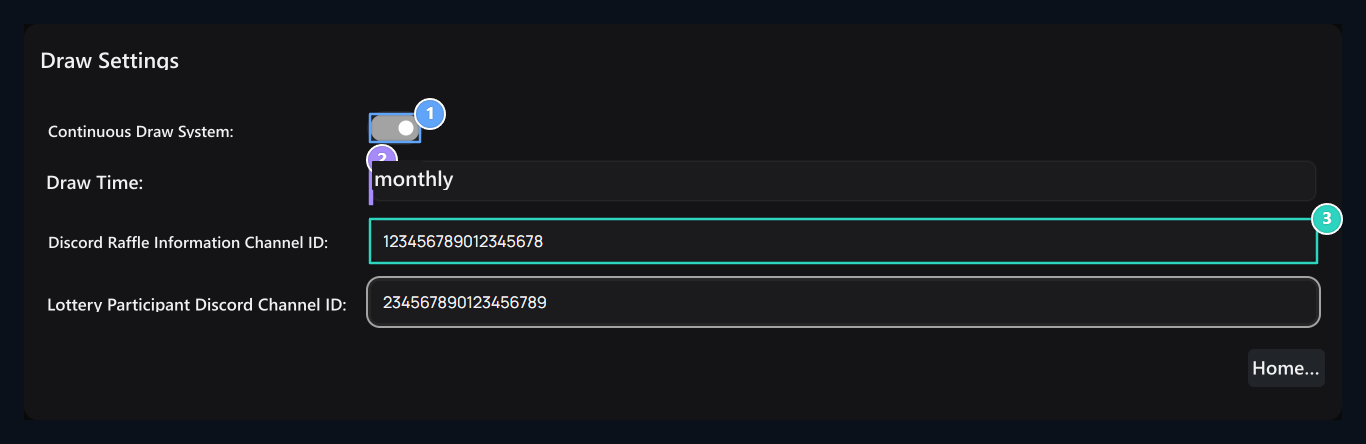
1. Continuous Draw System
When opened, the repeat time is selected.
2. Draw Time
Select the repeat time of the checker.
3. Information channel
Type ID value of the Discord channel.
How to participate in user raffle?
User Sweepstakes opens cards on the page. The situation, capacity, number of talihli and the remaining time appears on the card. started open participation, Soon not yet started, Announced shows that it has ended.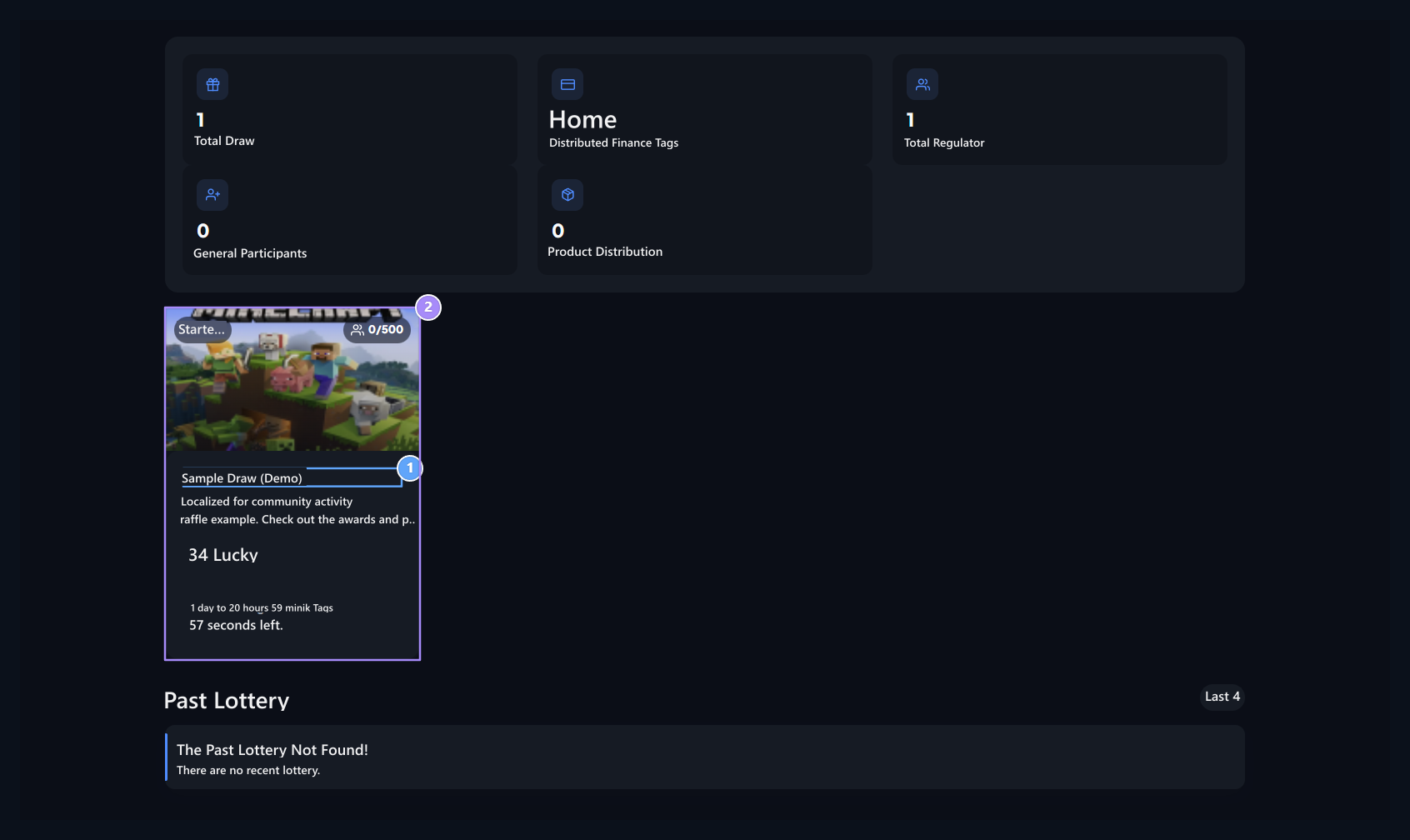
1. Open Detail
Pass on the card and the terms of participation.
2. Draw card
Check the status, the number of participants, the number of talihli and the remaining time.
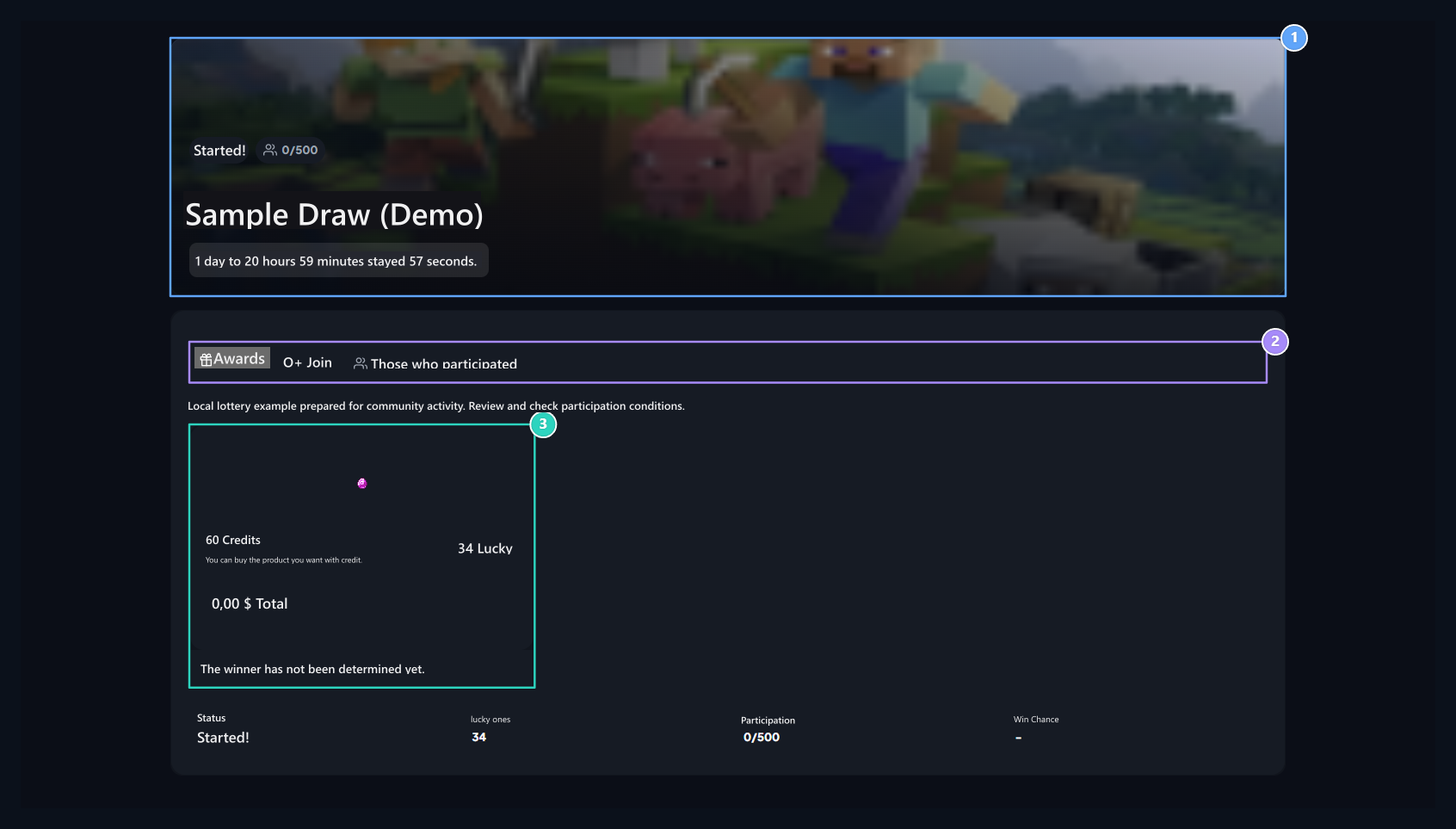
1. Condition and time
Check out the top section if the engagement is open.
2. Detail tabs
Awards, Participants and Participants are here.
3. Award information
Check the amount of rewards and how many people will win.
1
Login to Hesaba
In the detail of the draw Join Open the tab.
2
Complete Discord conditions
Match your Discord account. Let the membership verification join the desired servers.
3
Send Participation
Use the attendance button if the date and capacity are appropriate. Success notice and Participants Check the tab.

1. Participation conditions
Complete login and Discord matching steps; join the desired servers.
Check results
The final brewed Winners View results from the tab. Previous events Past Draws You can access the domain from the site.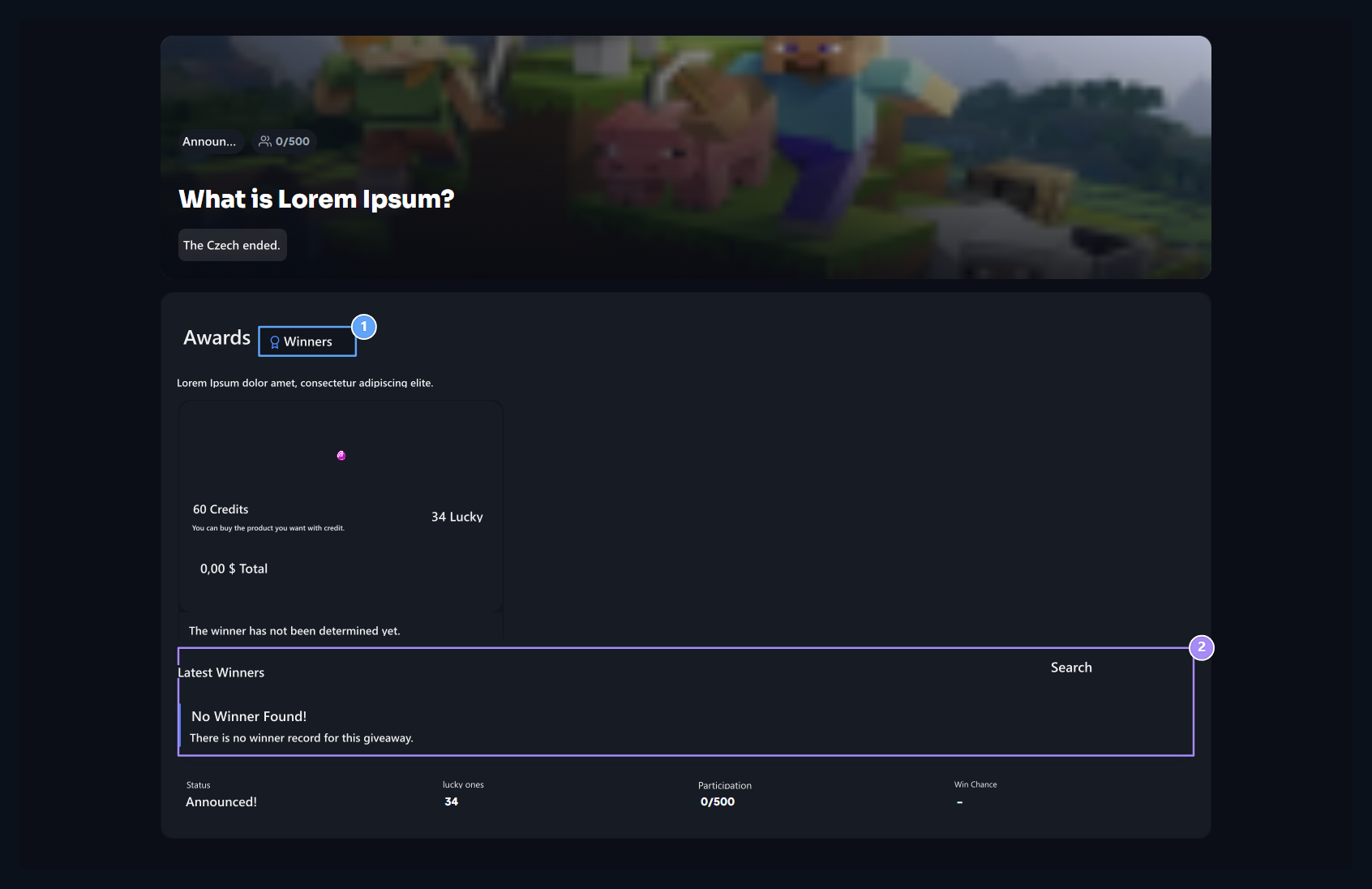
1. Winners
Check the results of the completed lottery from this tab.
2. Conclusion status
If the winner has not been created, it is shown that it has not yet been determined in this field.
safes
Prepare the prizes shown in the opening.
Daily Chests
Identify the right to log reward per user.