Home
 User Guide
 Developers
 Payment Gateways
 Integrations & Tools
 Site Usage
 Troubleshooting
Where does the user use the check code?
Login to the user account Profile → Czechs opens the part. Czech Code write code in the field Redeem Code print the button. It is added to the credit account you define in successful use or defined to the product account. The codes used are followed by the list on the same page. Expired, access to the limit of use or previously used codes can not be reused.Set the code and the limit of use
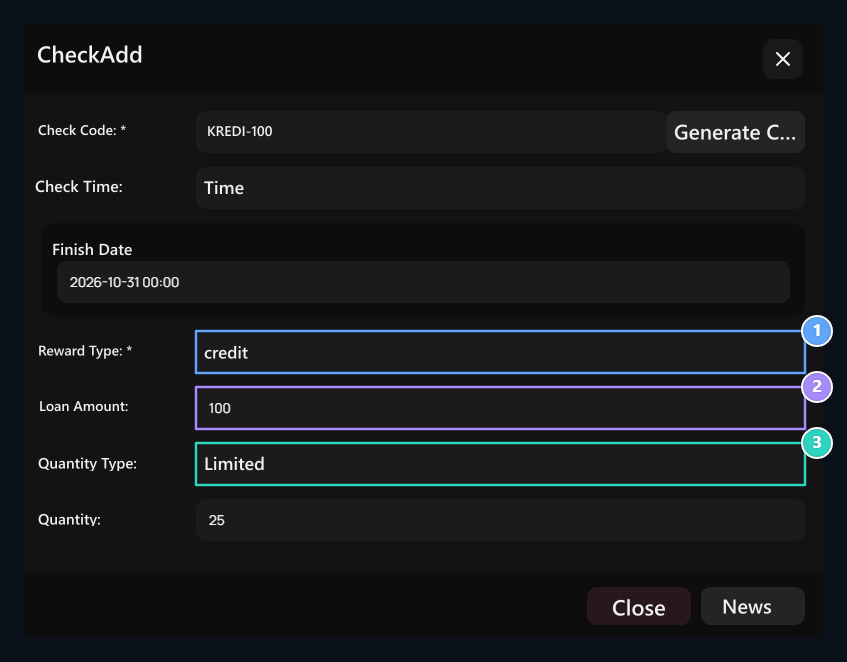
Czech Code type code in the field or Create Code Press the button. Check Time enter the date of finish if you will use the domain; if you do not want the date limit Indefinitely Select. To determine the number of uses Quantity Type → Limited Select or type adedi Unlimited Use.Select Award
- Product
- credit
Award Type → Product Select and select the product to be given.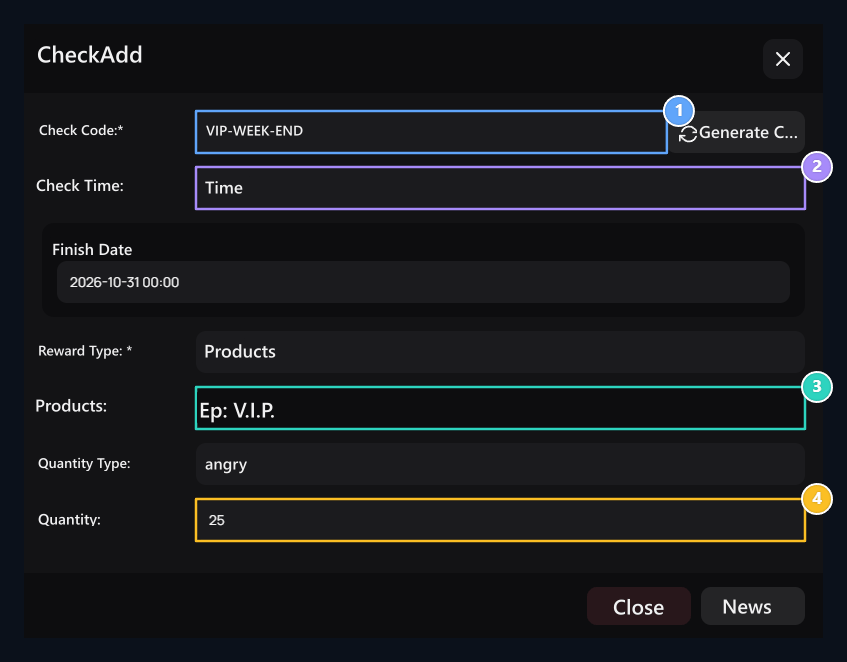
1. Check code
Type code or prepare with Code Create button.
2. Check time
Set the date of finish for periodic check.
3. Product prize
Select the product to choose products in the field of the Reward Type.
4. Use limit
Set the Czech can be used for several times.