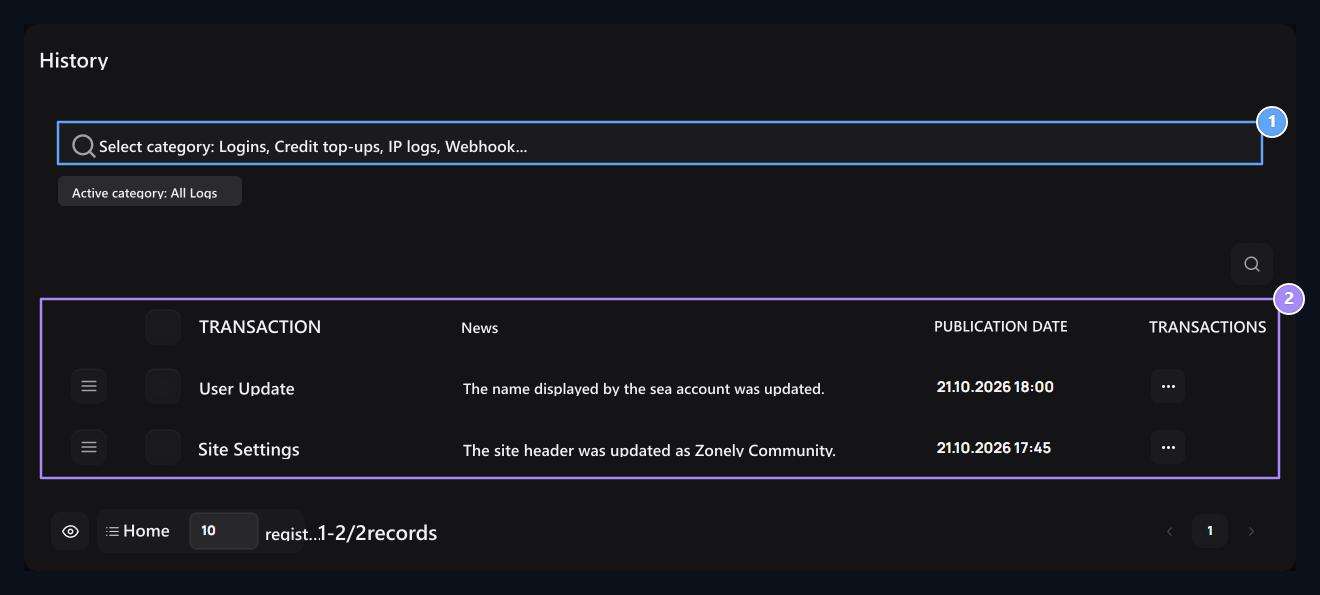
Settings → Pastes open the screen. Check out the records related to site settings, accounts and other management processes here.

Find a registration

Category selection, Registrations and transactions

1. Category selection

Select site settings, users, payments or other records.

2. Registrations and transactions

Three-point SQL Script or Restore opens.
Select the section you will review from the top category area. When researching multiple types of transactions All Logs You can start with. Type the word related to the search box; find the right line by comparing the description and history columns. Line ⋯ İşlemler open the menu. SQL Commandshows the detail of the record. Restoreis a separate process that reapplies the boiling SQL.

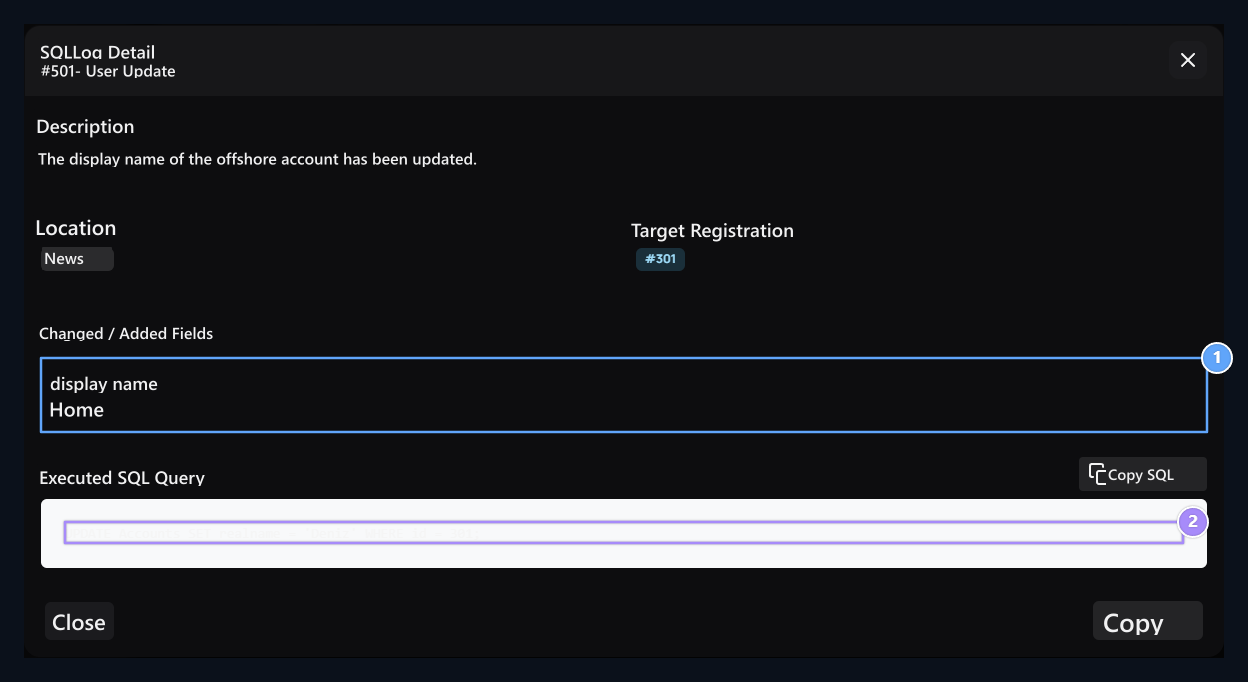
Read changing areas

Changing Areas, SQL Command

1. Changing Areas

The domain and value information that affects the registration.

2. SQL Command

Review the question of Kayda; it does not run copy.
SQL Command Check the description, partition and destination record in the window. Changing Areas Read the part with the question. Copy button takes text to clipboard; it does not run the query. Compare the query with the current status of the target data before applying a record. Restore is not a general withdrawal button; the registered SQL may affect the current data as it will rework. If necessary Database Get backup from the section. Sort records or delete a history record, the process that is described in the registration does not get back. To review payment, credit loading and check usage movements Payments Switch to the screen.