
 Home
 User Guide
 Developers
 Payment Gateways
 Integrations & Tools
 Site Usage
 Troubleshooting
Open the plugin and the game list
Addons in section Choose and Win Check the record is installed and enabled. If not the board View → Cookie Use steps. Games Choose and Win prepare from the management page.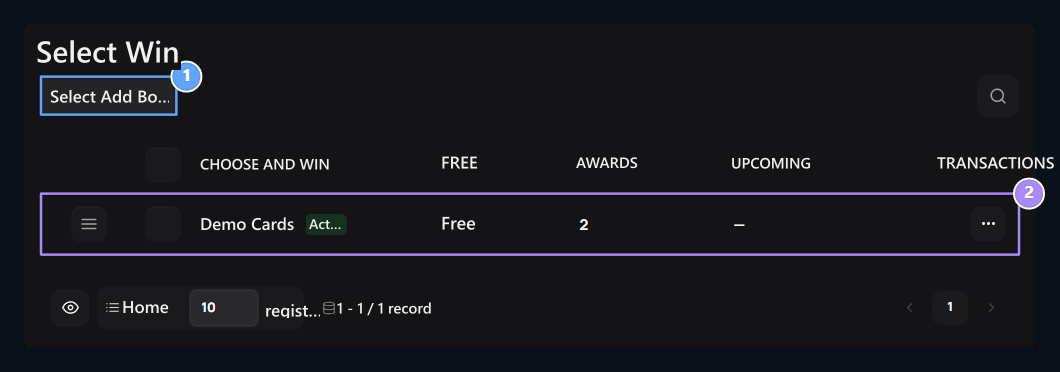
1. Select Add to Win
Open the settings of the new game.
2. Game list
Check out the games, fees and number of prizes of this plugin.
Set the name and activation of the game
General → Ad type the game name that users will see in the field. Active The option determines the availability of this game record. The plugin and game registration should be enabled together.
1. Name
Type the game name users will see.
2. Active
Determine that this game is open to use.
Enter opening fee
Pricing → Opening Fee Write the credit required for each selection in the field. For free game 0 Use.
1. Opening Fee
Type the credit required for each game; enter 0 for free use.
Create a prize pool
Awards → Add Prize with 2–24 prepare results. Set the name, type, quantity and positive weight of each line.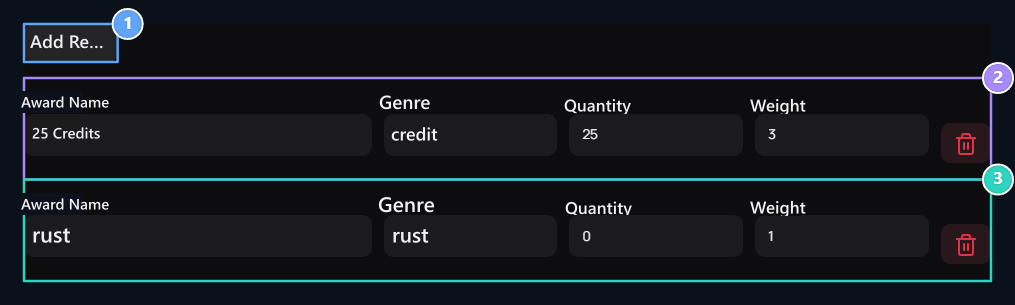
1. Add Reward
Add a new line of results to the pool.
2. Credit prize
Enter the name, credit quantity and weight in separate areas.
3. Rust result
Set the weight in un rewarded result and distribution.
Weights are not directly percent. For example 6, 3, 1 weights over 10 total %60, %30, %10 gives the share. Quantity is the value of the prize; weight determines the share of selection.
Set the limits of playback
Limitation Complete three areas on the tab.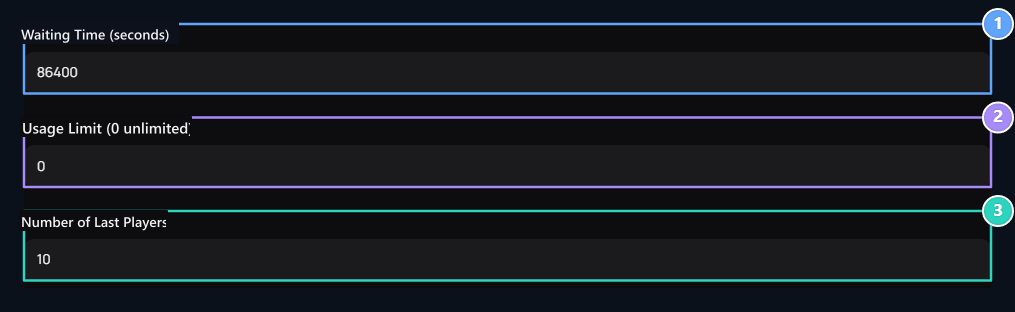
1. Standby Time
Enter this game of the same user in seconds.
2. Usage Limit
Set the total usage limit; enter 0 for unlimited.
3. Number of Latest Players
Select the last result number from 1–50.
- Standby Time (second): The same user’s replaying range of this game. 60 minutes, 86400 days; 0 no waiting application.
- Usage Limit: Total play limit; 0 is unlimited.
- Number of Latest Players: The last number of results to be displayed is selected between 1–50.
Select the user card
Log in to the user account, examines the game fee and possible rewards. Balance and use conditions choose one of eight cards if appropriate. The card will be opened and the result will be shown.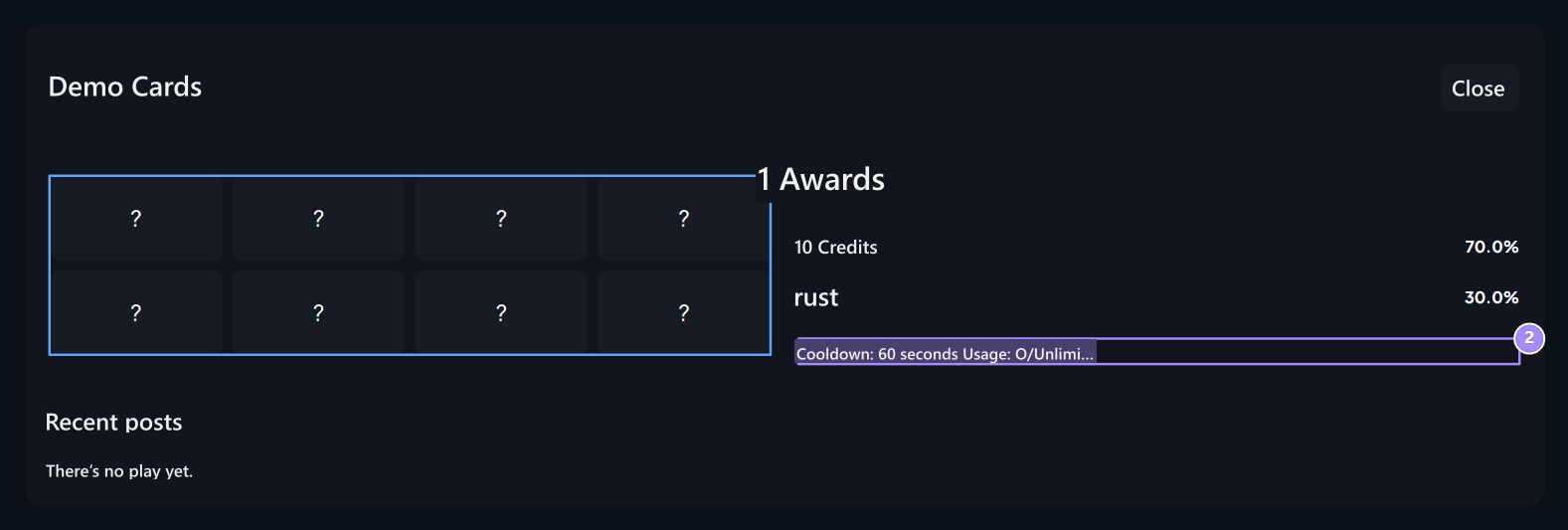
1. Select Win
Select one of eight closed cards.
2. Information
Check the fee and limits before playing.
What should be checked if cards are not used?
What should be checked if cards are not used?
Select Check the activation of the Boiler plugin and the corresponding game. Then check the user’s input, credit balance, waiting time and usage limit.
Spin Win
Create a reward wheel as separate add-ons.
Scratch Card
Prepare the pop-up gaming card by digging the surface.