
 Home
 User Guide
 Developers
 Payment Gateways
 Integrations & Tools
 Site Usage
 Troubleshooting
Who can write product review?
Comment system, customers who have purchased digital products and have a license of the product related to their account available for. List of products in the comment form consists of the appropriate digital products of this user. Licenses suspended are not received in the comment selector. Customer comments feature is clear My orders page Leave Your Comment button appears. The product will not be added again to the new review selector if it is previously written in comments.How do I write comments?
Login to the site Profile → My orders open the part. Your digital products Leave Your Comment Press the button.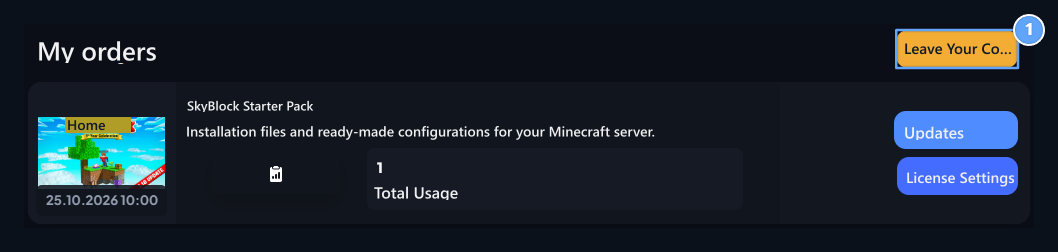
1. Make a comment
The digital product opens the comment form from my user orders.
- Of the product Select the digital product you want to evaluate from the list.
- Comment Type your experience on the field of product.
- Your Vote Select your score from stars in the area. To clean the selection Reset You can use the button.
- Save Press the button.
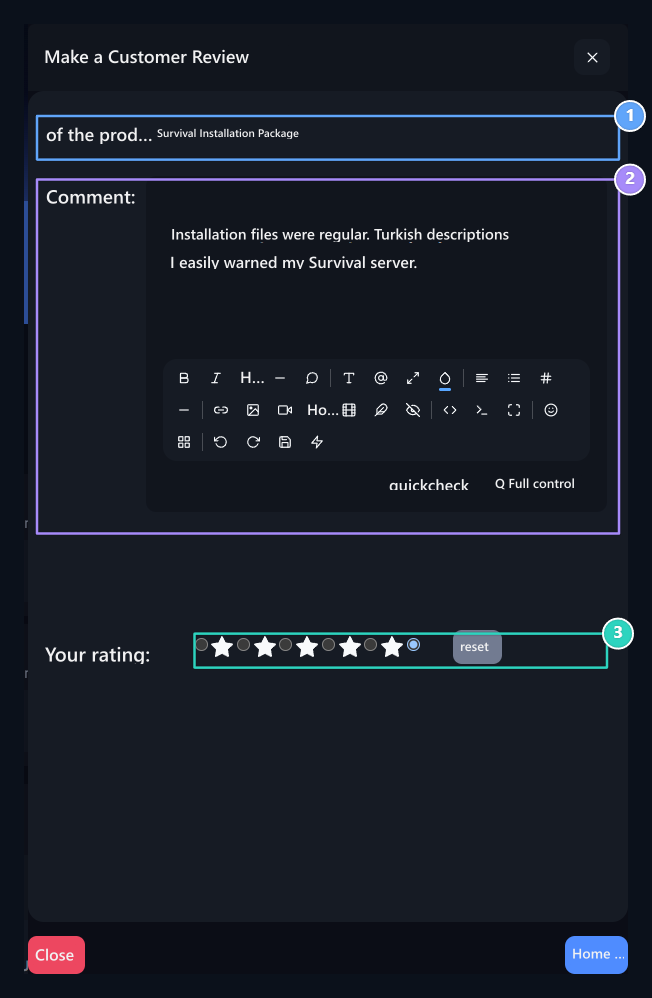
1. Product
Select the appropriate digital product you purchased.
2. Comment
Type your experience on the product.
3. Oylaman
Select your star score; Clean the score selection with zero.
Where does the user see their comment?
My orders page Recent Customer Reviews Records In the section, the user lists his comments. You can see the product name, comment text, score and date of publication together.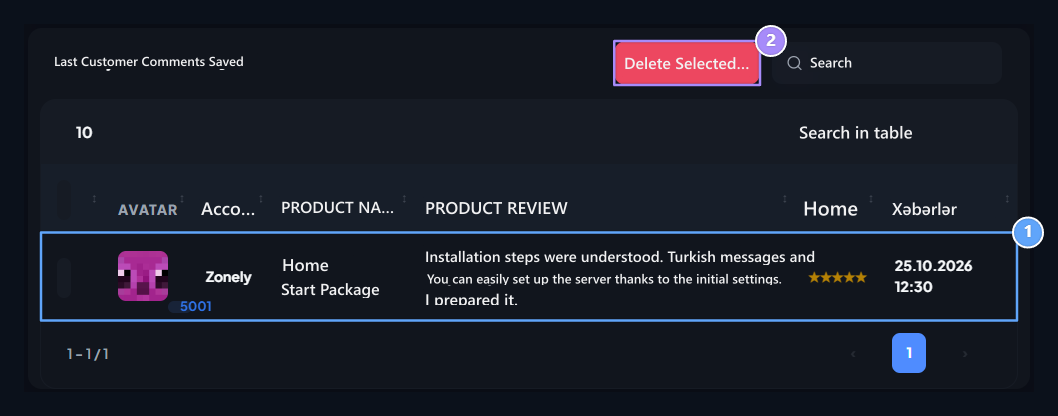
1. Your own comment
The comments and points you publish on my order page.
2. Remove comments
Select your review and open the removal confirmation with Delete Selected.
Change or remove comments
The user signs the box on the line of the comment that he wants to remove, and Delete Selected print the button. Close Deletion Confirmation window Delete removes the transaction comments. Stupidcloses the window from the application.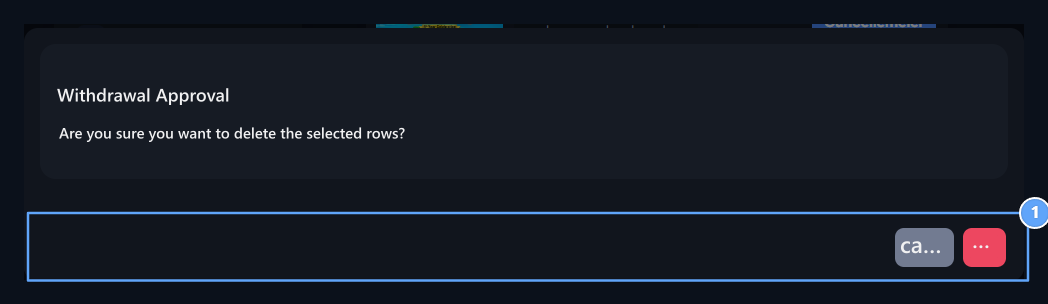
1. Delete approval
Delete process removes comments; you can close the approval with cancellation.
How to review admin reviews?
Management panel Customer Reviews open the screen. List Account, Product Name, Product Comment, Points and Publication Date The information is included in the form. You can open the search icon and search for the user or product.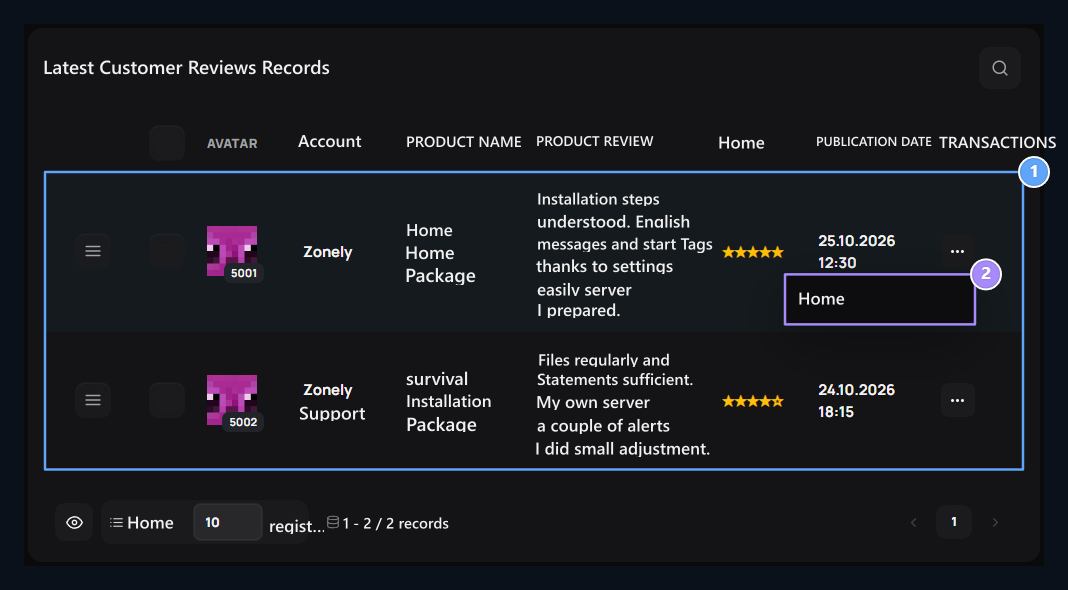
1. Reviews and points
Check out the account, digital product, review and star rating together.
2. Settings of the comment
Open the product, text and score of the current comment with Edit.
How does the administrator comment edit?
Related comments three points → Edit open the process. Product the appropriate digital product, which is connected to the field of comment, Comment Check and edit text in the field.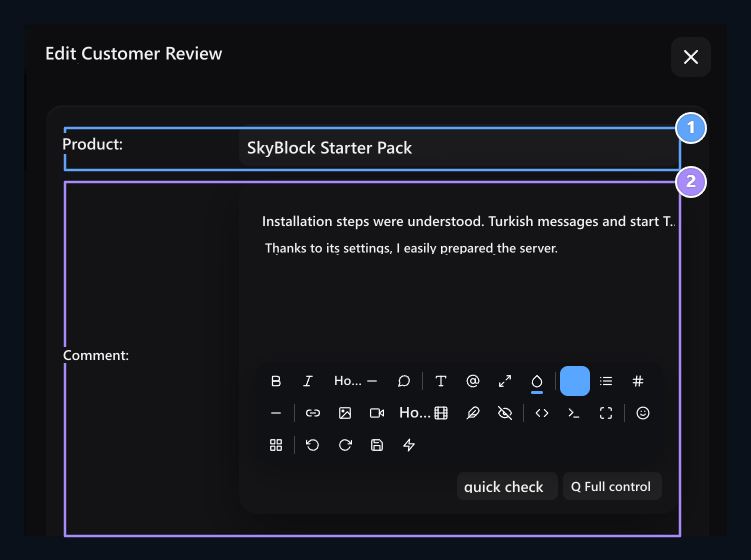
1. Product
Select the appropriate digital product of the comment owner.
2. Comment
Edit the text of the comment.