
 Home
 User Guide
 Developers
 Payment Gateways
 Integrations & Tools
 Site Usage
 Troubleshooting
Prepare the group
Variant Name type a name that will understand the customer in the field. Variant Code Select the type you will use to fill the space and use it.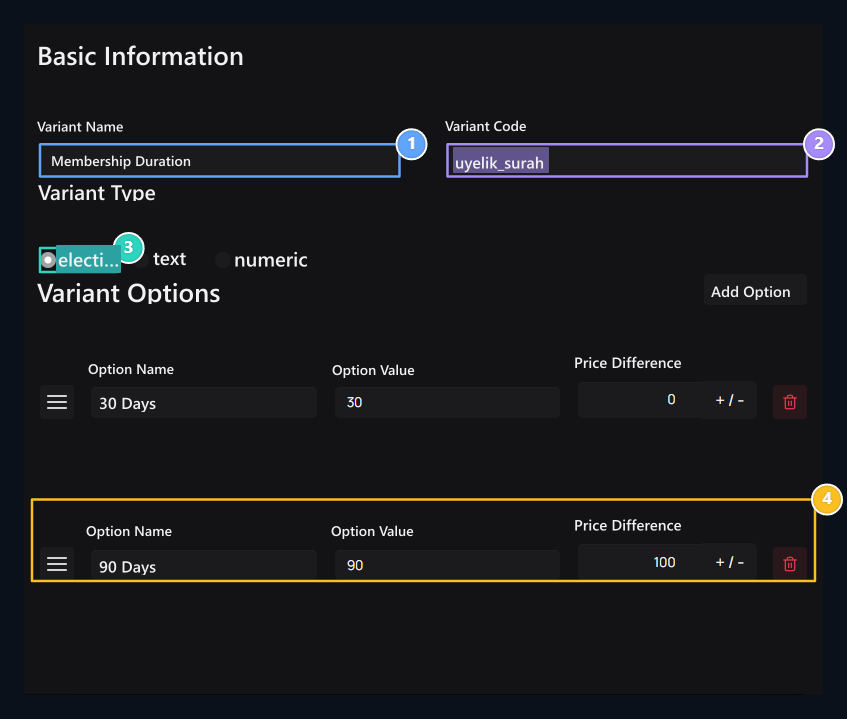
1. Varyant name
Type the user’s name of the option group.
2. Variant code
Use a customizable code for the group.
3. Variant type
Determine the choice, Text or Numeric type according to the requirement.
4. Pricing price
Add each option; enter the price difference if additional fee is applied.