
 Home
 User Guide
 Developers
 Payment Gateways
 Integrations & Tools
 Site Usage
 Troubleshooting
Select the group of Varyant
First Variants Prepare the option group on the page. Product card Variants Check the group you will use on the tab.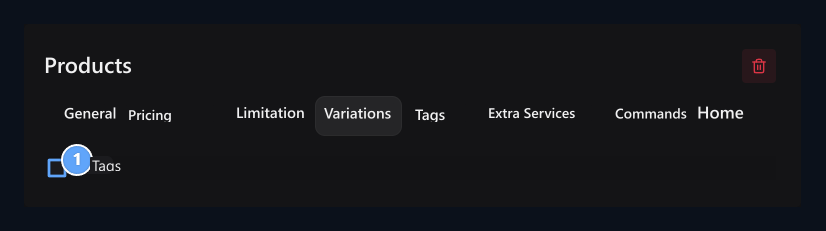
1. Varyant group
Check the option group to be used in the product.
Ask for information when buying
Questions + Add questions with the button. Write the question and select the appropriate type of answer. Answering is required Mandatory Open the option.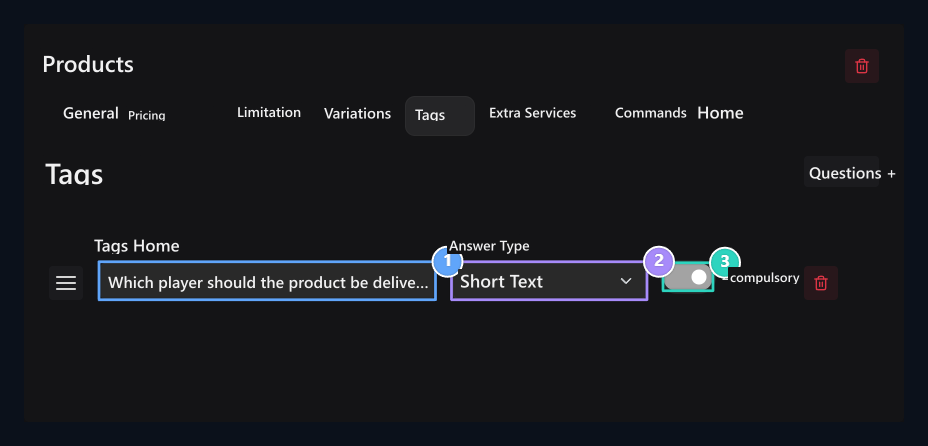
1. Question
Write the information you want from the customer.
2. Answer type
Select the appropriate type of information you want.
3. Forced
Open the response to the execution of the condition.
Which type of answer should I choose?
Which type of answer should I choose?
Offer paid additional services
Extra Services + Press the button; type the service name, price and short description.- Single Choice: The service is selected once.
- Quantity: Customer determines quantity. Maximum Quantity Type the upper limit to the field.
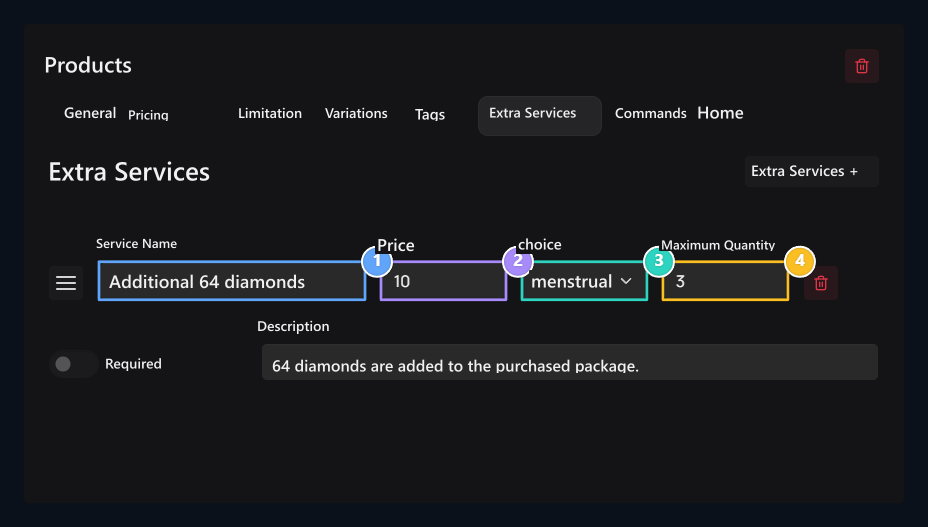
1. Service name
Type the content you will offer to the main product.
2. Additional fee
Enter the sales amount of the service.
3. Selected selection
Provide customer to choose multiple pieces.
4. Maximum pcs
Write the highest rated to be selected.