
 Home
 User Guide
 Developers
 Payment Gateways
 Integrations & Tools
 Site Usage
 Troubleshooting
Scope and select file
Normal Template site view, AdminCP Template selects the management panel. The files are installed when you change the scope. Find the file from the search field; check the way next to the name.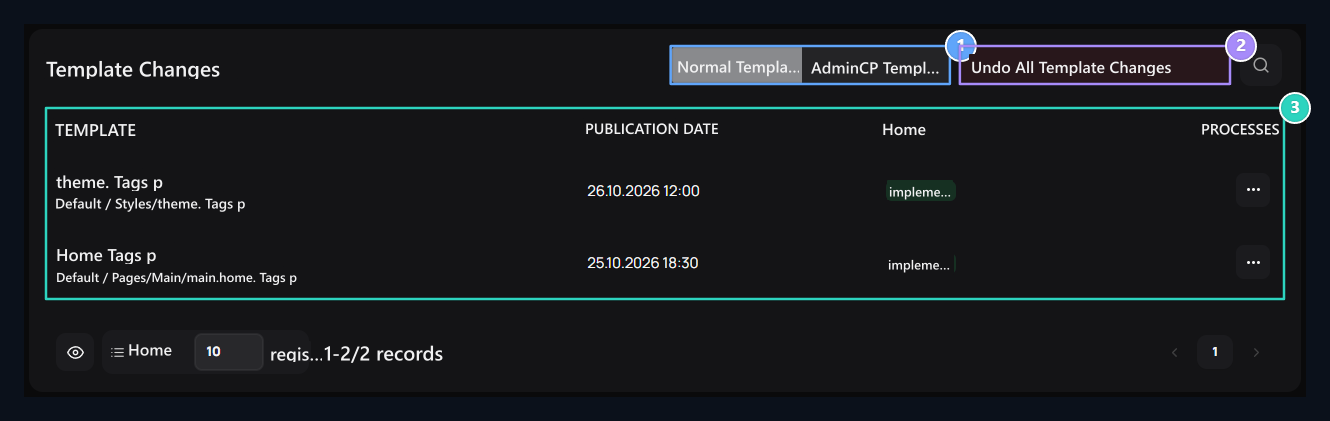
1. Template scope
Normal Template site view; AdminCP Template selects management panel.
2. Get all back
Used to get back to the customizations in the selected scope. First, get your copy.
3. Change files
Local changes are listed here.
Compare local change with source
Line Show open the process. File path in comparison window, Change Source and changing lines appear. If the source can be recognized, the corresponding module information is shown in the other case manual editing information.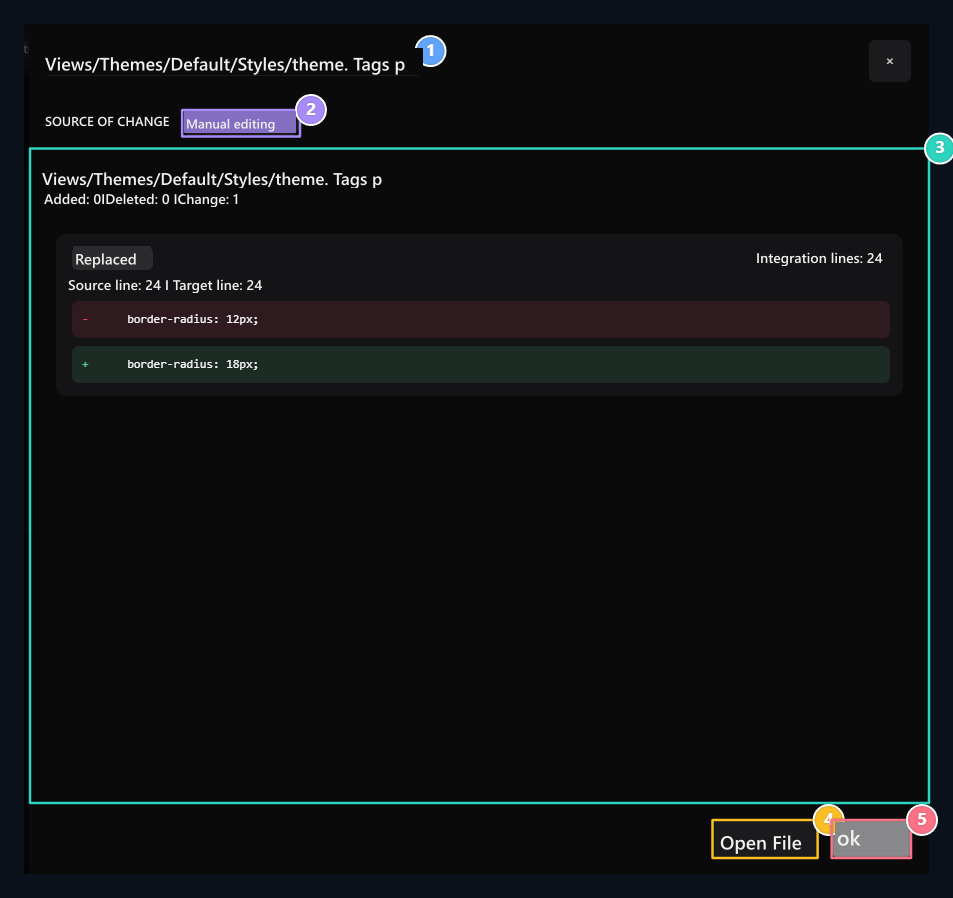
1. File
Check the way of the file that is Compared.
2. Change source
Check manual editing or recognized module information.
3. Difference
Compare and add-on lines.
4. Open File
Switch to file editor to make correction.
5. OK
Closes without saving the comparison.