
Management panel → Various → Road Map You can plan new season, event and update preparation in the section. Prepare the job to do first as a part, then place the calendar related day.

View ready partitions and calendar

Chapters Not Added lists what you can place in the field calendar. Roadmap Calendar Shows the records. Change month with arrow buttons; Today return to the current island with. Ready partitions, Planned jobs
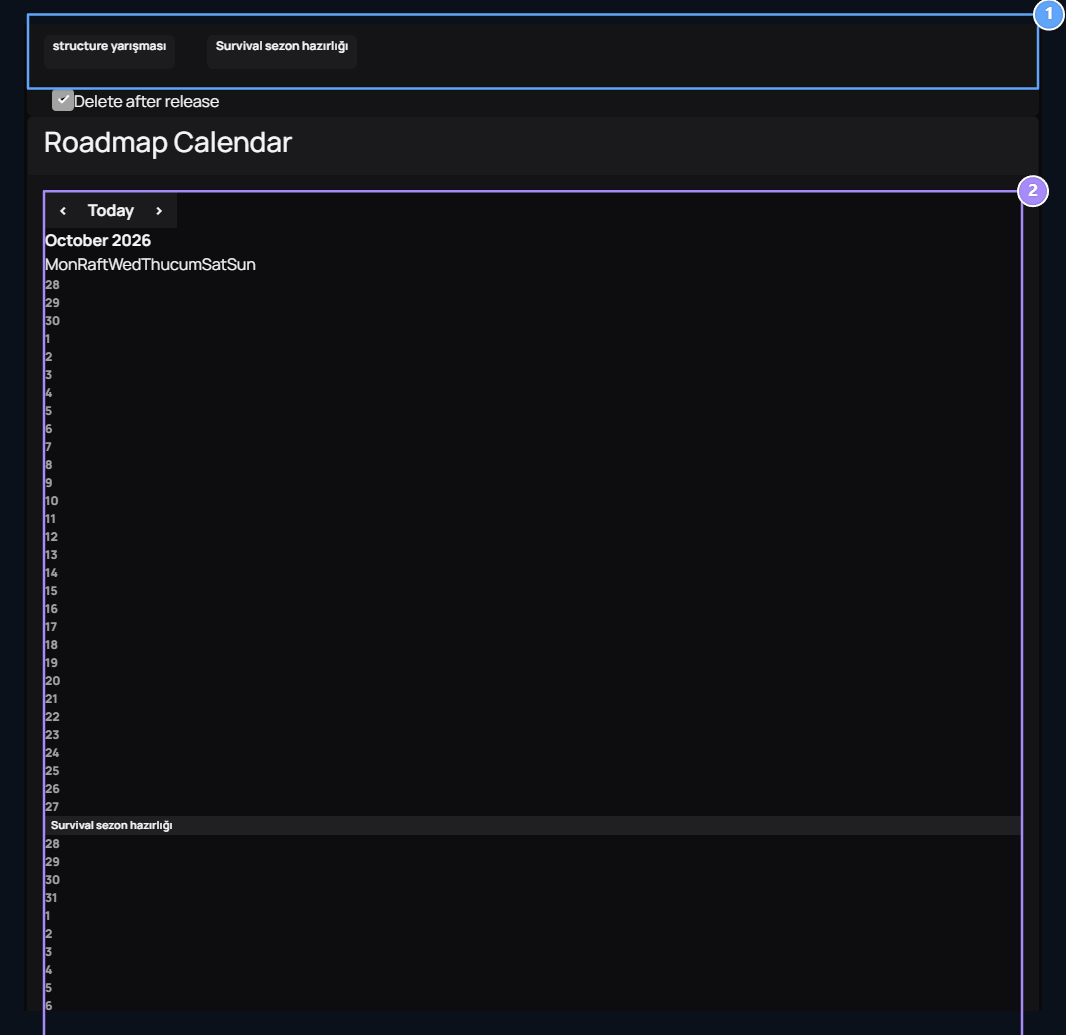
1. Ready partitions

Prepare the works you will place in the calendar.

2. Planned jobs

See the selected island’s historical jobs in the calendar.
Sample Survival season preparation 27 October. Structure Competition Like another job you can prepare as part before and then date.

Prepare a new business partition

Add Roadmap open the button. Title name of the work to be done in the field, Description Type the scope of the field. Publish Create partition record with. Title, Description
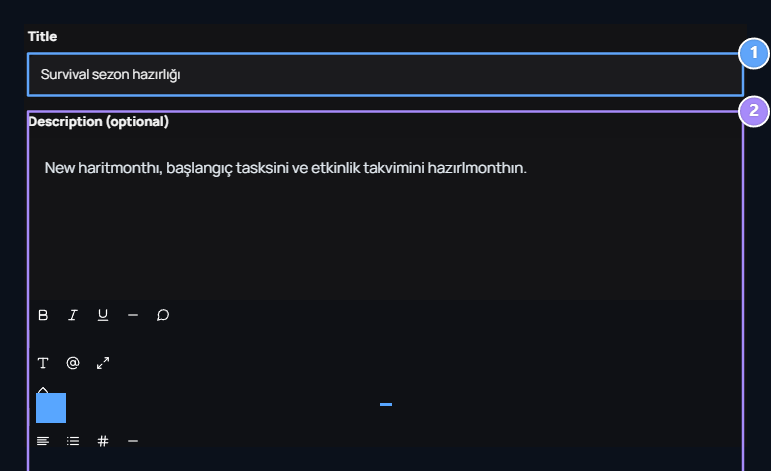
1. Title

Type the short name of the planned work.

2. Description

Explain the work and scope to be prepared.
For example Survival season preparation Explain that the new map will be prepared in the section, start tasks and event calendar. Date in this form is not selected; date is determined when the partition is placed in the calendar.

Place the partition into calendar

Keep the ready partition and leave it on the day you want in the calendar. This process creates a date record. Delete after release selection determines the removal of the placed item from the ready-parts list. Use double click and drop-down approval to remove a record in the calendar. Registration is removed from calendar and the corresponding partition can be re-programmed.

Announcement to Plan community

The road map calendar is the planning screen on the management panel. Season and event dates you want to explain to players Announcements or Discussions Share it via. Specify date, participation conditions and work on the content that players will read.