
 Home
 User Guide
 Developers
 Payment Gateways
 Integrations & Tools
 Site Usage
 Troubleshooting
Select Currency
Find and find relevant registration in the list three points → Edit open the way. To change the main currency Set as default Use option.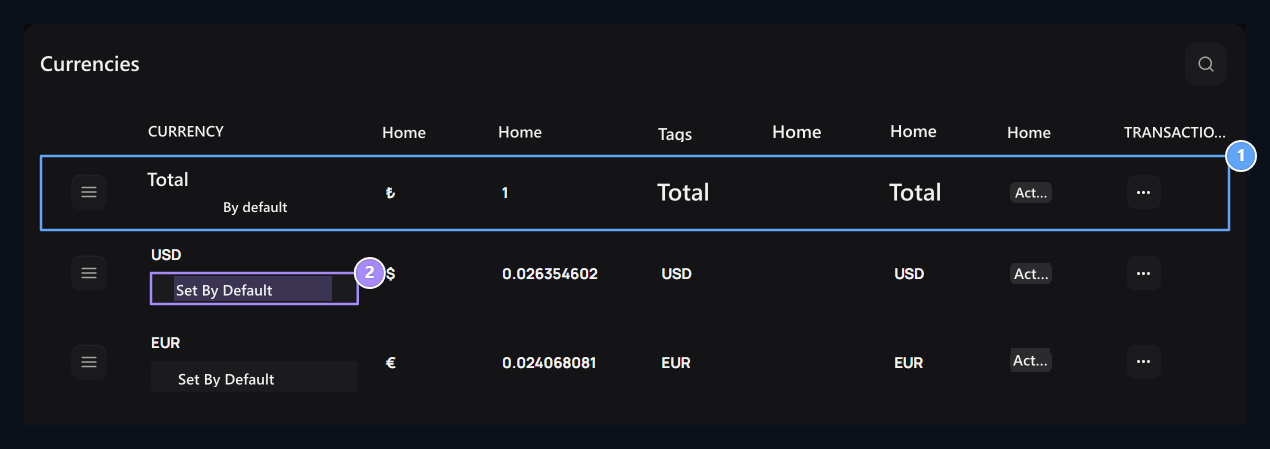
1. Currency registration
Check the code, symbol, proportion and display attachments in the same line.
2. Default currency
The default tag shows the current main unit. The other lines are set by default.
Edit the display and rate
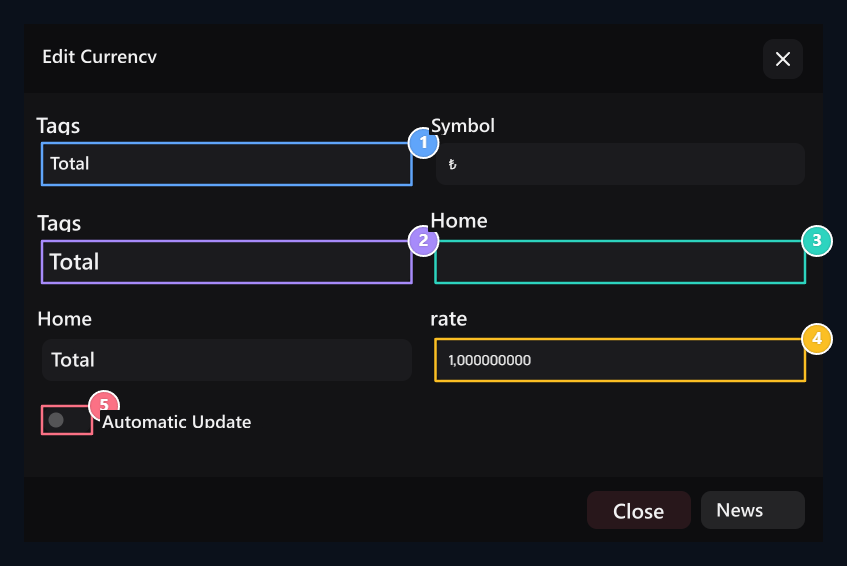
1. Code and symbol
Type the code and symbol of the currency in their areas.
2. Label
Short name to show in selection of currency: TL.
3. Text next to the amount
In front of the amount with Prefix, select the text to be added to the back of Suffix.
4. Conversion rate
Enter the rate to be used in currency conversion.
5. Automatic update
Manage the selection of the setup update here.