
 Home
 User Guide
 Developers
 Payment Gateways
 Integrations & Tools
 Site Usage
 Troubleshooting
Prepare the case name and appearance
General on the tab Case Name fill in the area and Case Color Select. If you are going to cover, select and check preview with visual upload or library tools.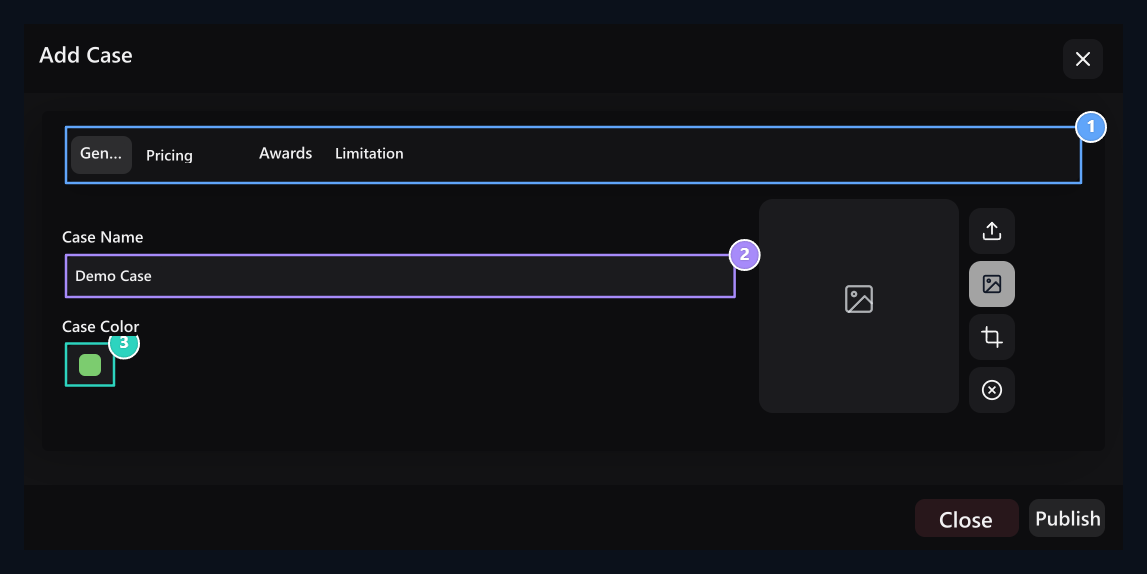
1. Four tabs
Complete the fields of Pricing, Awards and Limiting.
2. Case name
The card on the user side is shown.
3. Case color
Select the visual color of the case.
Select opening fee
Pricing → Fee Type in the field Free or Paid Select. Type the credit to be taken for each opening in the price box opened in the paid case.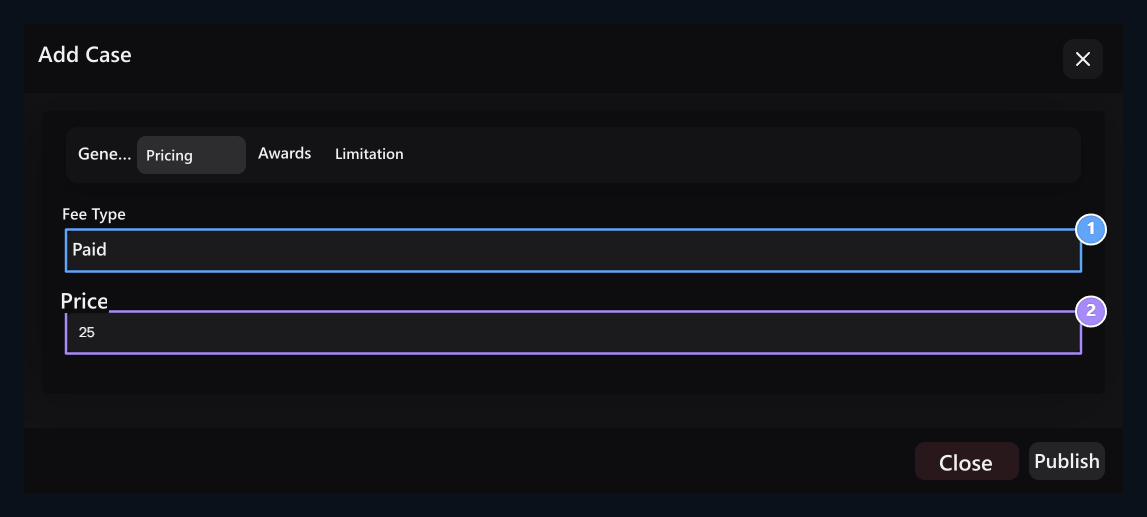
1. Charge type
Set free or paid opening.
2. Opening fee
Fill the price box populated in the paid selection.
Create a prize pool
Awards → Add Prize Open a line for each possible result with the button. Select the prize type, fill the relevant quantity or product area and Winning Rate enter the value.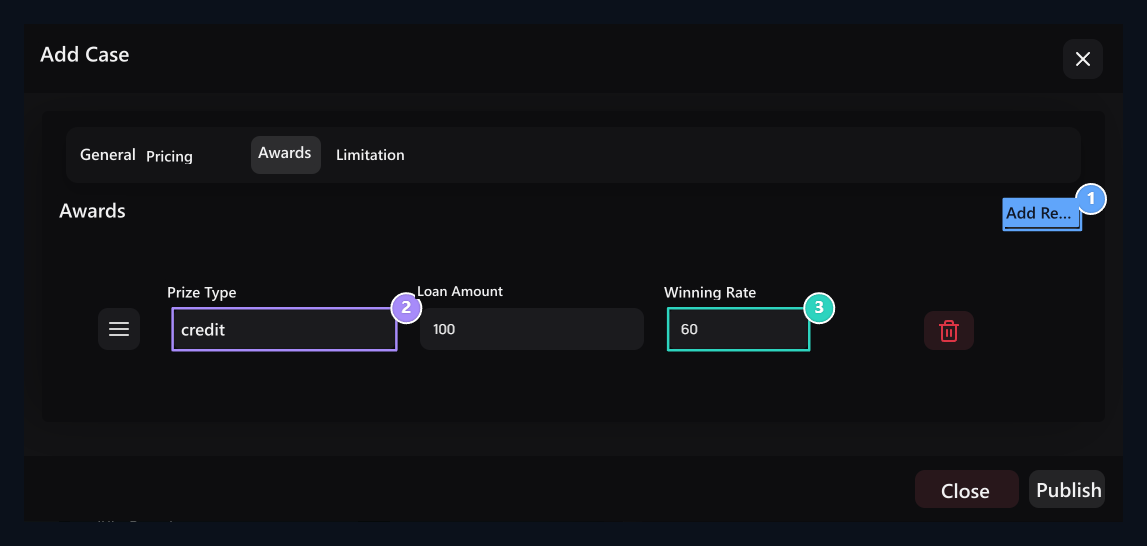
1. Add Reward
Add separate reward line for each new result.
2. Award type
Select credit, product, command or Rust result.
3. Gain rate
Enter the rate of the prize in the distribution; check the values that appear in the preview.
Sort lines by dragging from their handles. The lifting button only removes the corresponding reward line. Rate with the entire pool; the only result selected in the opening is applied.
Add server command
Reward type Command and select Add Server Press the button. Select the target link; type the descriptions to show commands and users to separate lines. You can also prepare a shipping to other servers in the same prize.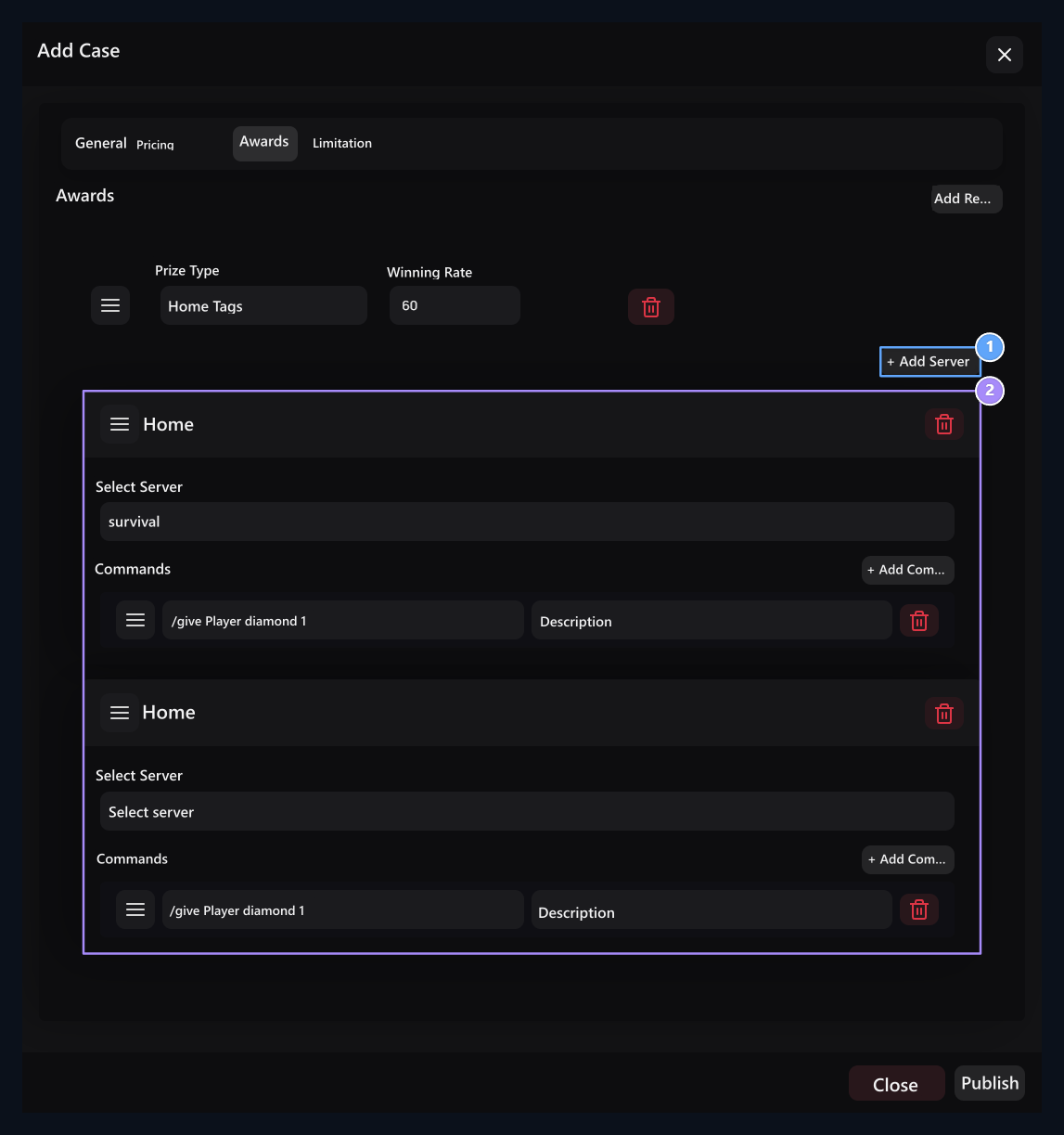
1. Multiple servers
Identify additional servers and commands individually to each server if necessary.
2. Server and command
Select the server, type the command to work and the description to show the user.
Set and save usage limits
Limitation On the tab Waiting Time with the opening range again, Usage Limit Set the total usage limit with. Enter the time in the way the area is accepted. Use limit 0 is unlimited.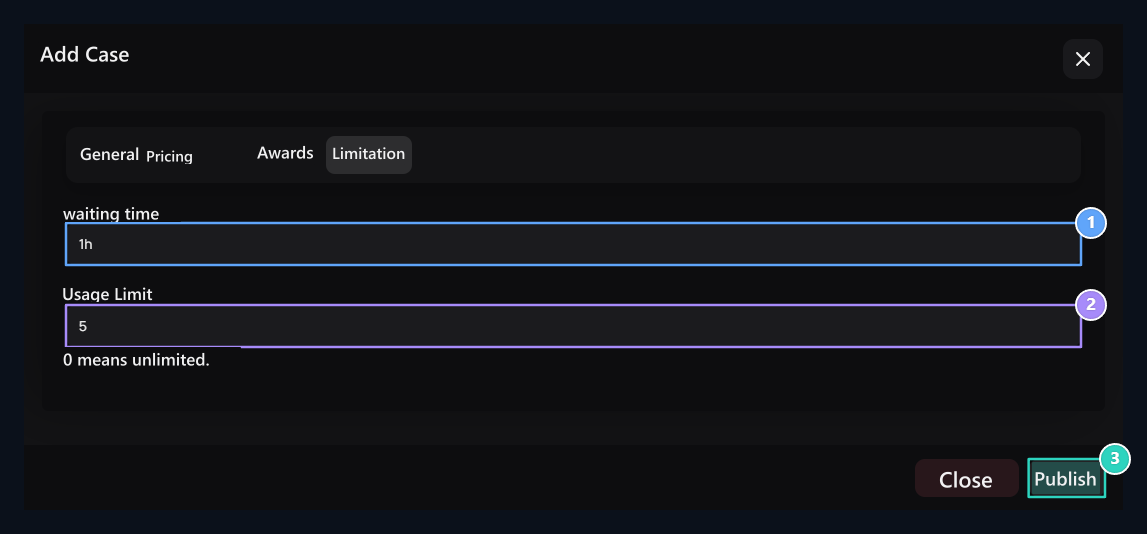
1. Standby time
Enter the opening interval with the time it accepts this area.
2. Use limit
With the opening limit, it means no limit to 0.
3. Release
It records four tabs information together.
How does the user open the case?
User safes The page sees the number of cases, fees and rewards. See Awards You can review possible results with the button.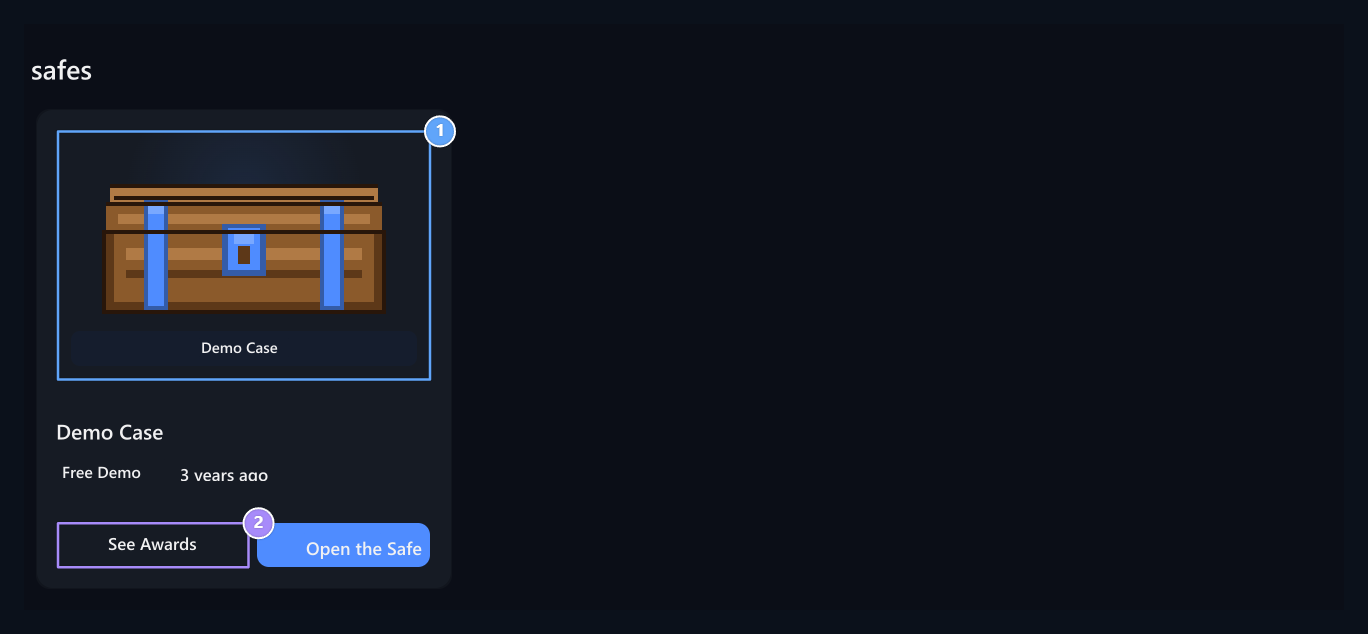
1. Case visual
Wooden and metal visual is produced according to the case color if there is no cover.
2. See Awards
Check the prize pool before opening.
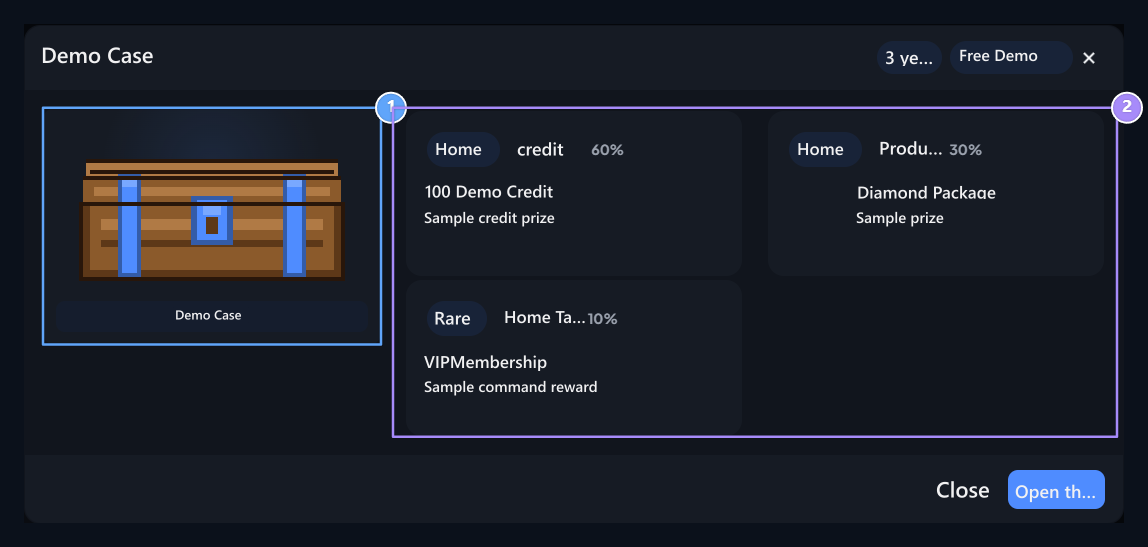
1. Preview
The same case visual will appear at the preview of the prize.
2. Award pool
Types and win rates.
1
Check availability
Login to your account. There should be enough credit and available opening right for paid case.
2
Start Opening
In the opening window Rotate Press the button.
3
View the latest
Check the prize and transaction notification when the animation is finished. The balance for reopening, waiting and usage limits are evaluated again.
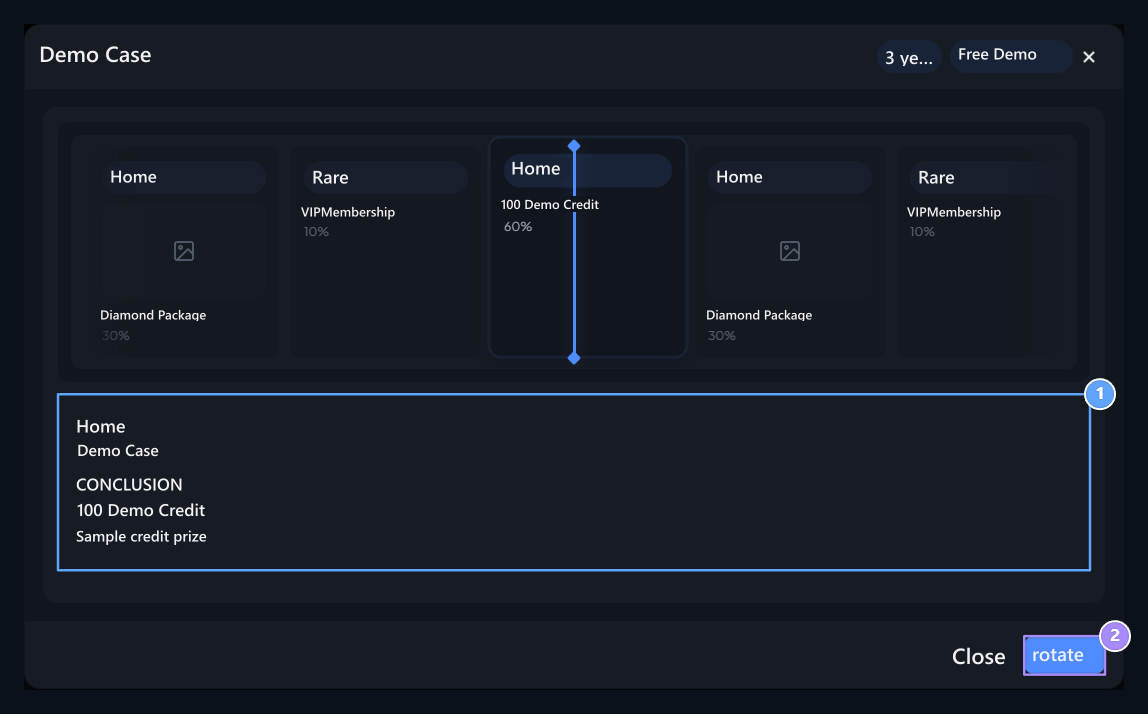
1. Opening result
Check the selected reward and result notification when the animation is finished.
2. Reopening
Reopen if credit, waiting time and right to use is appropriate.
Ödülleri Gör penceresini açmak kasa açılışı başlatmaz. Ödül havuzunda Pas varsa ödülsüz sonuç da gelebilir.
Scratch Card
Prepare the prize cards that are opened by digging the surface.
Daily Chests
Create case with 24 hours of usage rule.