Home
 User Guide
 Developers
 Payment Gateways
 Integrations & Tools
 Site Usage
 Troubleshooting
Open the transaction history
Select the history you will review from the top list:- All Payment Process: Find payment records.
- Aidat and Product Renewals: View the renewal process.
- Credit Upload History: Compare the amount of the deposited and the added credit.
- Check Uses: Access the records of the used checks.
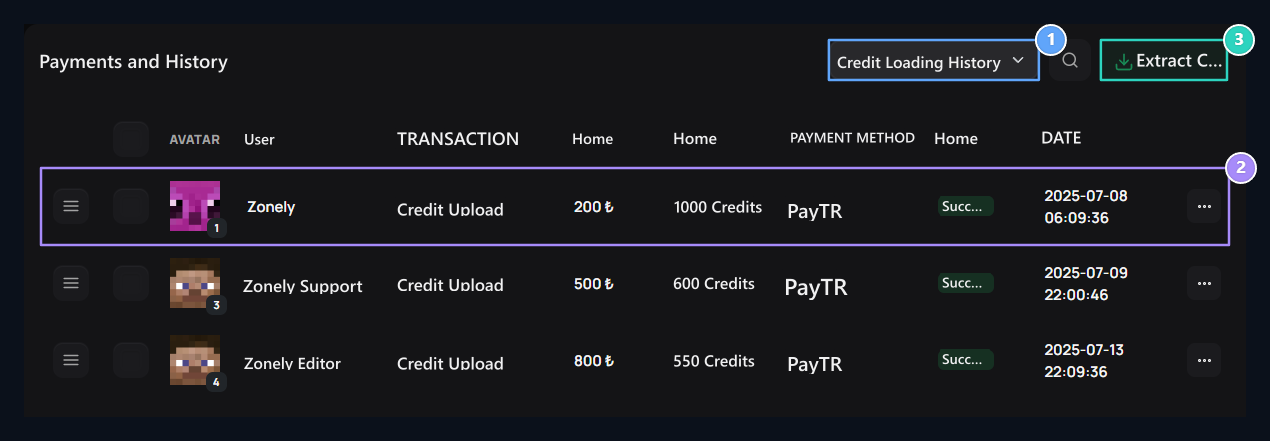
1. History type
Switch between payment transactions, renews, credit loads and check uses.
2. Transaction registration
Read the user, the amount charged, the added credit, the method and the status together.
3. CSV Extract
Export records of selected past type as CSV.
Check or export registration
Search for the user; check the method, amount, status and date. Detail in the records offered three points → View open the way. Close Payment Detail drawer Check the user, payment method, transaction status, date and amount together. Compare the collection information with the transaction amount.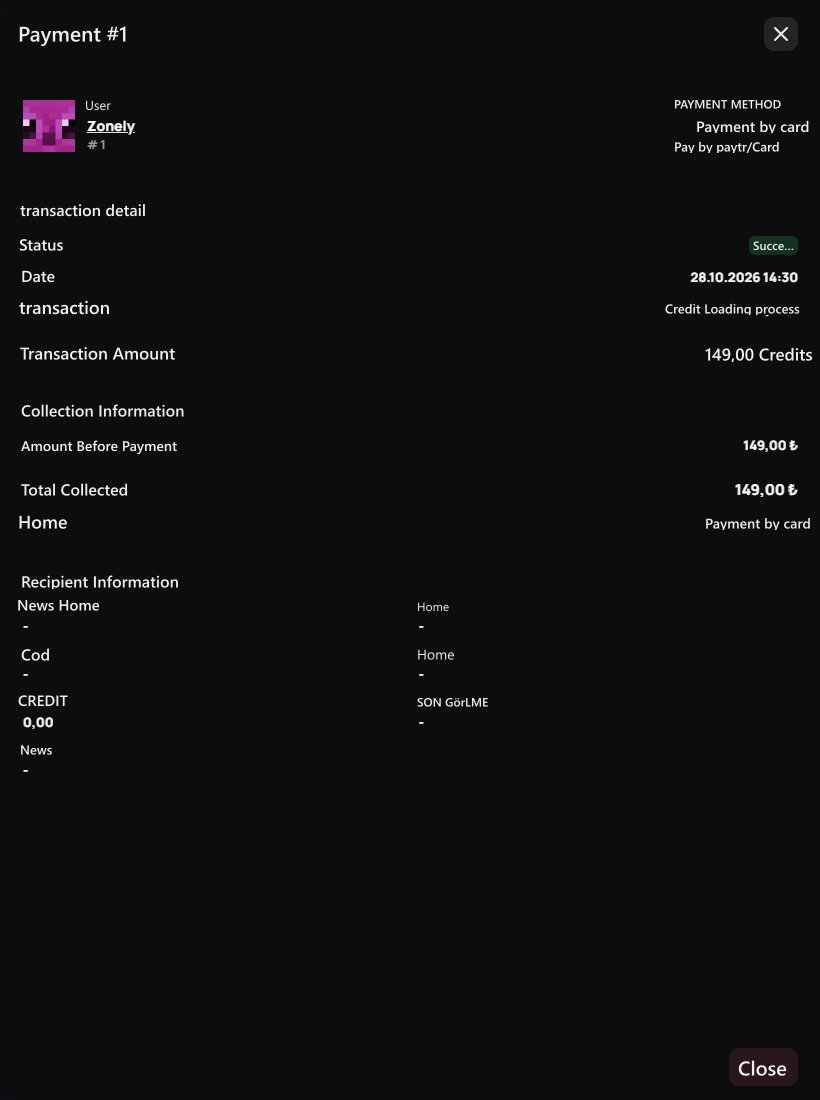
View the payment record from the user profile
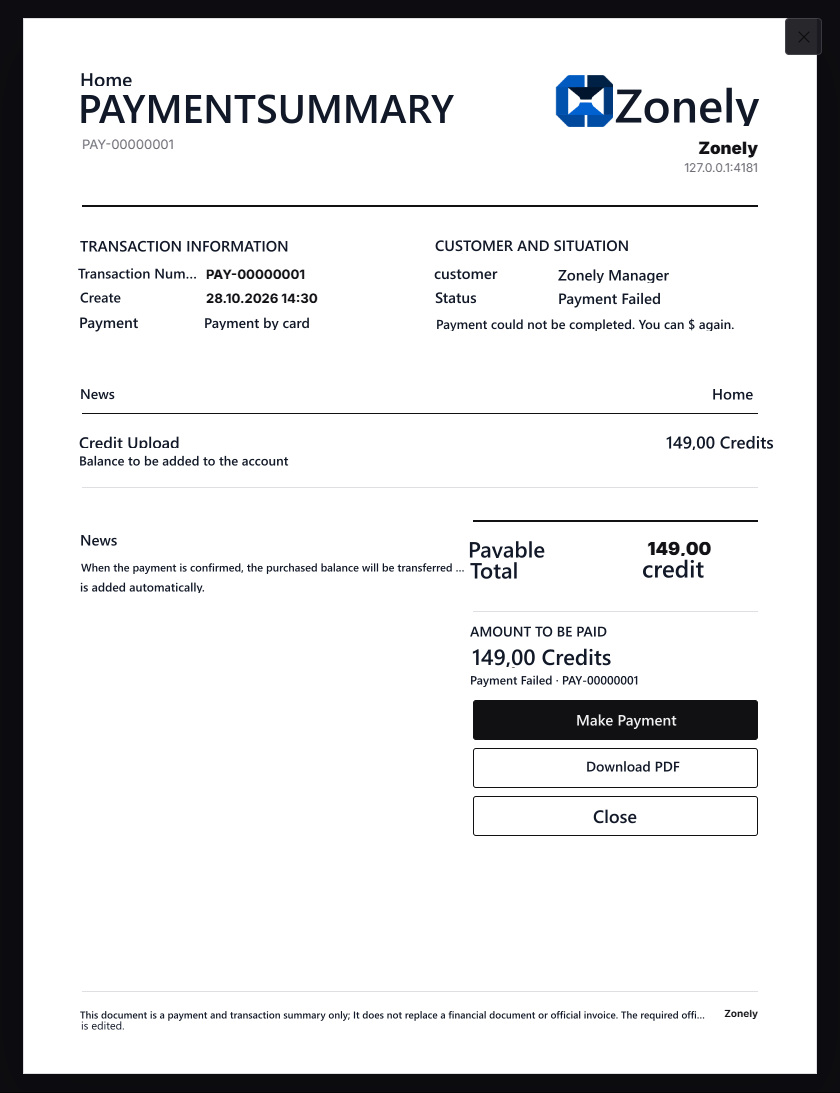
About Us enter the user profile and Payments Open the tab. You want to review the registration View Open the payment summary window by pressing the button; check the transaction status and amount here. The user can also open this record with its own account. If unrecompliant or uncompleted payment is suitable for re- trial, in the window Make Payment The process will be repeated by the button to the payment step.