
 Home
 User Guide
 Developers
 Payment Gateways
 Integrations & Tools
 Site Usage
 Troubleshooting
First select content group
Editor Type from list In-Game Marketing or Other Marketing Select. The choice determines the content group you will work on. See the group that is open before editing.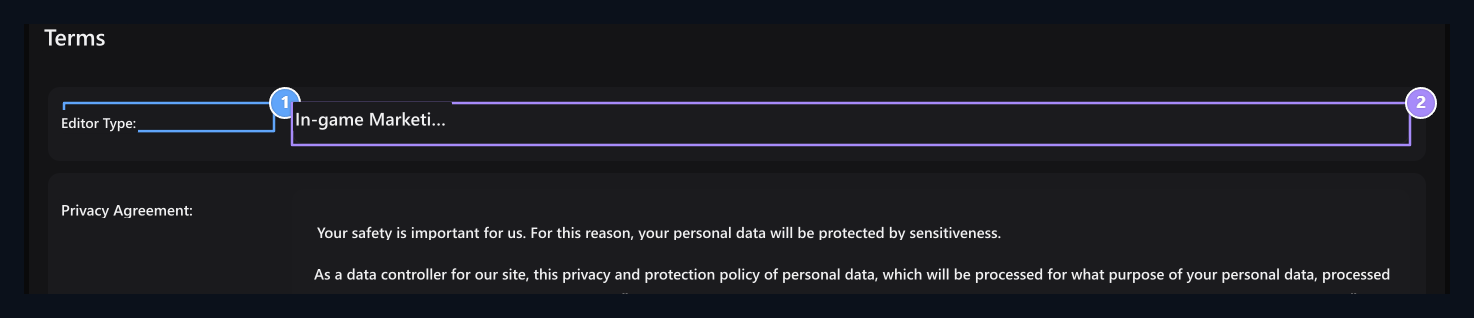
1. Group definition
Check the open content group before editing.
2. Editor Type selection
Select the content group of In-Game Marketing or Other Marketings.
Edit the privacy text
Privacy Policy Prepare the text to show on your site. Separate header and paragraphs; make sure the site name in the text is owned by you, contact address and links.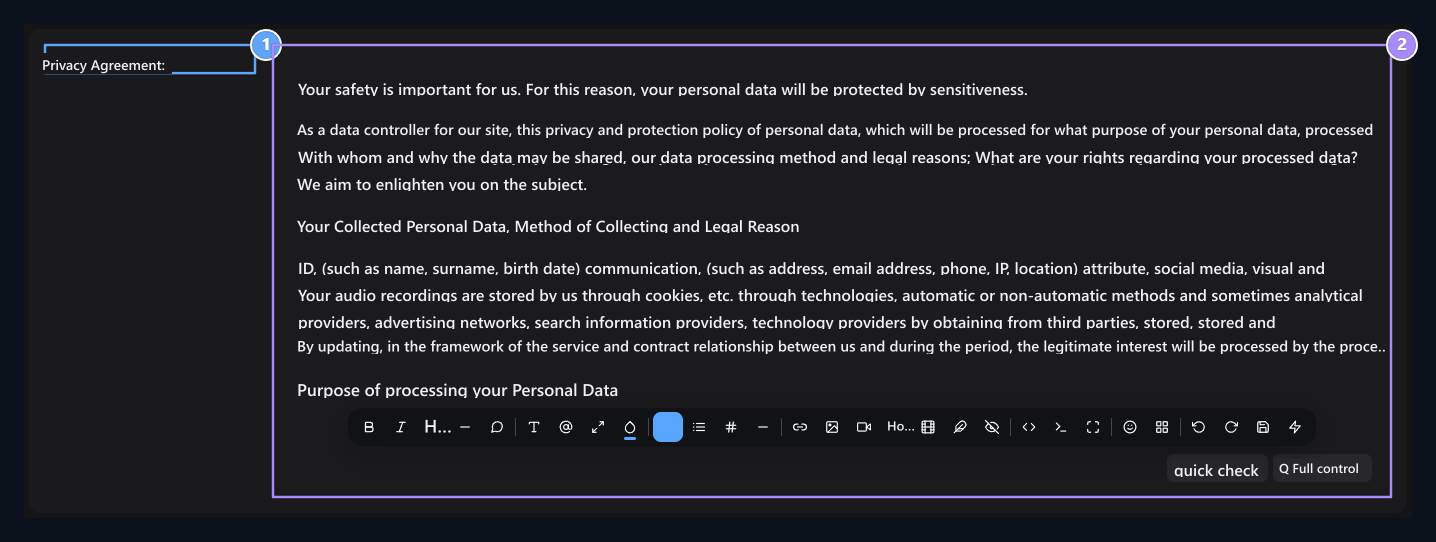
1. Privacy Agreement area
Edit the privacy text to be used on your site under this title.
2. Rich text editor
The headers are formatted paragraphs and contact addresses.
Prepare registration conditions
Registration AgreementThe text offered during the membership is for the text. Edit your own terms related to account usage and community membership here. You can write the items with list tools in separate lines.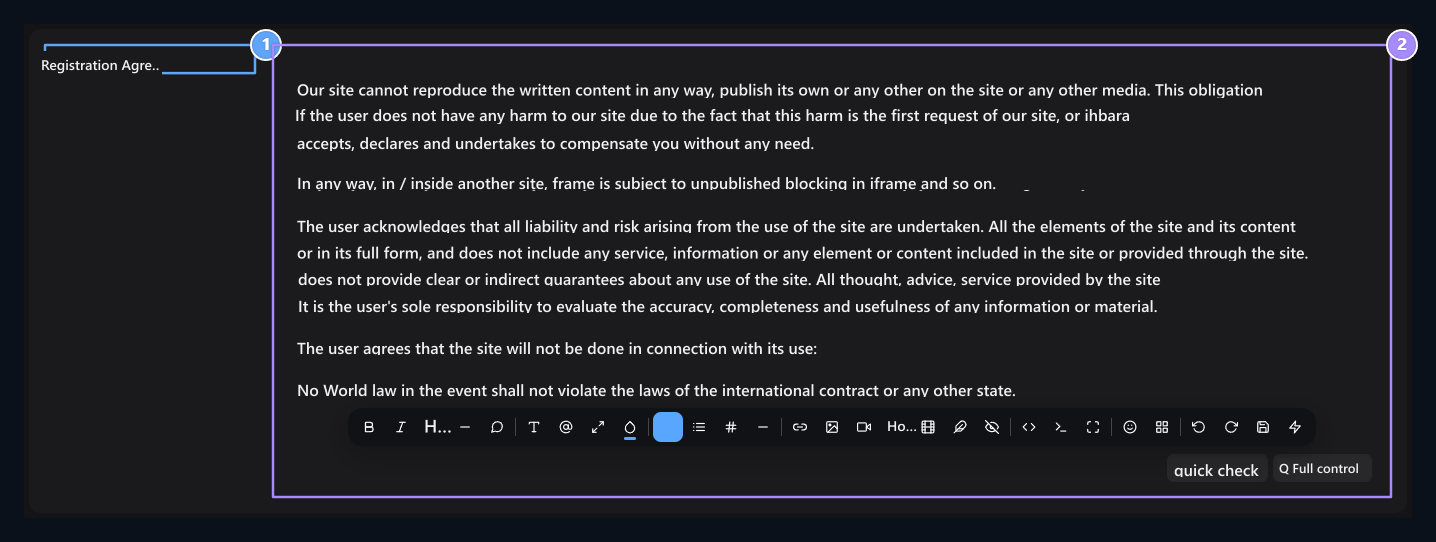
1. Registration Agreement area
The rights and obligations that users are approved by the site.
2. Legal notice text
Disclaimer, account security and suspension conditions.
Edit other contract
Other Agreement Use the field for text to show under this title on your site. Note that if you are preparing a content like server rules, the headers, descriptions and support connection remain straightforward.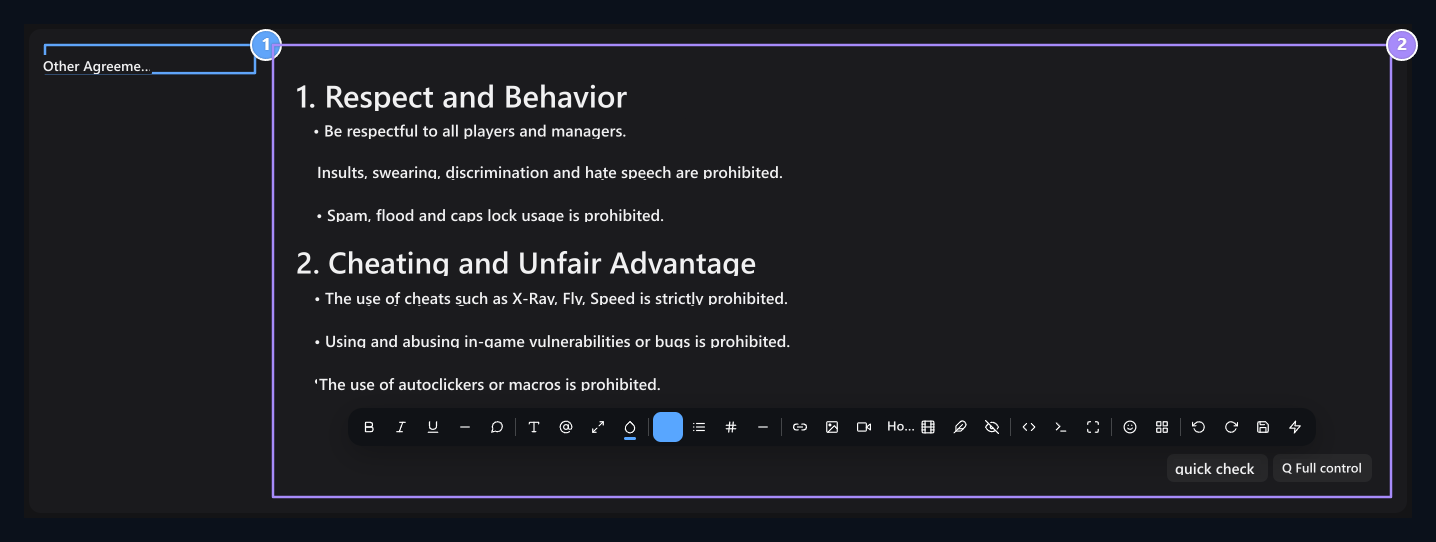
1. Other Contracting area
Server rules regulate the principles of cheating bans and fair game.
2. Game rules editor
List respect, trade rules and claim terms in the materials.
Use other content areas
In the content group you choose Home Page Header Alt HTML, Home Page Script Code, Premium Page, Portfolio, Why Should You Choose Us and Footer Announcement There are areas. Fill visible areas with content to be used on your own site.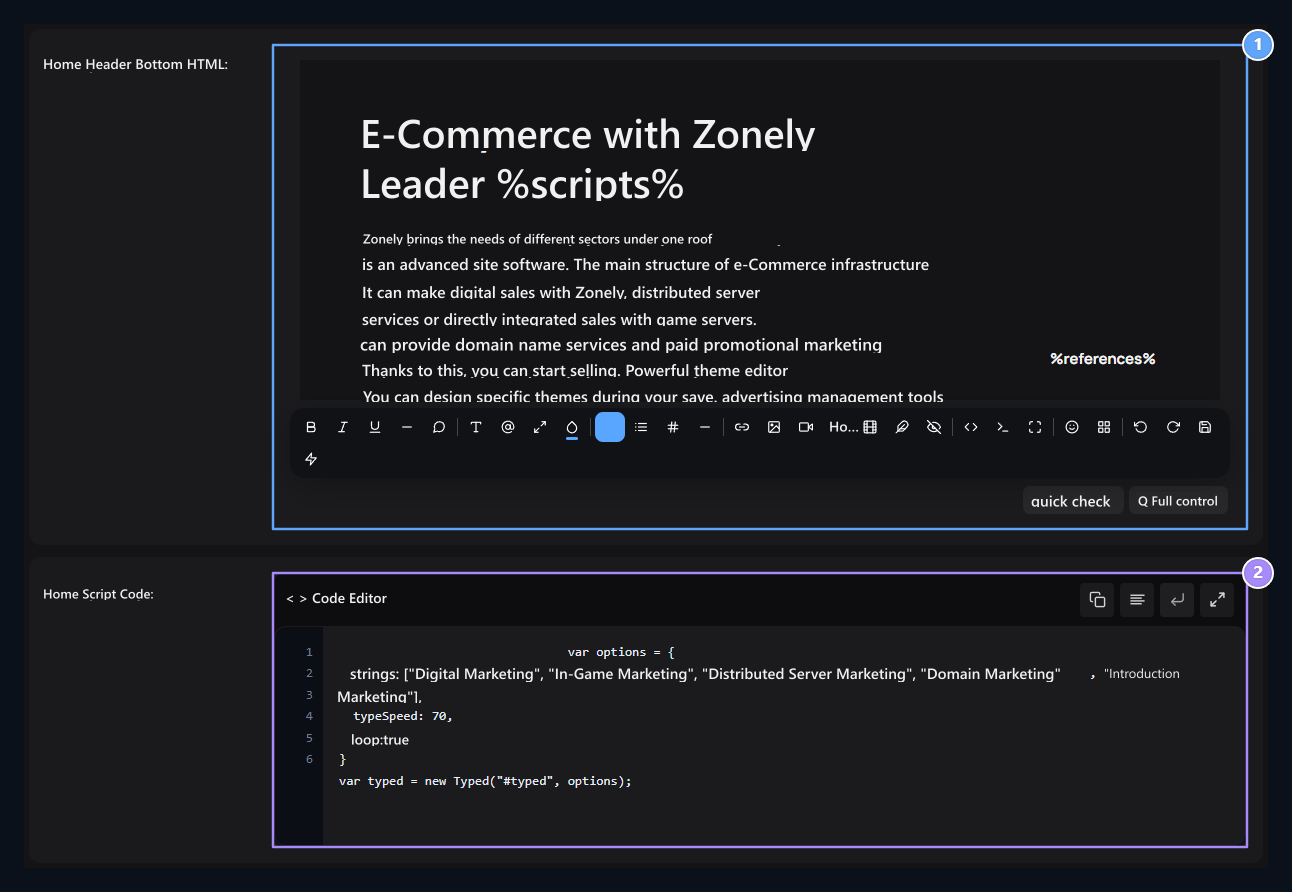
1. Header six content
Edit content space under the upper section.
2. Home code
Write the script code to be used on the home page in this field.
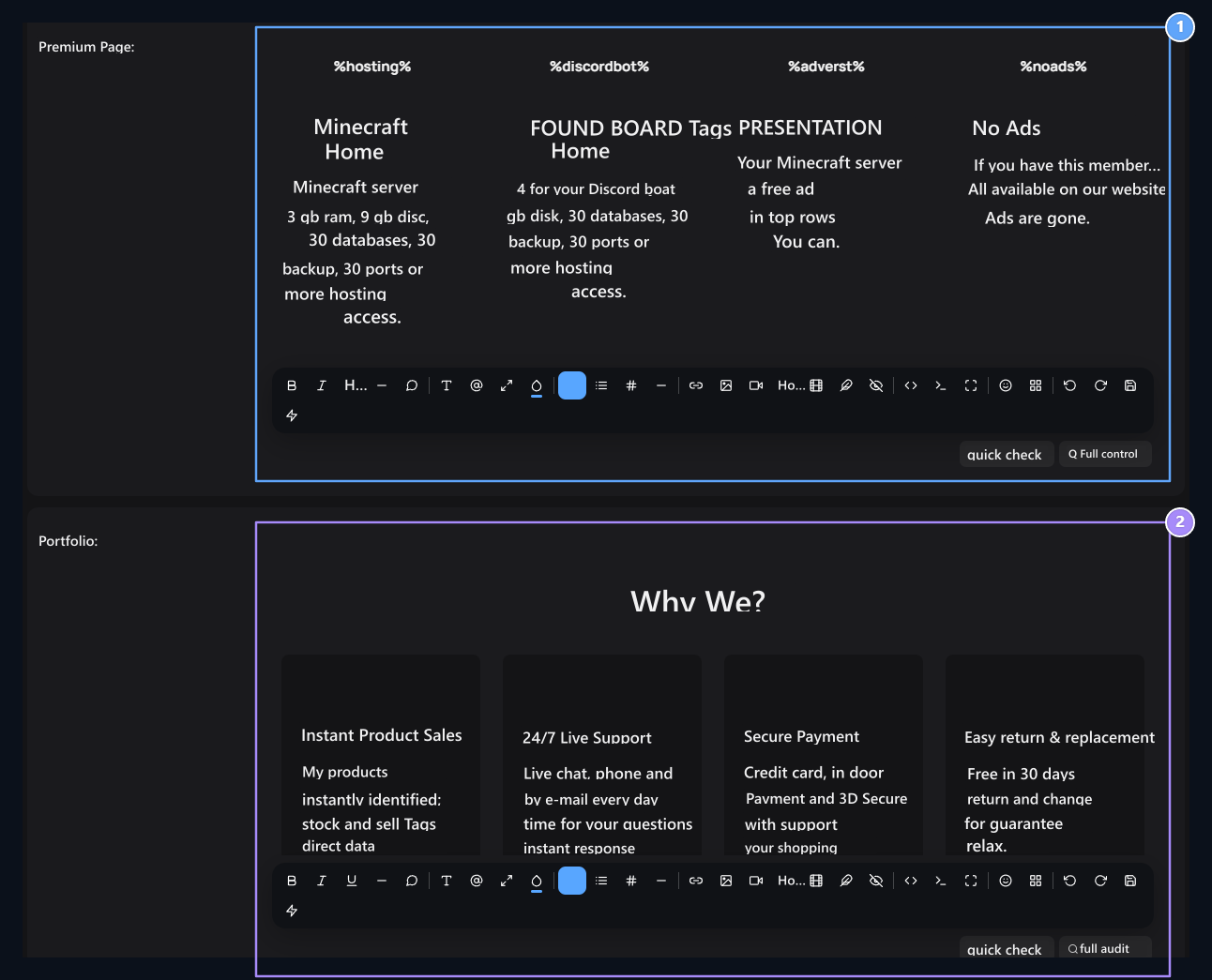
1. Premium page
Prepare the Premium membership promotion.
2. Portfolio
Promote your work and services.
3. Why choose us
Tell your community or service’s features.
4. Footer announcement
Prepare the announcement content to be used in the sub-section.