
 Home
 User Guide
 Developers
 Payment Gateways
 Integrations & Tools
 Site Usage
 Troubleshooting
How does the approval system work?
- If the approval system is open: Videos are taken to review before. The content you are monitoring from the management panel and the content you have approved is published and it gives the user the manufacturer score you set.
- If the approval system is closed: Posts are published directly; the user wins the score you set when each content sends. Daily shipping limit continues to be applied.
View the video sent
Contents Check the user, video header, platform, status and date on the tab. Find the records that are waiting for or published by the status filter.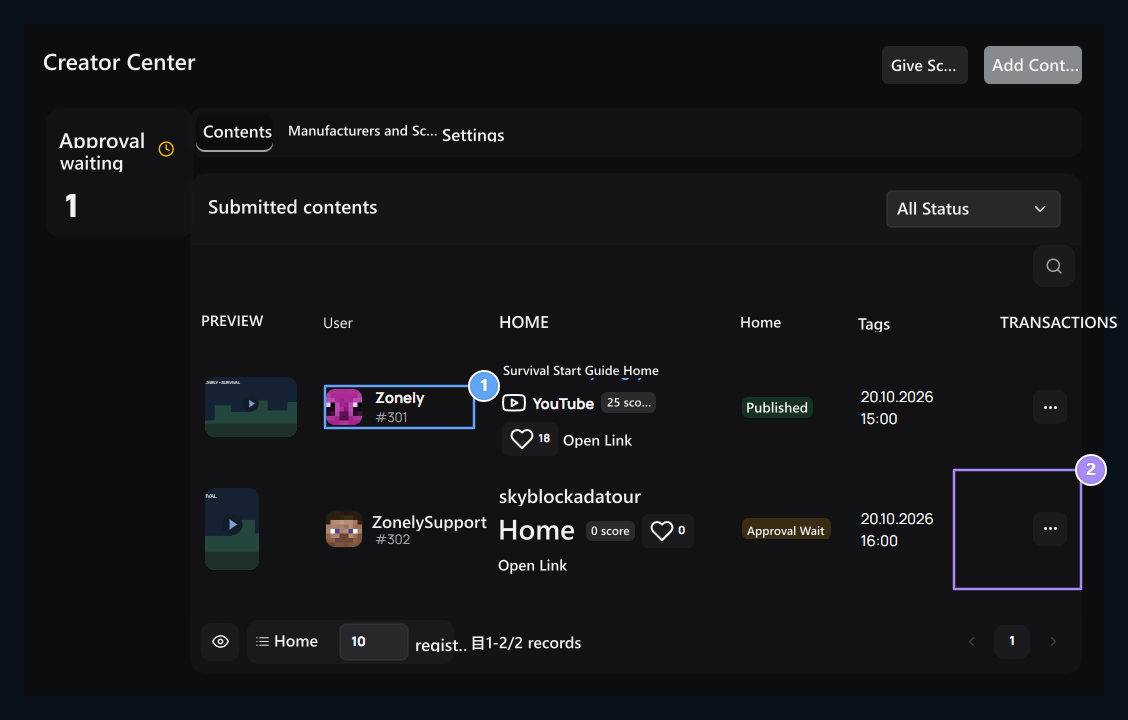
1. Content holder
The name and avatar of the user who share the post appear in this column.
2. Review operations
Follow the post from three points, confirm or refuse it with the ground.
Prepare Score and Reward Goals
Settings content submission, approval obligation and daily shipping limit Select. Score per content type; after confirmation system is clear, the score is generated during the submission if it is closed.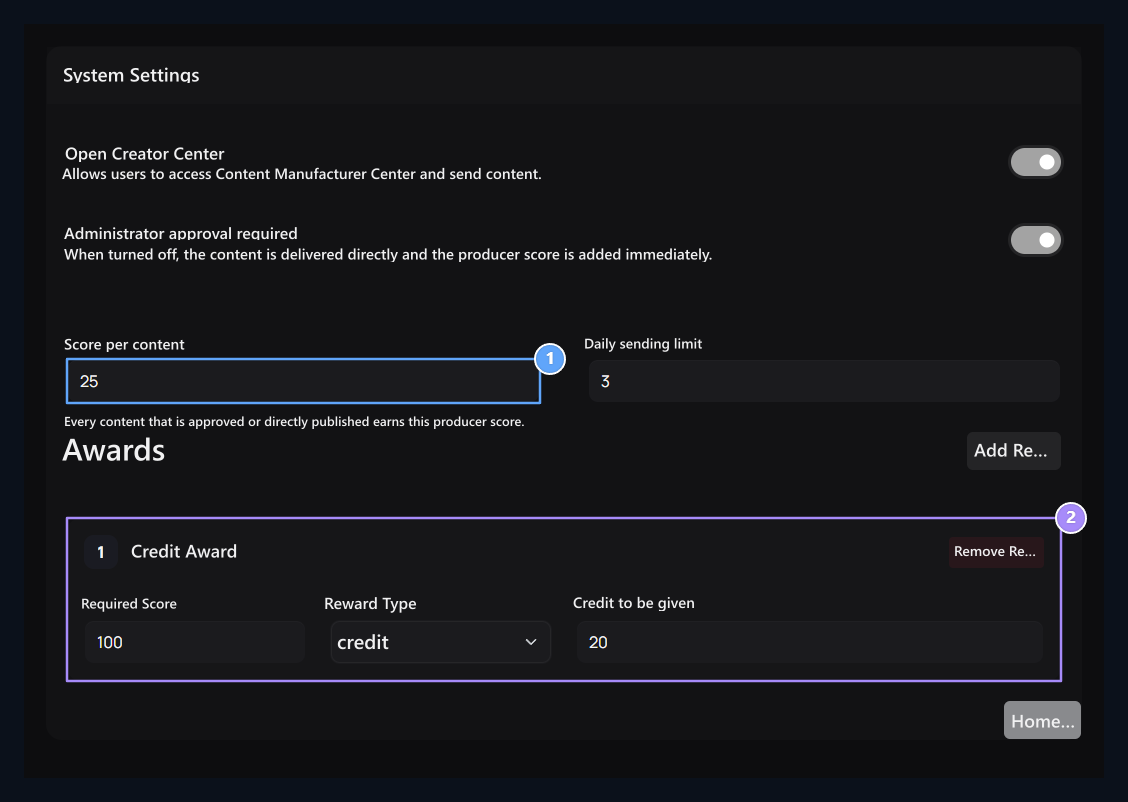
1. Score the verified content
Set score per content and daily shipping limit.
2. Score target and reward
Select the required score and role, credit, product or check code prize.
Follow the manufacturer’s progress
Manufacturers and Scores Check out the scores and approved content numbers while you are on the tab. Enter the amount and ground if you need to edit the score. Review the targets defined by the reward control tool.View the user page
Published videos in the field of content on the home page and Content Creators listable on the page. Videos are shown with cover, header, platform and manufacturer information; visitors can track and like contents. With platform filters, you can choose YouTube or TikTok content.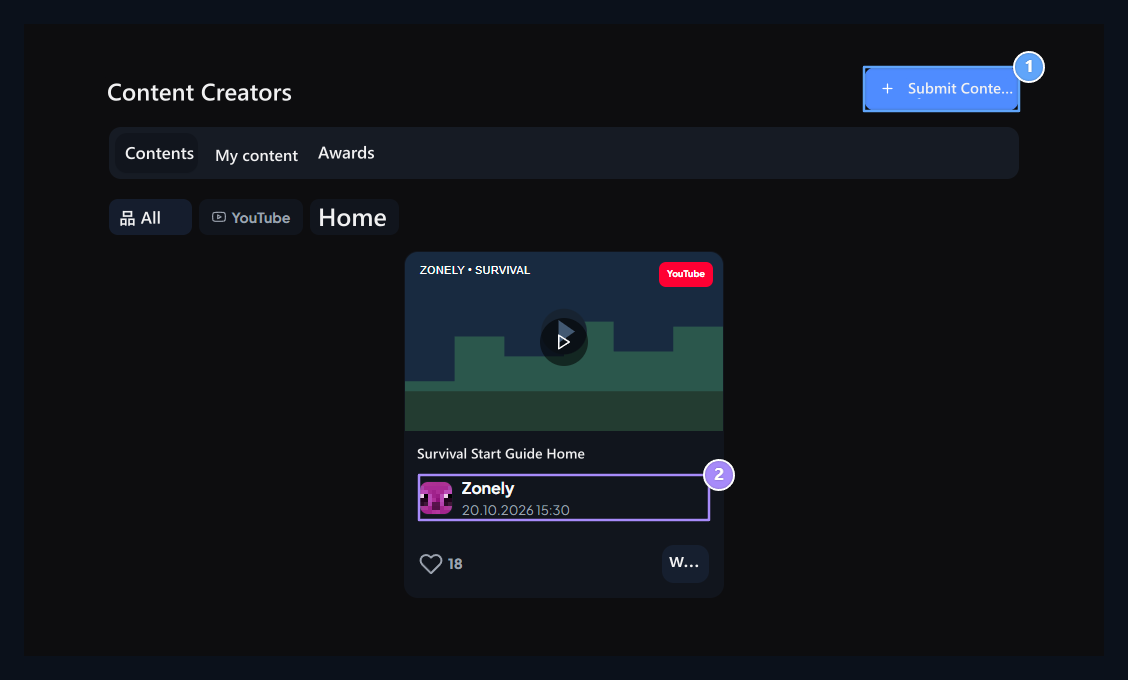
1. Send content
The user is with YouTube or TikTok link here.
2. User side
The approved content appears in the showcase by avatar and manufacturer.
Send user content
Login to the user account Submit Content print the button. YouTube or TikTok add link, or write headers and Send with. The header is used automatically if the blank.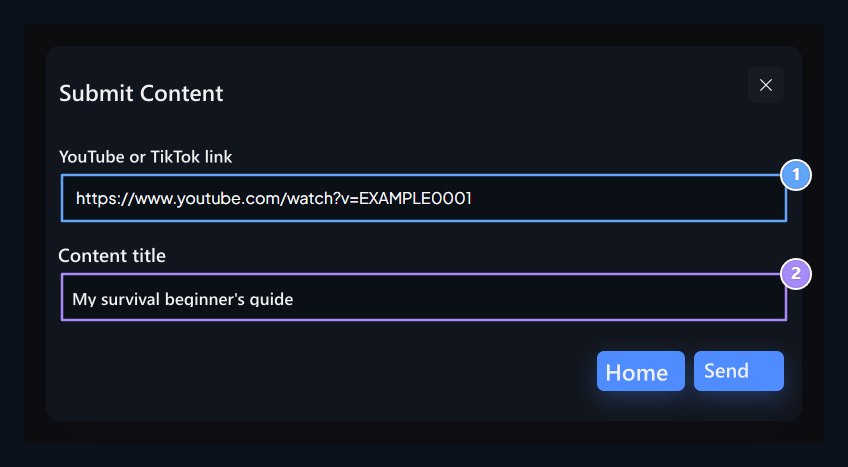
1. Video connection
Add your YouTube or TikTok connection.
2. Title
You can write header or use automatic header.