
 Home
 User Guide
 Developers
 Payment Gateways
 Integrations & Tools
 Site Usage
 Troubleshooting
User service status screen
User /status When you open the page, the general status summary on the top sees the name of each service at the bottom, the percentage of accessibility, the final control and history records.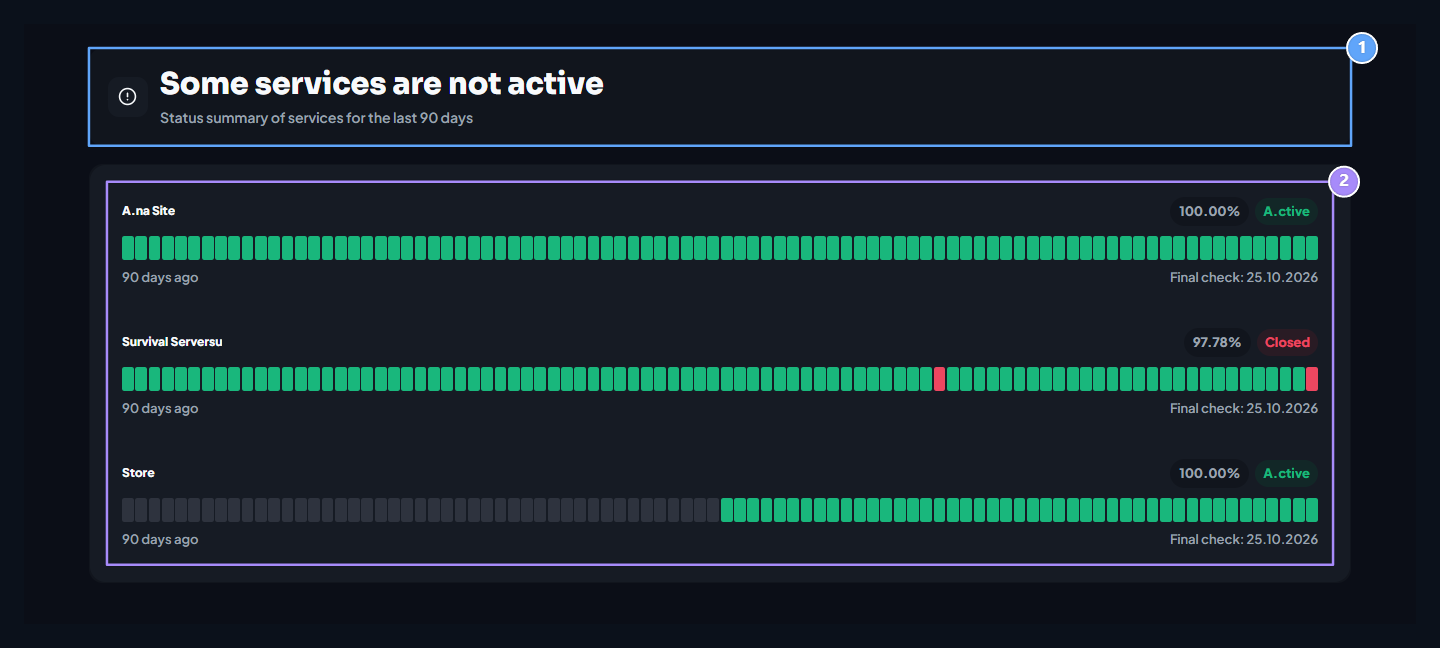
1. General status
The general summary changes when it is not reached in a service.
2. Services and history
See the instant status of each service, the percentage of accessibility and 90-day records.
If all services are working
The final controls of the services monitored are successful, the general summary will be active.
1. All services are active
This abstract appears when the end controls are successful.
If the Services are not reached
The general summary alert shows when no end controls are accessed in the services. The user can see which services are affected by badges on the bottom list.
1. Can’t access the Services
The general situation alerts when no connection is installed in any of the final controls.