
 Home
 User Guide
 Developers
 Payment Gateways
 Integrations & Tools
 Site Usage
 Troubleshooting
Sales price and discount
Price Type the normal sales amount in the field. Discounted Sale There are three options for: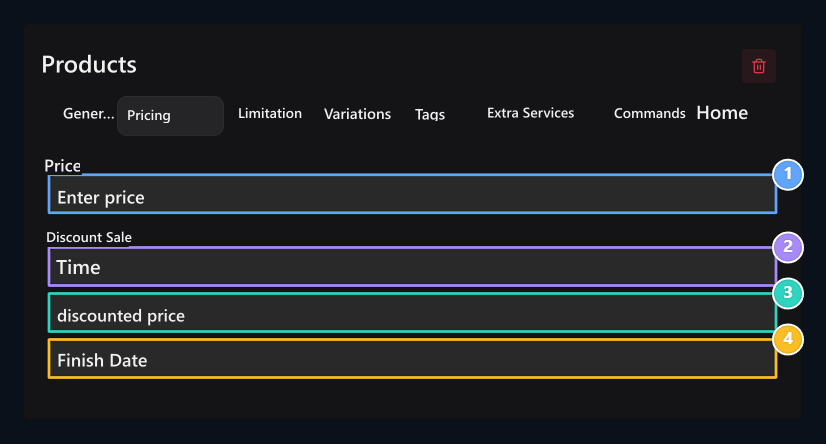
1. Price
Type the normal sales amount.
2. Discounted sales
Select the type of discount.
3. Discounted price
Enter the sales amount to be applied on the discount.
4. Finish date
Select the date of the periodic discount will end.
Stock and sales time
Normal product Stock Status in the field Indefinitely If you choose a limit, you will not apply. Temporary If you choose Stock quantity type your opener on the field. Timed Sale (Day) enter the time of the product in the field as a day. The amount of stock can be sold for several pieces, which determines the time.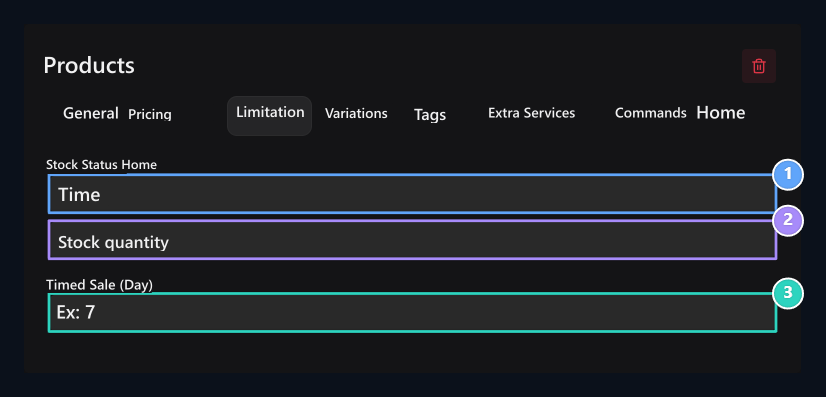
1. Stock status
Select Time for menstrual limit.
2. Stock quantity
Type the sale will open.
3. Sales time
Enter the time as day.

Skin products
Settings of single skin and skin membership.

Digital product
Free download, paid sales and stock options.