
 Home
 User Guide
 Developers
 Payment Gateways
 Integrations & Tools
 Site Usage
 Troubleshooting
Prepare the package queue
Upgrade options are prepared from the package in the comparison table of the product. There is option to be available on the top of the existing package. The upgrade button can not be presented in the last package or suspended record. Features and order of packages Product comparison Prepare in the section.Choose the top package
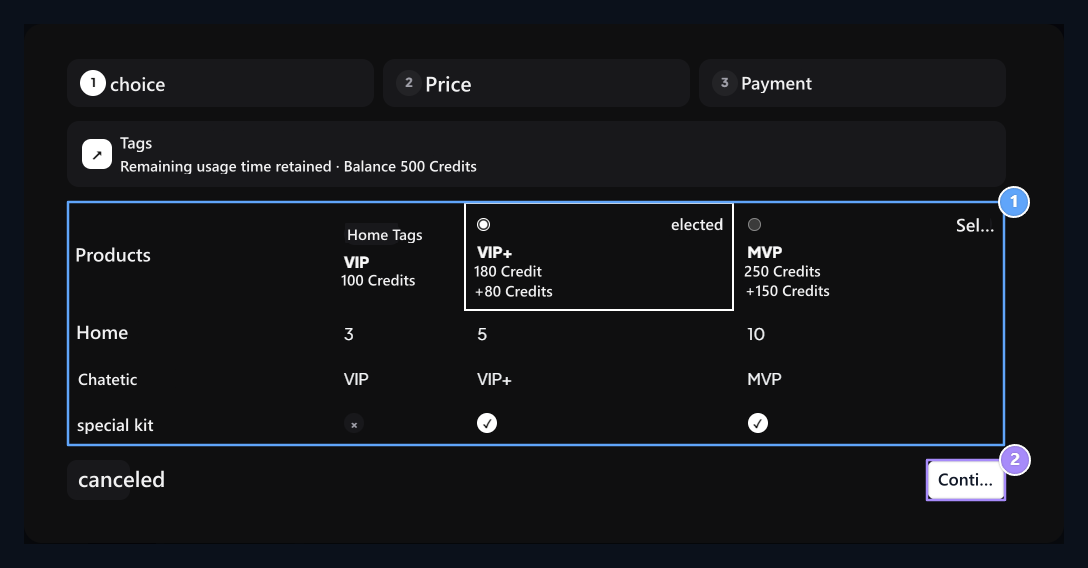
1. Compare packages
Compare the packages and contents that can be passed.
2. Continue
The choice goes to the price step.
Read price difference
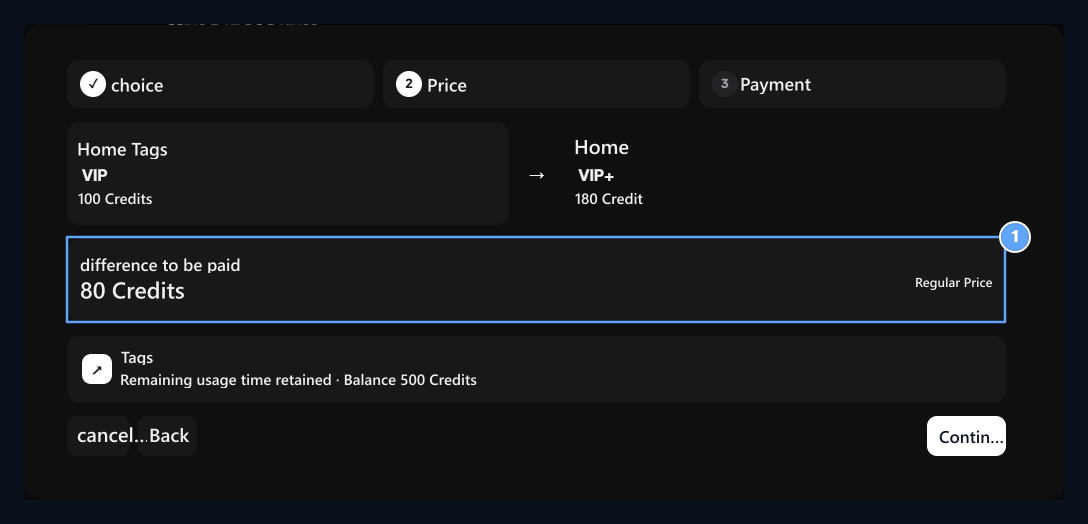
1. Difference
Check the price difference paid for the new package.
Confirm Payment
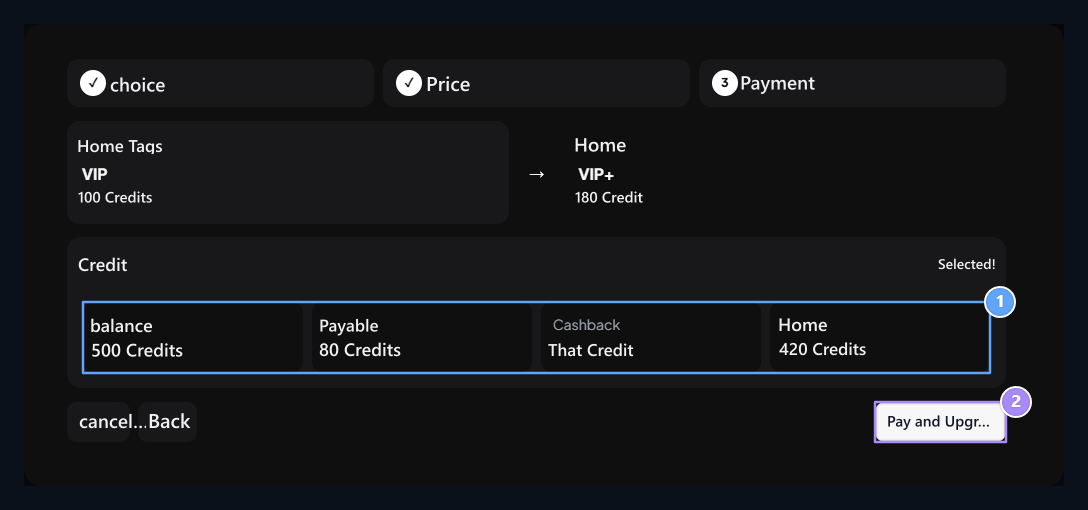
1. Payment summary
Check the price difference and the balance to be used.
2. Pay and Rise
The final confirmation process is this button.