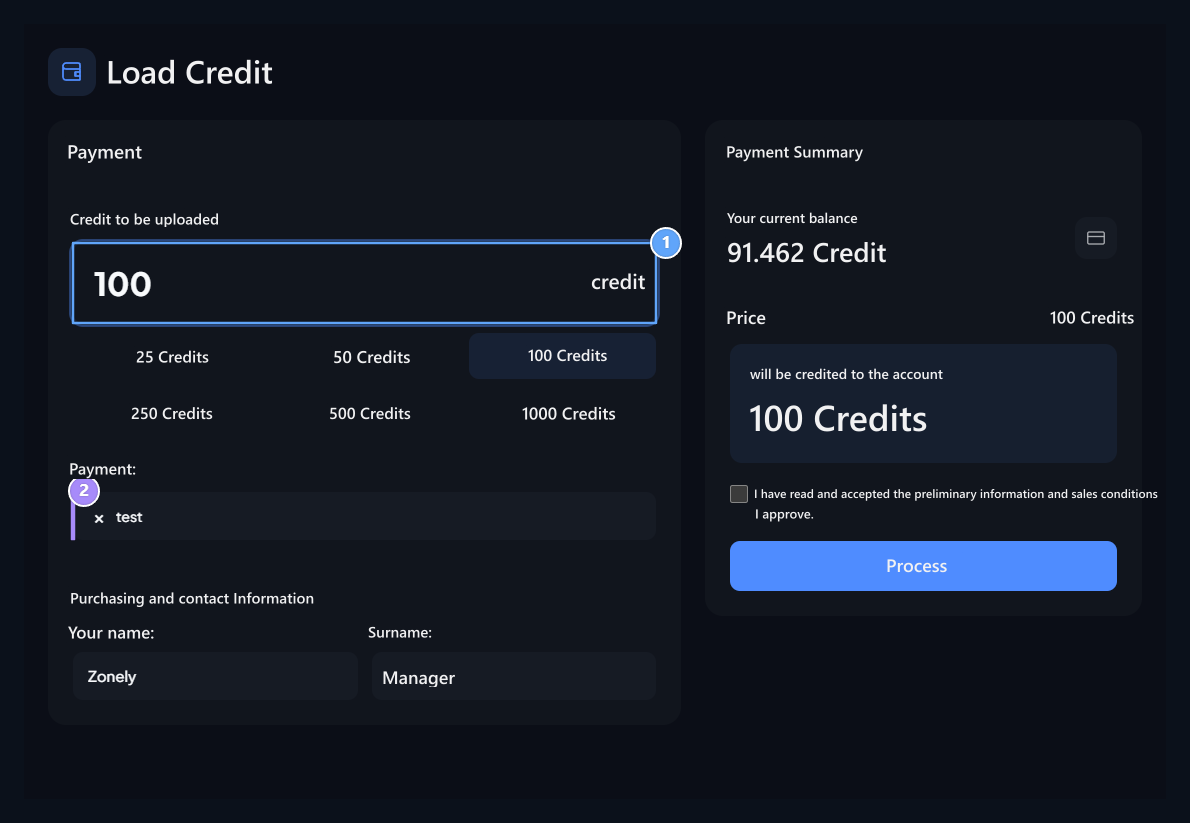
Addons On screen Loading Credit Activate the record. User Profile → Upload Credit You can add balance to your account by paying in the section.

Prepare payment options

To be used in the management panel Payment Methods Connect. The name, price, visual and bonus of the packaged credit options Credit Screen Edit from the section.

Select the amount and method

Credit to be uploaded, Payment method

1. Credit to be uploaded

Type quantity or select from ready-made amounts.

2. Payment method

Select one of the open payment methods of the site.
User Credit to be uploaded the amount of the field chooses one of the authors or the ready amounts. Payment determines one of the open methods in the section. Completes the communication and billing areas required by the selected method. Payment Summary The existing balance in the section controls the credit that will be paid and will be accounted. If there is a commission or bonus, the final values read from this summary. Confirm and confirm the terms Get Processed Continues payment flow with the button. Write the amount does not change the balance of the account. You must be successful processing of the payment result. On the management side to investigate the result Payments Check records.