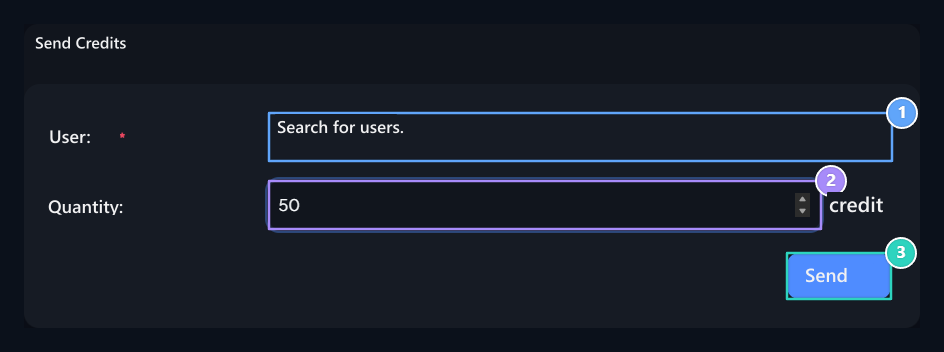
Addons On screen Credit Submission Activate the record. User Profile → Send Credits You can transfer their balance to another site account from the section.

Enter the buyer and quantity

Buyer user, Quantity, Send

1. Buyer user

Search your name and select the correct account.

2. Quantity

Type the amount of credit you want to send.

3. Send

Confirm after checking the account and amount.
User Search for the recipient’s name in the field and select the account from the result. Quantity type the credit you want to send in the field. Send Check the selected name and amount together before pressing the button. The amount sent in successful transaction falls from your own balance and passes to the buyer. Fix areas if there is a unstable balance or an invalid selection message; do not agree that the transfer without seeing the result message is completed.

Required settings

This process works with the existing balance; no payment method selection. To get new balance Loading Credit Use the screen. There is no separate commission or daily limit form on the plugin registration. The buyer and quantity are determined on the shipping screen by the user.