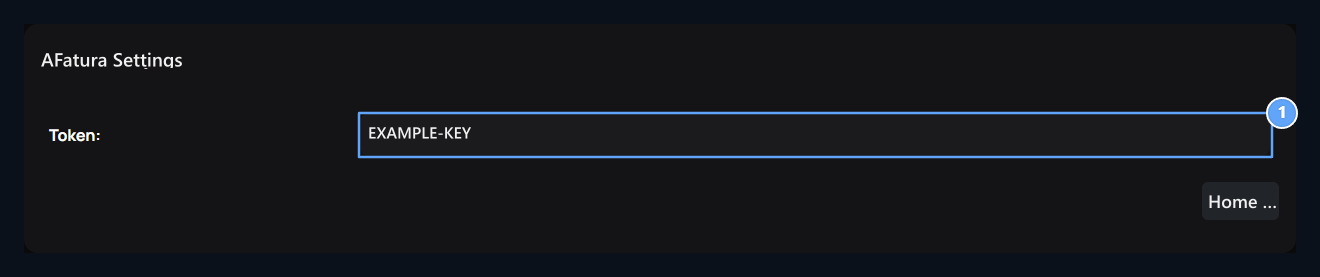
Add-ons → Uploaded On the tab BirFatura Find the record. Options → Layout open the way. Information of authorization of your integration account Token enter the field.

Save Token

Token

1. Token

The authorization value for your BirFatura integration.
Use the token value provided for your BirFatura integration. Do not enter the account password or the token name in this field. Replace the sample value shown in the image with your own connection information and press Save. Make sure the plugin is enabled. If the token changes, update and save the counterness on this screen.

Edit the BirFatura store

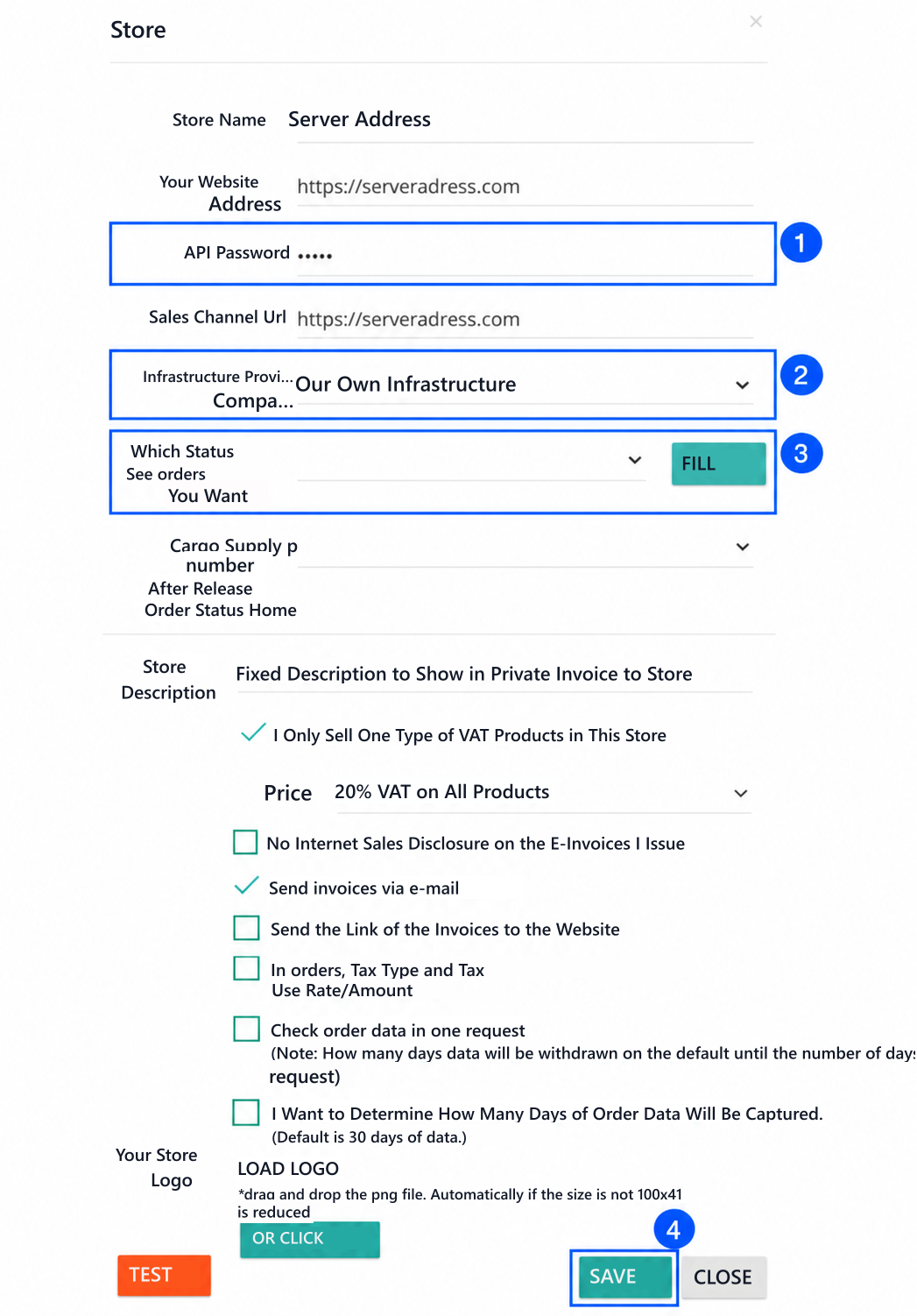
In the BirFatura panel, open Settings → Store Settings. Under Private Integration, click Edit for your existing store. Combined BirFatura store form: 1 API Password, 2 Our Own Infrastructure, 3 order status and Fill, 4 Save 1. API Password · 2. Our Own Infrastructure · 3. Fill and order status · 4. Save Edit the invoice description, tax, email transmission and logo options in the bottom of the form according to your business. Next Save Press the button. The site address and options in the images are examples; use your own store information.