
 Home
 User Guide
 Developers
 Payment Gateways
 Integrations & Tools
 Site Usage
 Troubleshooting
Select working mode
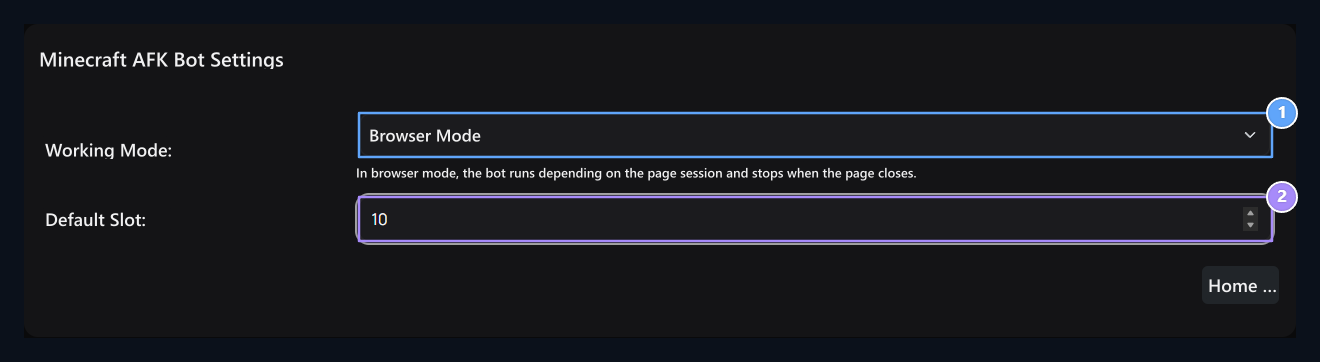
1. Working Mode
Browser Mode or select separate API service.
2. Default Slot
Number of slots to be used in the beginning.
Identify and set the number of modes and slots Save Press the button. Number of slots is not the connection address or service port; it is kept in separate areas.
Fill in the API link
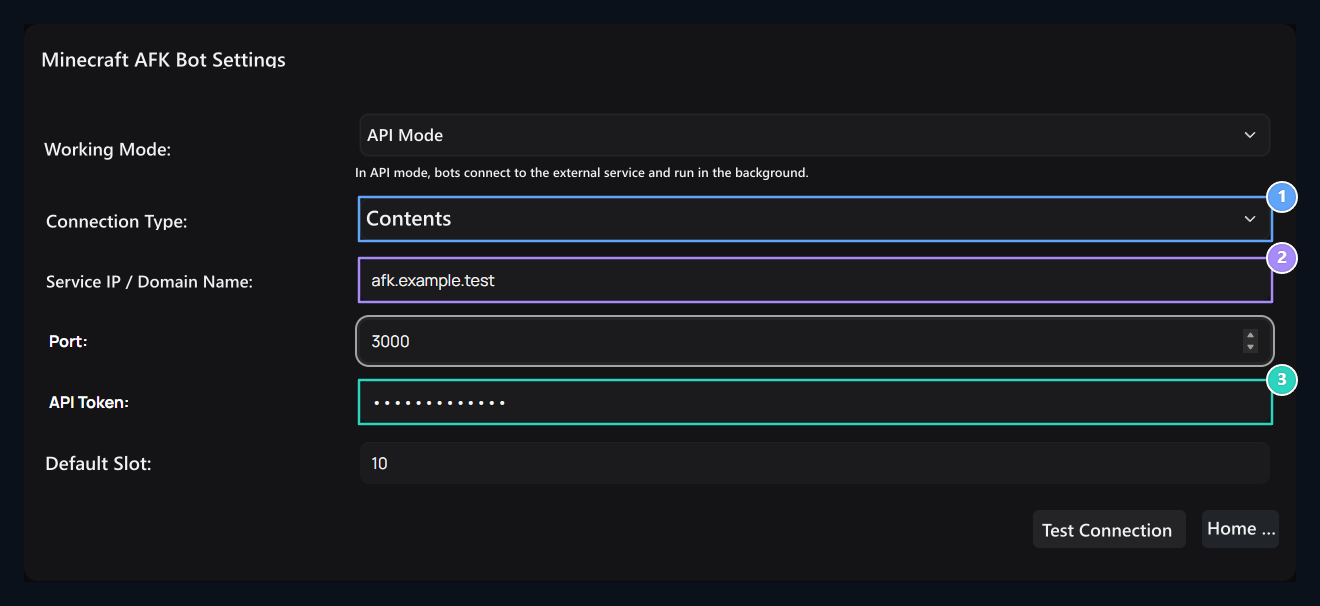
1. Connection Type
HTTP or HTTPS connection of API service.
2. Service IP/Domain Name
Address and port are entered in separate areas.
3. API Token
The key of AFK service.
Test Connection Dener service access; read the return status message. Save stores preferences on the screen. No installation on the panel does not install or start a separate API service.
Check the protocol, address, port and token together if the connection is not installed. The service is accessible by the panel of the machine it works. Write the values of your own installation instead of the sample address and port in the visual.