
 मुखपृष्ठ
 उपयोगकर्ता गाइड
 डेवलपर्स
 भुगतान गेटवे
 एकीकरण और उपकरण
 साइट का उपयोग
 समस्या निवारण
सर्वर कनेक्ट करें
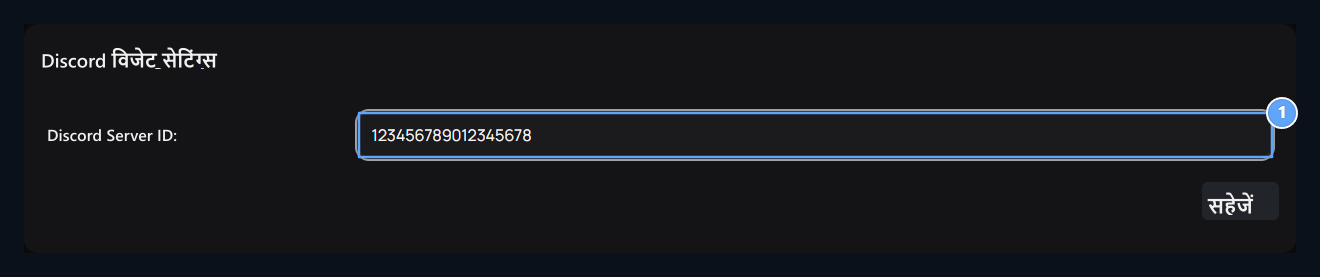
1. डिस्कार्ड सर्वर आईडी
The number of the number of the number of the number of the number of the number of the number of the number of the number of the number of the number of the number of the number of the number of the number of the number of the number of the number of the number of the number of the number of the number of the number of the number of the number of the number of the number of the number of the number of the number of the number of the number of the number of the number of the number of the number of the number of the number of the number of the number of the Discord सर्वर विजेट में दिखाने के लिए।
निपटान संपादित करें
Widgets → Widgets रास्ता खुला। Discord या सोशल मीडिया → Discord चयन प्रकार। हेडर, सर्वर ID, ऊंचाई और संकीर्ण / चौड़े अंतरिक्ष वरीयता भरें और सहेजें। जब आप अलग Discord विजेट बनाते हैं, तो इसका लेआउट इस्तेमाल किया जाता है। जब आप इस पंजीकरण निष्क्रिय करते हैं तो स्वचालित Discord क्षेत्र को नहीं दिखाया गया है। स्थिति और दृश्य चरण विजेट गाइड में है।देखें
होम पेज और राइट सर्वर और आपके द्वारा चुने गए लेआउट की जांच करें। खाली स्थान से पहले, सर्वर की विजेट वरीयता, दर्ज की गई ID और निजी विजेट की स्थिति की जांच करें। इसके अलावा सर्वर या सहकर्मी उपयोगकर्ता भूमिकाओं को बॉट कनेक्ट करने के लिए डिस्कार्ड बॉट गाइड का उपयोग करें।आवश्यक अनुमति वाले खाते से अपने Discord सर्वर की सेटिंग में Widget सक्षम करें। फिर Zonely में सर्वर ID सहेजें। Widget बंद होने पर सही ID के बावजूद सामग्री दिखाई नहीं दे सकती।