
 Home
 User Guide
 Developers
 Payment Gateways
 Integrations & Tools
 Site Usage
 Troubleshooting
Install the plugin and dependency
ZonelyCore from the installation guide Get the appropriate package on your server version. Required News and PlaceholderAPI install the versions. JAR files plugs/ Create set files to the folder.Connect to the site database
Zonely panel Settings → Database open the part. Get the address, port, name and access information of your own database. plug-ins/ZonelyCore/config.yml available in the file database Edit the part.plugins/ZonelyCore/config.yml — database
Prepare the punishment module
plugins/ZonelyCore/config.yml — punishments
Connect store server
Management panel Store → Servers open the part. Add new server or edit the corresponding record. ZonelyCore Select the link. The token value of this server is in the store setting of the plugin web-token match with. Other options of the store module store guide Complete according to.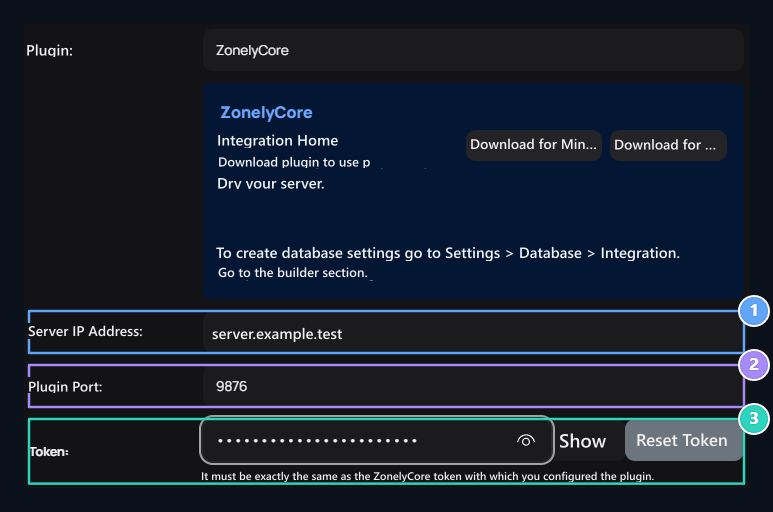
1. Server IP Address
Enter the counterness in your server configuration.
2. Add-on Port
Enter the counterness in your server configuration.
3. Token
Enter the counterness in your server configuration.