
 Home
 User Guide
 Developers
 Payment Gateways
 Integrations & Tools
 Site Usage
 Troubleshooting
Place the source
Project files resources/zonelycorefivem/ Put it in the folder. fxmanifest.lua, Server.js and config.json should be directly in this folder. Add source to start file:server.cfg · resource startup
Edit keys and permissions
config.json · relevant fields
Add HTTP link
Management panel Store → Servers open the part. Add new server or edit the corresponding record. ZonelyCoreFiveM Select. Enter FiveM’s TCP/HTTP port accessed from outside. Source SetHttpHandler uses; port FiveM in the initial setting endpoint_add_tcp and is determined by hosting redirect.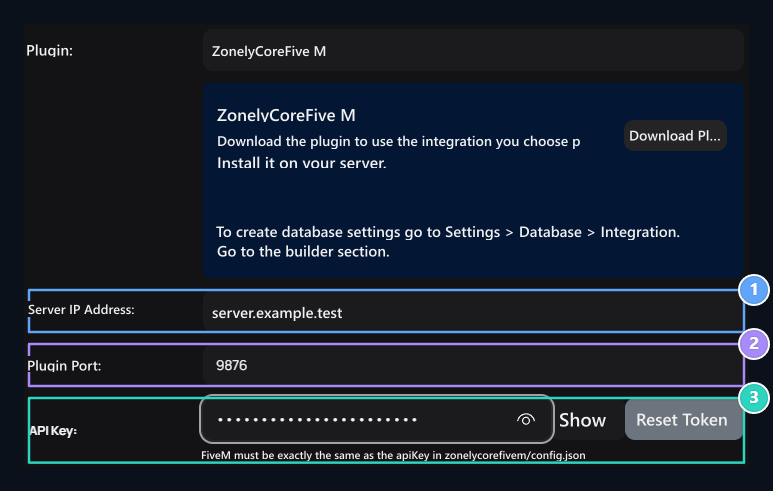
1. Server IP Address
Enter the counterness in your server configuration.
2. Add-on Port
Enter the counterness in your server configuration.
3. API Key
Enter the counterness in your server configuration.