
With CS:GO RCON connection, you can send the store commands to the console of the game server. Before the server, the remote console, then prepare the registration on the panel.

Edit the server file

Stop and stop the server CSGOServer.cfg open the file. Use the following settings in the relevant section available:
csgo/cfg/server.cfg
CS:GO support RCON in initial settings and if necessary -usercon Use option. Reboot the server. Edit your hosting panel from the permanent setting panel if it recreates the file.

Add panel record

Management panel Store → Servers open the part. Add new server or edit the corresponding record. Register your game RCON Select the link. Server IP Address, RCON Port, RCON Password
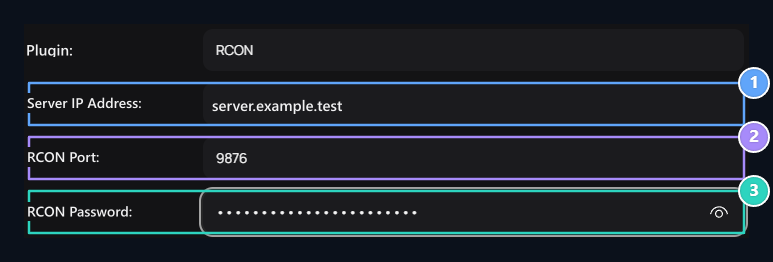
1. Server IP Address

Enter the counterness in your server configuration.

2. RCON Port

Enter the counterness in your server configuration.

3. RCON Password

Enter the counterness in your server configuration.
Prepare RCON TCP access with UDP port of the game connection. 27015 is a commonly used port example; enter the external port of your own server.

Connect the product to the server

Select this delivery server in product registration. Type the command according to the console syntax of the game. Mode/plugins that provide player ID and command should also be correct. Check the active console password in the timeout address and TCP access; verification error. Check the command of the product if the connection is not working and delivered. Server source · Common RCON fields · Connections and tools