
 Home
 User Guide
 Developers
 Payment Gateways
 Integrations & Tools
 Site Usage
 Troubleshooting
Install JAR file
From the official installation description Get distribution. Place the server into the mod directory and create the plugin config.yml open the file. Project Java 21 targets; meet your server’s Java requirement.Connect database
Zonely panel Settings → Database open the part. Get the address, port, name and access information of your own database. Edit root areas in the created file:config.yml · database section
Open command delivery
config.yml · command connection
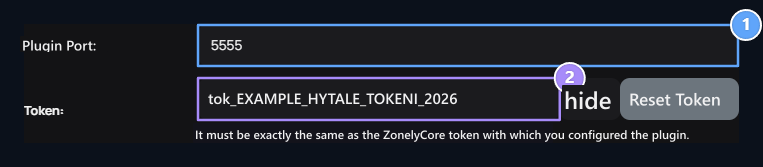
1. Hytale → socket_port
Enter the socket_port value in the Hytale config.yml file.
2. Hytale → socket_token
Match the token value with socket_token on the file and socket_enabled: true set.