
 Home
 User Guide
 Developers
 Payment Gateways
 Integrations & Tools
 Site Usage
 Troubleshooting
Install the plugin
AdvancedBan installation source Get the file that fits your server platform. Install the plugin and create the first configuration. When the server is closed Plugins/AdvancedBan/config.yml open the file.Configure MySQL settings
Zonely panel Settings → Database open the part. Get the address, port, name and access information of your own database. Edit the relevant part of the existing configuration:plugins/AdvancedBan/config.yml
Select the provider in the panel
Add-ons → Uploaded → Penal Configuration → Options → Edit open the way. AdvancedBan Activate the option. This screen determines the provider to be used in criminal records.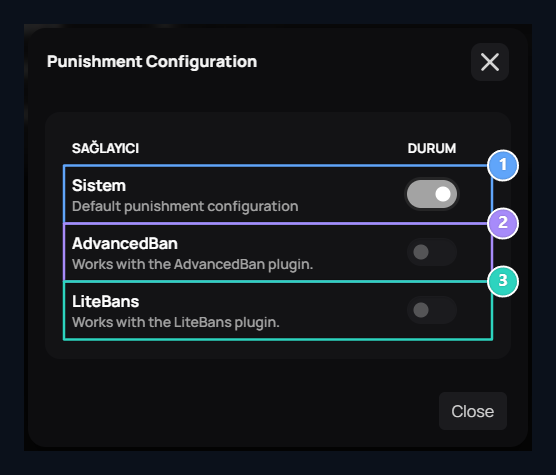
1. System
Use ZonelyCore penalty records.
2. AdvancedBan
Select the AdvancedBan penalty store.
3. LiteBans
Select the LiteBans penalty store.