
ZonelyCoreRust runs the store commands on the Rust server pulling them from the site. Each game server owns Server Token separated by value.

Install the plugin

ZonelyCoreRust.cs file uMod/Oxide on your server Pipe/plugins/ Put it in the folder. First loading oxy/config/ZonelyCoreRust.json consist of.

Match site and switches

ZonelyCoreRust.json · relevant fields
Website URL Your site is HTTPS root address. API KeyThe site is common value with Rust API configuration. Server TokenThis is the token of the Rust server. Protect long domain names in the created file.

Prepare panel record

Management panel Store → Servers open the part. Add new server or edit the corresponding record. ZonelyCoreRust Select. Server Token Enter the server token on the plugin. Give each one separate token if you use multiple Rust servers. Server Token
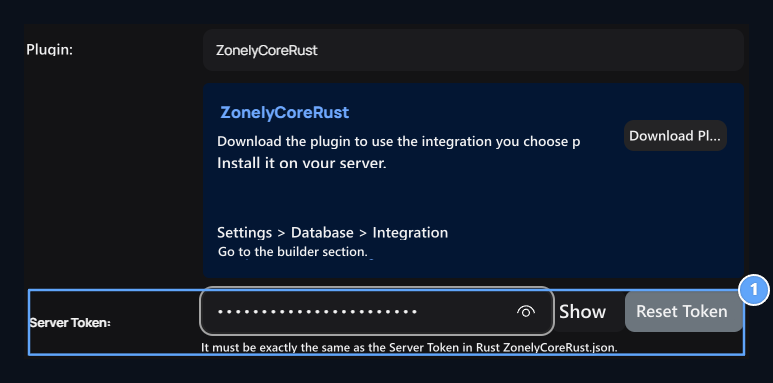
1. Server Token

Enter the counterness in your server configuration.
Connect products to this server. API Key is different from Server Token; do not write the API key to the token field of the panel.

Follow the tail

Plugin, site /api/zcr/pull application and the registered records /api/zcr/ack reports. This API path must be accessible on the site side. The connection is set right from the Rust server to the site. If the queue is not available, check the site address, HTTPS access and API key; token match if it is processed in the wrong server. If the command doesn’t work and give the expected result, check the script format of your Rust plugin. Real configuration areas · Servers · Connections and tools