
 Home
 User Guide
 Developers
 Payment Gateways
 Integrations & Tools
 Site Usage
 Troubleshooting

Get Provider information
Prepare your PayTR store’s Air/EFT service and integration information. While it has the same headers with card method, it is in the panel PayTR Transfer / EFT Select infrastructure.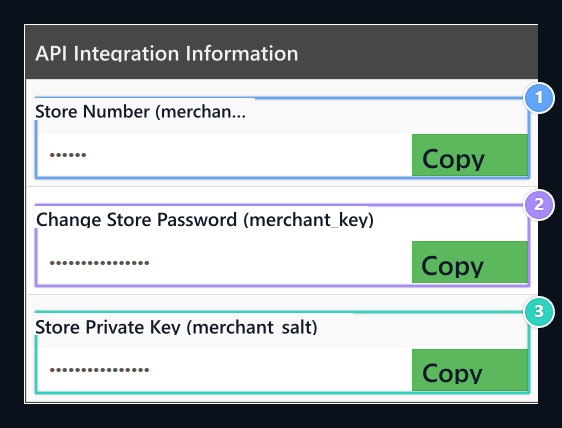
1. Store No
Merchant_id → PayTR Store No.
2. Store Password
Merchant_key → PayTR Password.
3. Store Hidden Key
Merchant_salt → PayTR Special Key.
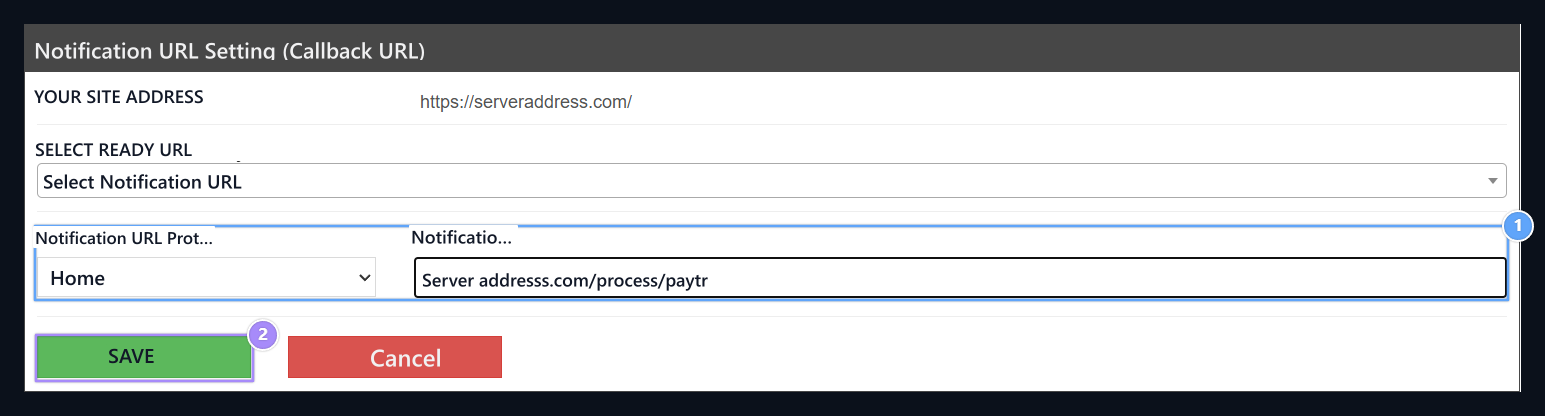
1. Final Notification URL
Enter the Callback URL address of your eFT registration.
2. SUGAR
Save the protocol and full address way by checking.
Prepare Zonely record
Management panel Store → Payment Methods open the part. Add Payment Method prepare new registration with; Title type the name to show the user to the field. From the infrastructure list ShareTR (EFT) Select.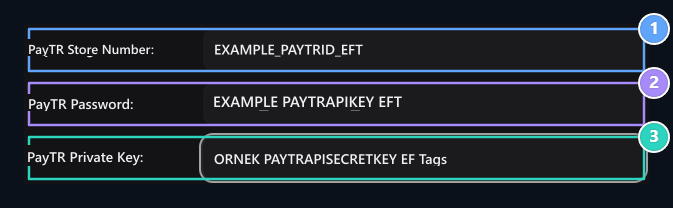
1. PayTR Store No
Enter the PayTR Store No information on the same provider account.
2. PayTR Password
Enter the PayTR Password information on the same provider account.
3. PayTR Special Key
Enter the PayTR Private Key information on the same provider account.