
 Home
 User Guide
 Developers
 Payment Gateways
 Integrations & Tools
 Site Usage
 Troubleshooting
View Awards
Profile menu safes open the case card on the connection or site. See Awards Check the possible results and the rates shown by the button.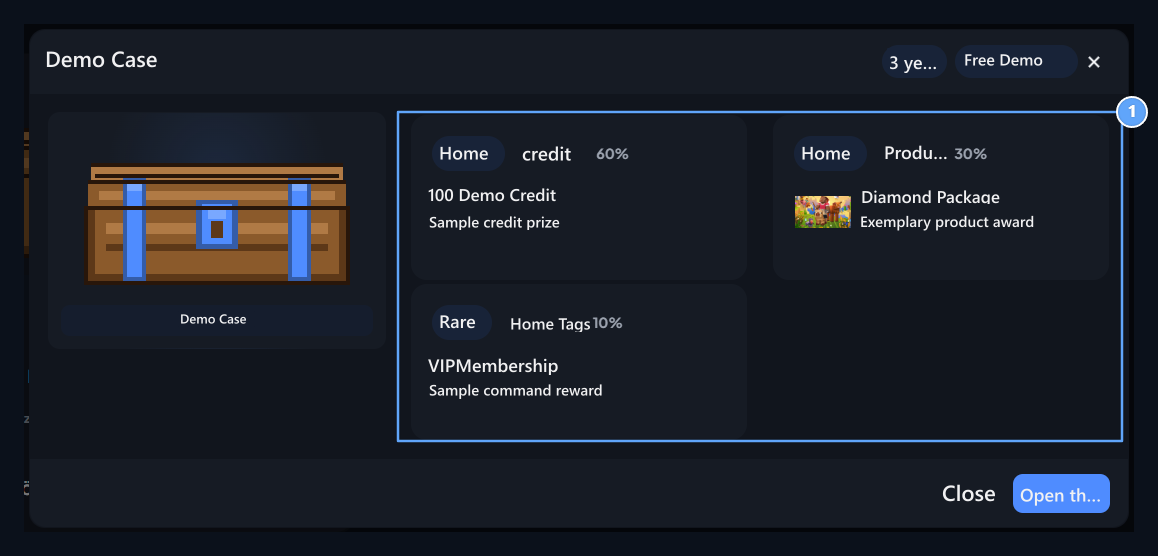
1. Award pool
Check out the possible prizes and the rates shown before opening.
Start Opening
1
Prepare your account
Login. You must have enough credit and available opening right for paid case.
2
Select case
In case card Open the Safe Switch to the opening window with the button. Check the waiting status if the fee and the fee.
3
Rotate
In the opening window Rotate Press the button. Wait the result until the animation is completed.
4
Read more
Check the selected reward and transaction notice. The balance for reopening, waiting and the right to use is evaluated again.