
 Home
 User Guide
 Developers
 Payment Gateways
 Integrations & Tools
 Site Usage
 Troubleshooting
Use profile menu
My orders, Load Credit and Support Request links to personal processing. Account Settings Under profile editing, password changing and other account options are available.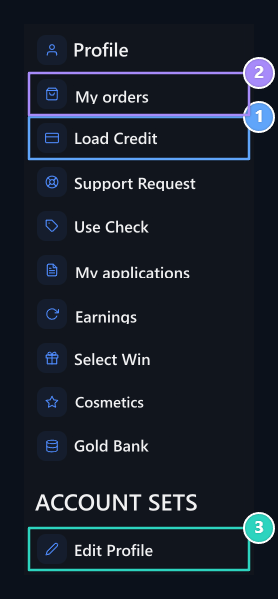
1. Upload Credit
Open credit upload options to your account.
2. My orders
Check out the products you purchased.
3. Edit Profile
Update your account information.
Open the transaction history
From tabs in the profile Payments, Orders, Credit Transactions, Support Tickets and you can view other records. Select the corresponding tab and examine the date, amount and status of the transaction you are looking for.
1. Payments
View your account payment records.
2. Credit Movements
Follow credit entries and outlets.
Update your information
From the Profile menu Edit Profile Open the option. Edit and organize email, ad and soybean fields Save Press the button.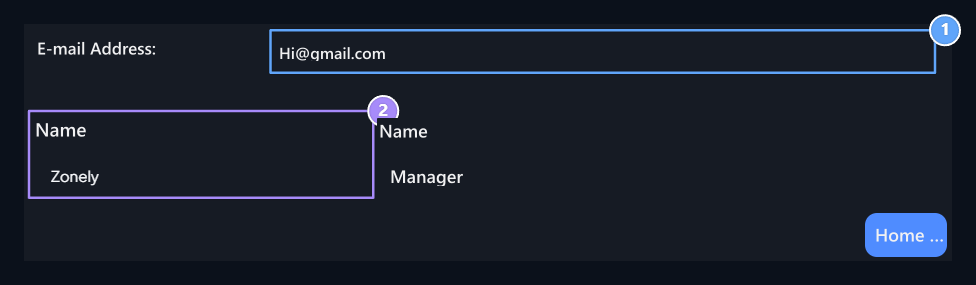
1. E-mail Address
Edit your account email address.
2. Ad and soy
Update your profile information.